Film Editing Workflow in Lightroom Step-by-Step
Film Editing Workflow in Lightroom Step-by-Step
A film editing workflow is more than applying a preset and adjusting Exposure. It is a specific sequence of decisions made in a specific order, where each step creates the conditions for the next step to work correctly. Photographers who apply presets in the wrong order, or who skip steps, consistently get results that are partially good rather than fully calibrated. Understanding the correct sequence and why each step comes where it does produces reliable film results across varied photographs and lighting conditions.
This guide covers the complete workflow from import to export, including the specific decisions at each stage that determine the quality of the final result.
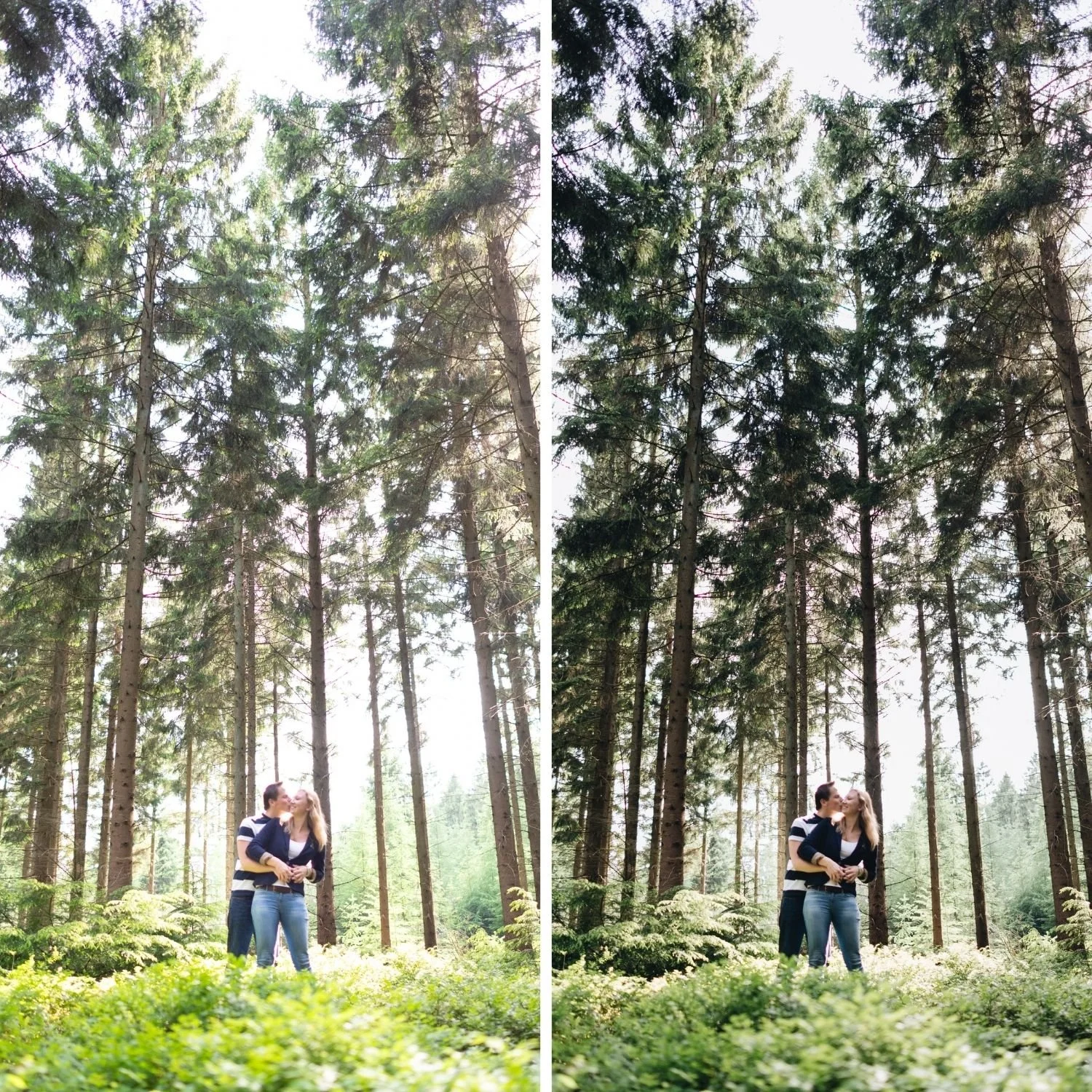
Step One: Import and Initial Organization
Before any editing begins, organize the shoot by lighting condition rather than by chronological sequence. In Lightroom Classic, create collection sets or use the color label system to group photographs by their primary ambient lighting: warm outdoor daylight, overcast or diffuse light, indoor warm ambient, and indoor mixed or artificial light. This organization makes the batch editing stage significantly more efficient because photographs with similar starting conditions will need similar adjustments.
Reject obviously unusable photographs during this stage, but do not reject borderline photographs yet. The film editing workflow often salvages photographs that look mediocre as unprocessed RAW files. Make final cull decisions after editing, not before.
Step Two: White Balance Calibration
White balance must be set before applying any preset. This is the most important sequencing rule in the film editing workflow. A preset calibrated for a warm-neutral white balance produces different results when applied to a cool-balanced or warm-balanced starting file. The warmth, skin rendering, and color character of the preset all depend on the starting white balance being within the range the preset was calibrated for.
For each group of photographs organized by lighting condition, set a target white balance range. Warm outdoor daylight: Temperature 5,200 to 5,500K, Tint positive 5 to positive 8. Overcast outdoor: Temperature 5,500 to 6,000K, Tint positive 8 to positive 12. Indoor warm ambient: Temperature 3,800 to 4,500K, Tint positive 6 to positive 10. These are starting ranges. Individual photographs within each group may need small adjustments but should stay within the range.
Sync the white balance for each group of photographs taken in similar conditions before moving to the preset application stage.
Step Three: Preset Application
Apply the preset after white balance is set. The sequence matters because the preset's Color Grading warmth, Color Grading shadow depth, and HSL channel calibration all interact with the starting white balance. A warm-calibrated preset applied to a cool white balance produces washed-out warmth. The same preset applied to a correctly warm-neutral white balance produces the intended warmth.
For a single-preset workflow, apply the preset to all photographs in the shoot simultaneously using batch sync. Deselect Exposure and White Balance from the sync options so these remain as per-photograph variables. For a multi-preset workflow with different presets for different lighting conditions, apply each preset to its corresponding lighting group.
Step Four: Per-Photograph Exposure Correction
After the preset is applied, work through the photographs individually making only Exposure adjustments. The target is that each photograph reads as correctly bright within the context of its lighting conditions and the aesthetic direction of the preset.
For most photographs, the Exposure adjustment needed is small: positive 0.1 to positive 0.3 for photographs that read slightly dark, negative 0.1 to negative 0.2 for photographs that read slightly bright after the preset is applied. Photographs that require large Exposure adjustments (more than plus or minus 0.5) usually have a problem with the starting exposure that the preset is amplifying rather than resolving.
At this stage, also make per-photograph Highlights adjustments where specific photographs have bright areas that are near or at clipping. A photograph in bright sun may need Highlights at negative 40 to negative 50 even after the preset is applied. An overcast photograph may need Highlights at only negative 10 to negative 15. The preset establishes the baseline; the per-photograph Highlights adjustment responds to the specific brightness of each image.
Step Five: Skin Tone Check
After Exposure correction, check the skin rendering on any portrait-focused photographs. The preset handles the calibration, but specific photographs may need targeted Orange channel adjustment based on the subject's skin tone or the specific ambient lighting conditions.
The most common correction at this stage is Orange Luminance adjustment. If skin reads slightly flat or olive after the preset is applied, increase Orange Luminance by positive 5 to positive 10. If skin reads warm but slightly orange, reduce Orange Saturation by an additional negative 5 to negative 8. These are specific corrections for specific photographs rather than global changes to the preset.
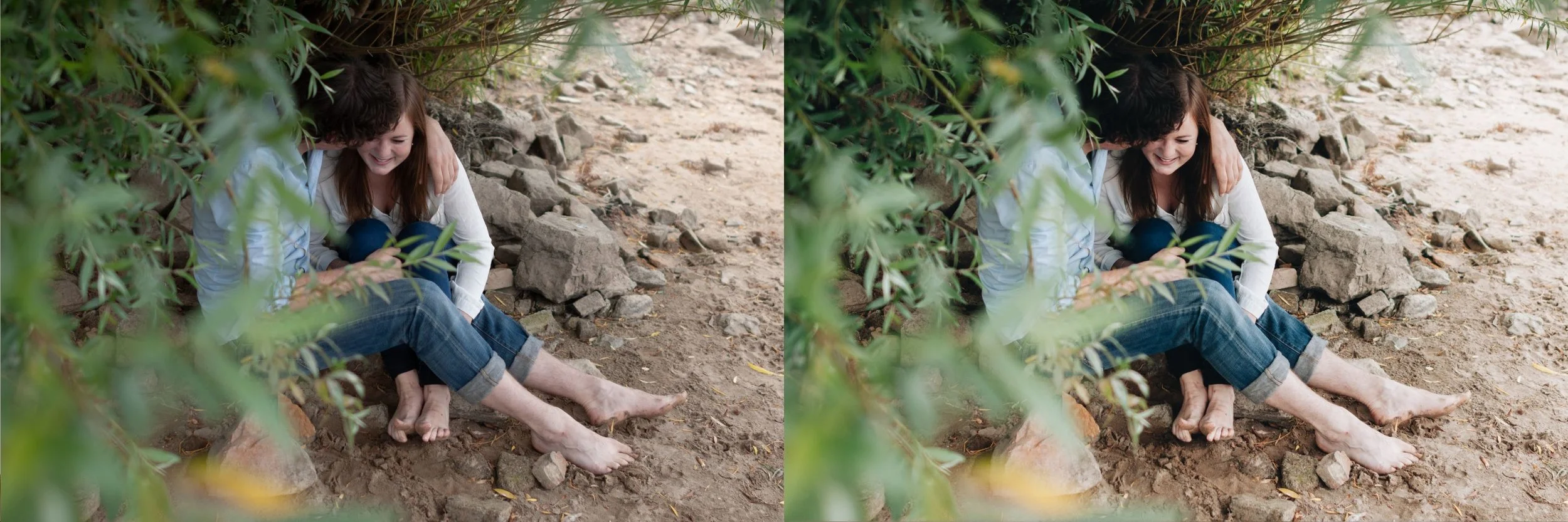
Step Six: Green Channel Check for Outdoor Photography
For photographs with significant outdoor vegetation, check whether the green channel needs additional adjustment beyond what the preset provides. Some photographs in very bright conditions or with unusually vivid foliage need Green Saturation reduced by an additional negative 5 to negative 10 beyond the preset's calibration.
This is a spot-check rather than a systematic adjustment. Most photographs will not need it. Photographs where vegetation is a dominant element and reads as still vivid after the preset is applied will benefit from the additional reduction.
Step Seven: Export
Export with consistent settings across the full gallery. For social media: JPEG at 90 percent quality, sRGB color space, resize to 2048 pixels on the long edge. For print: JPEG at 100 percent quality or TIFF, AdobeRGB color space, full resolution or resize to match the print specification. For web delivery: JPEG at 80 to 85 percent quality, sRGB.
The export settings should be saved as a preset in Lightroom so they are applied consistently without per-session decision-making.
FAQ
How long does this workflow take for a typical shoot?
For a 200-photograph shoot, the full workflow from import to export takes approximately 90 minutes to 2 hours including organization, white balance sync, preset application, per-photograph Exposure adjustment, and export. The efficiency comes from batch operations at each stage rather than per-photograph editing of every control.
Can I use this workflow in Lightroom Mobile?
Yes. The sequence is the same. White balance first, then preset application using Copy and Paste Settings with Exposure and White Balance excluded from the paste, then per-photograph Exposure correction. The batch operations are less efficient in mobile but the workflow logic is identical.
Should I edit RAW files or export to JPEG first?
Always edit RAW files. RAW preserves the full tonal range and gives the preset more latitude for the Highlights and Tone Curve adjustments that create the film aesthetic. Editing a JPEG that has already had tonal decisions baked in produces less clean results.
Start building your film editing workflow:
Download the free Analog Film presetand apply the workflow described above to a set of ten photographs to understand how the sequence produces consistent results.
For a complete preset system designed for workflow efficiency across varied lighting conditions, the Studio Archive at $89 provides 130 presets including every collection needed for the full workflow.
