Polaroid Style Lightroom Presets (Instant Film Aesthetic Guide)
Polaroid Style Lightroom Presets
Polaroid photography has one of the most recognizable aesthetics in the history of photography. The warm, slightly yellow color cast, the soft shadow floor, the gentle contrast, and the specific grain structure of integral film photography are immediately identifiable to anyone who has held a physical Polaroid photograph. Recreating this aesthetic in Lightroom is a matter of understanding what chemical processes created these properties and how to approximate them through specific digital adjustments.
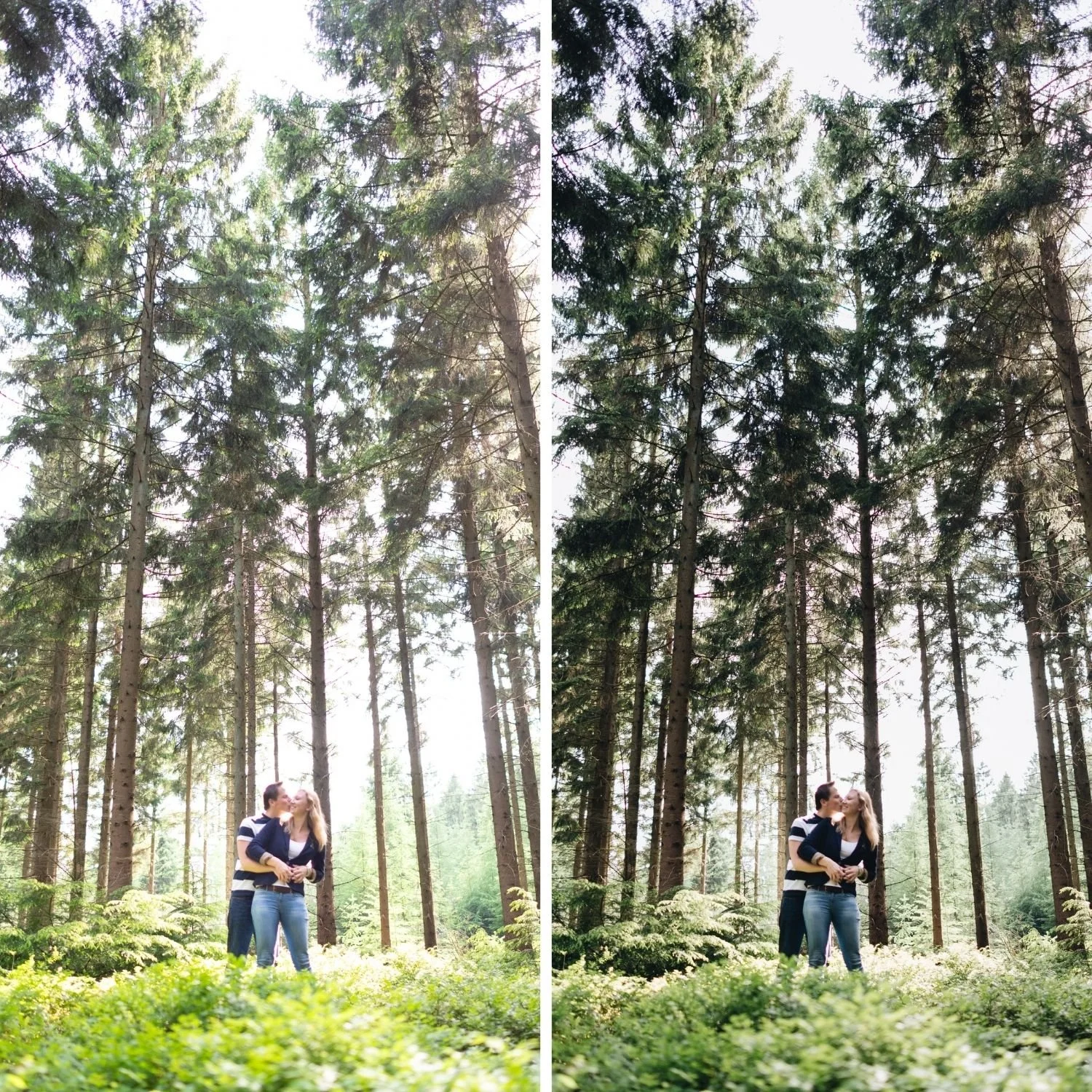
What Makes Polaroid Photography Look the Way It Does
Polaroid integral film, most famously 600 film and SX-70 film, had specific visual properties that came from its unique chemistry. Unlike conventional film which required separate development in a darkroom, Polaroid film developed itself using reagent pods that squeezed across the image layers as the film was ejected from the camera.
This self-developing chemistry produced the specific warmth of Polaroid photographs. The dye layers in Polaroid film had a warm, slightly yellow-amber bias that came from the specific chemistry of the integral film process. Photographs taken in daylight had a characteristic warm cast that was different from conventional film photography, deeper and more specifically yellow-amber rather than simply warm.
The shadow floor in Polaroid photography was pronounced because the base layers of integral film had significant physical density. The darkest areas of Polaroid photographs are a warm, bright grey rather than a dark tone, which creates the specific open shadow quality that makes Polaroid images feel different from conventional film photographs in their shadow rendering.
Contrast was soft and low in most Polaroid film emulsions. The integral film chemistry produced gentle midtone separation rather than the more contrasty rendering of conventional color negative or slide film. This contributed to the dreamy, slightly diffuse quality that people associate with Polaroid photography.
Building the Polaroid Look in Lightroom
The shadow floor is the starting point. Lift the Tone Curve shadow point to output 20 to 28, higher than for most film aesthetics. The Blacks slider can also be increased to positive 10 to positive 18 to create the warm grey shadow floor that Polaroid integral film produced from its base density.
Highlights should be gently protected without being aggressively reduced. Polaroid film in daylight conditions had reasonable highlight latitude, and the highlights in Polaroid photographs have a warm, luminous quality rather than harsh brightness. Highlights at negative 15 to negative 25 and Whites at negative 10 to negative 20 creates the protected highlight range.
Contrast should be low. A slight negative global Contrast adjustment, around negative 10 to negative 20, combined with a gentle Tone Curve that has more compression in the midtones than the strong S-curve of more contrasty film aesthetics. The Polaroid look should feel soft and slightly low-contrast in a way that is warm and nostalgic rather than flat and grey.
The Color Character
The yellow-amber warmth of Polaroid film is the most immediately recognizable color property. White balance should be set noticeably warmer than neutral, around 5,600 to 6,400K depending on the ambient lighting conditions. The Tint can be pushed slightly toward positive 6 to positive 12 to add the slightly magenta quality that Polaroid film occasionally produced.
In Color Grading, the Highlight Hue should be in the range of 40 to 60 with Saturation around 10 to 16. This is notably higher Saturation than the restrained Color Grading of more refined film aesthetics, because the Polaroid color cast was genuinely visible and warm rather than subtle. Shadow Color Grading should be in the warm direction as well, Hue 30 to 45 at Saturation 4 to 8, because Polaroid shadows had the warm amber quality of the film base throughout the tonal range rather than the cool depth of outdoor photography in natural light.
HSL adjustments follow the standard film approach: Orange Saturation negative 10 to negative 20, Orange Luminance positive 8 to positive 15 for skin. Yellow Saturation at negative 5 to negative 15. Green Saturation at negative 15 to negative 25, Green Hue toward yellow. Blue Saturation at negative 10 to negative 20.

Grain for the Polaroid Character
Polaroid grain was specific and recognizable. The integral film chemistry produced a grain structure that was organic and slightly irregular, with a warm character that suited the overall warm color palette. Grain Amount at 18 to 26, Size at 24 to 32, and Roughness at 50 to 65 produces a grain calibration that references the Polaroid grain character. The grain should feel warm and organic rather than fine and digital.
Clarity should be at negative 5 to negative 15. Polaroid photographs had a slight softness in the midtone detail range from the integral film processing that adds to the dreamy, nostalgic quality. Reducing Clarity approximates this softness.
The Range of Instant Film Aesthetics
Not all Polaroid film looked the same. Different Polaroid film stocks from different eras had distinct characters. The warm yellow-amber quality describes standard 600 film. SX-70 film had a slightly cooler, more neutral quality. Polaroid photographs that have aged have often developed a more pronounced warm or pink cast from dye degradation over time.
The Polaroid Instant Archive covers nine distinct expressions of the instant film aesthetic, from the subtle P1 Instant Warm through the maximum vintage depth of P9 Deep Vintage. Each preset is calibrated around specific properties of instant film photography rather than applying a single uniform treatment across the collection.
FAQ
Is the Polaroid look the same as a vintage look in general?
Polaroid has a specific warm, yellow-amber, soft-contrast quality that is distinct from general vintage film aesthetics. Conventional film vintage looks tend toward more neutral warmth and more contrast. The Polaroid look is specifically warm with the characteristic shadow floor and low-contrast quality of integral film.
Does the Polaroid aesthetic work on modern digital photography?
Yes. The Polaroid look applied to contemporary digital photographs produces a nostalgic, warm quality that suits personal, social, and lifestyle photography. It works best on casual, personal subject matter where the nostalgic character adds emotional resonance.
How do I prevent the Polaroid look from looking too yellow?
Reduce Yellow Saturation in HSL by an additional 5 to 10 points and lower the Highlight Color Grading Saturation slightly. The yellow quality should be present and warm rather than obviously yellow.
Try the instant film approach on your own photographs:
Download the free Analog Film preset and compare it with the warmer, softer Polaroid approach described above. The differences show clearly what the instant film aesthetic adds beyond a standard warm film look.
For the complete instant film aesthetic system, the Polaroid Instant Archive covers the full range. The Studio Archive includes the complete archive at $89.
