The Professional’s Guide to Recreating Iconic Film Aesthetics in Lightroom (2026 Edition)
For years, the VSCO app has been the gold standard for mobile creators seeking that elusive "film look." But as many photographers eventually discover, there comes a point where mobile sliders aren't enough. When you start shooting in RAW, working on a larger screen, or managing thousands of photos, you need the professional horsepower of Adobe Lightroom.
The biggest hurdle in making the switch? Losing your signature look.
If you’ve spent years perfecting your style using mobile filters like A6, M5, or the M-series, you don't have to start from scratch. In this guide, we’ll show you how to transition your workflow to Lightroom and why our professional-grade emulations are the ultimate VSCO alternative for serious creators.
Why Lightroom is the Natural Evolution for Aesthetic Creators
Moving from a mobile app to Lightroom isn't just about changing software; it’s about upgrading your image quality.
Color Depth: Mobile apps often "bake" the filter into the image, leading to pixelation and "banding" in skies. Lightroom presets work with the underlying data of your photo, preserving every detail.
Total Customization: While an app gives you a 0-12 slider, Lightroom gives you the HSL panel, Tone Curves, and Color Calibration.
A Professional Alternative: Many creators find themselves stuck between wanting that familiar "look" and needing professional results. That is where we come in. We’ve spent years reverse-engineering these iconic aesthetics to work perfectly within the Lightroom engine.
1. The "A6" Aesthetic: The Minimalist’s Holy Grail
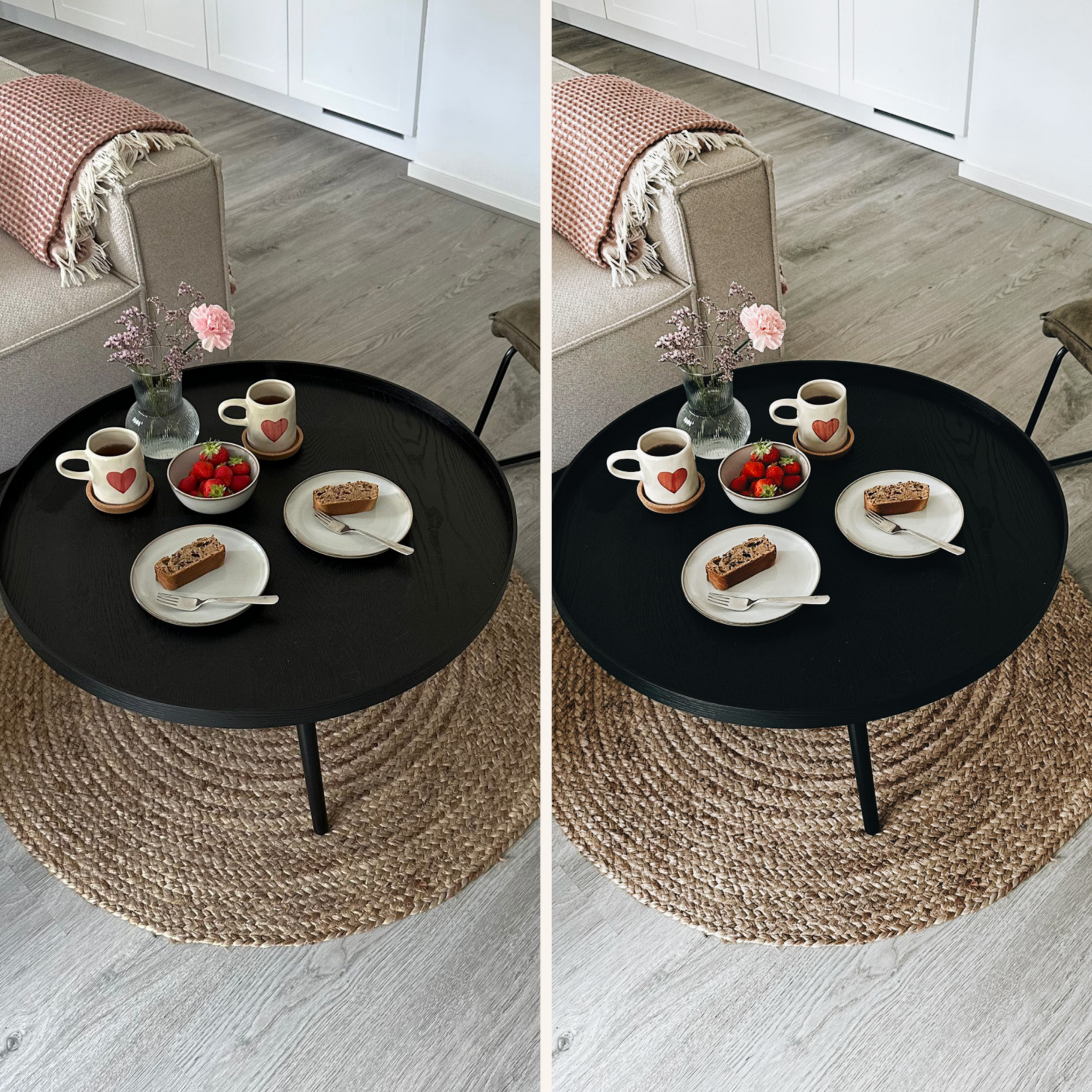
The A6 look is perhaps the most iconic aesthetic in modern photography. It is characterized by its "Clean Film" vibe—bright, crisp, and slightly warm. It’s the look that defined the "minimalist influencer" era.
The Anatomy of the Look:
To achieve a professional alternative to the A6, we focus on high-key exposure with a unique "analog creaminess" in the highlights. Unlike standard filters, our A6 Aesthetic Preset ensures that whites stay white (not gray) while gently shifting skin tones toward a healthy, warm glow.
Best for: Interior design, fashion, and lifestyle photography.
Why our version is better: We’ve fixed the "blue-tint" issue that often plagues mobile filters, giving you cleaner blues and more realistic greens.
2. The "M5" Vibe: Dark, Moody, and Urban
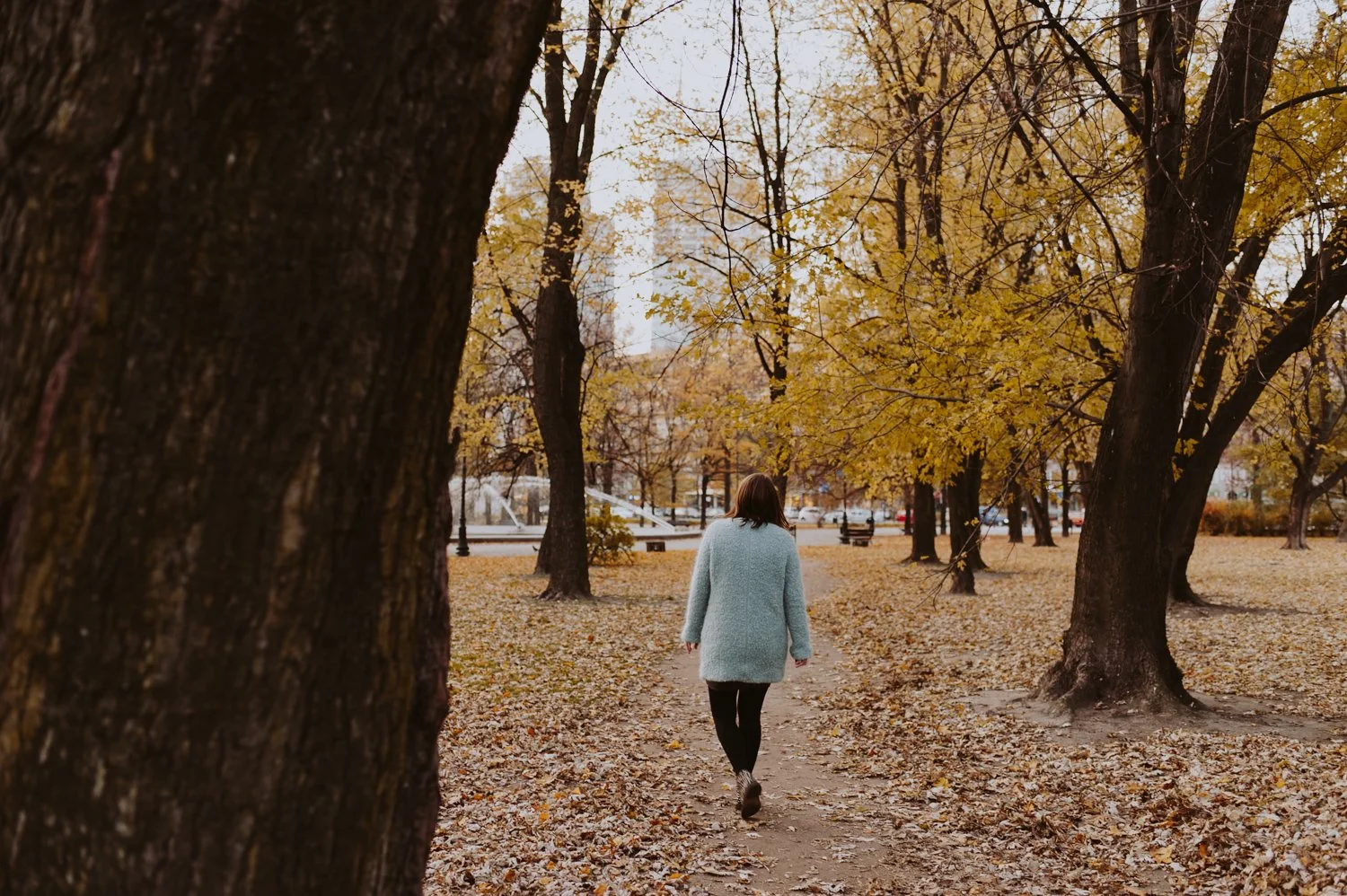
If your style is more "street" than "studio," you’re likely familiar with the M5 look. This aesthetic is all about the "fade"—deep shadows, desaturated colors, and a sophisticated, moody atmosphere.
The Professional Difference:
Most mobile moody filters simply crush the blacks, losing all detail in your shadows. Our M5 Moody Preset uses a specialized S-Curve to create that "faded" look while retaining enough detail in the shadows to keep your photos looking professional, not "muddy."
Best for: Rainy days, urban architecture, and moody portraits.
The Look: Deep teals in the shadows and muted oranges in the highlights.
3. The "M1" Series: The Secret to Organic Greens
The M-series (specifically M1 and M2) is the secret weapon for nature and outdoor photographers. It’s a "subtle" aesthetic that focuses on desaturating the "harsh" colors of nature to create a calm, organic feel.
The Tech Behind the Style:
Our M1 Minimalist Preset targets the "Neon Green" problem. We shift green hues toward yellow and drop their saturation, giving your forest and garden shots a timeless, editorial feel that mobile apps simply cannot replicate with precision.
4. Why Settle for One Look? (The VSCO Transition)
The biggest frustration when leaving an app is the "pay-per-look" model. You buy one pack, then another, and soon you've spent a fortune on individual filters.
We believe your "Digital Darkroom" should be complete from day one. That is why we created The Studio Archive.
Instead of searching for individual alternatives to A6 or M5, The Studio Archive gives you our entire library of 100+ professional presets. It is the comprehensive solution for creators who want:
Professional Emulations of the most iconic film looks.
Desktop & Mobile compatibility (XMP and DNG files).
One-click consistency across their entire portfolio.
Stop hunting for filters and start mastering your craft. Whether you are looking for the clean lines of the A-series, the nostalgia of the P-series, or the mood of the M-series, you will find them all—refined and perfected for Lightroom—inside The Archive.
[SHOP THE STUDIO ARCHIVE – ALL 70+ PRESETS FOR $49]
