 Image 1 of 1
G3 Modern Classic | Gritty Film & Deep Cinematic Grain Preset for Lightroom & Mobile


-
Fully Compatible Designed to work seamlessly across iOS, Android, and Desktop (Mac/Windows).
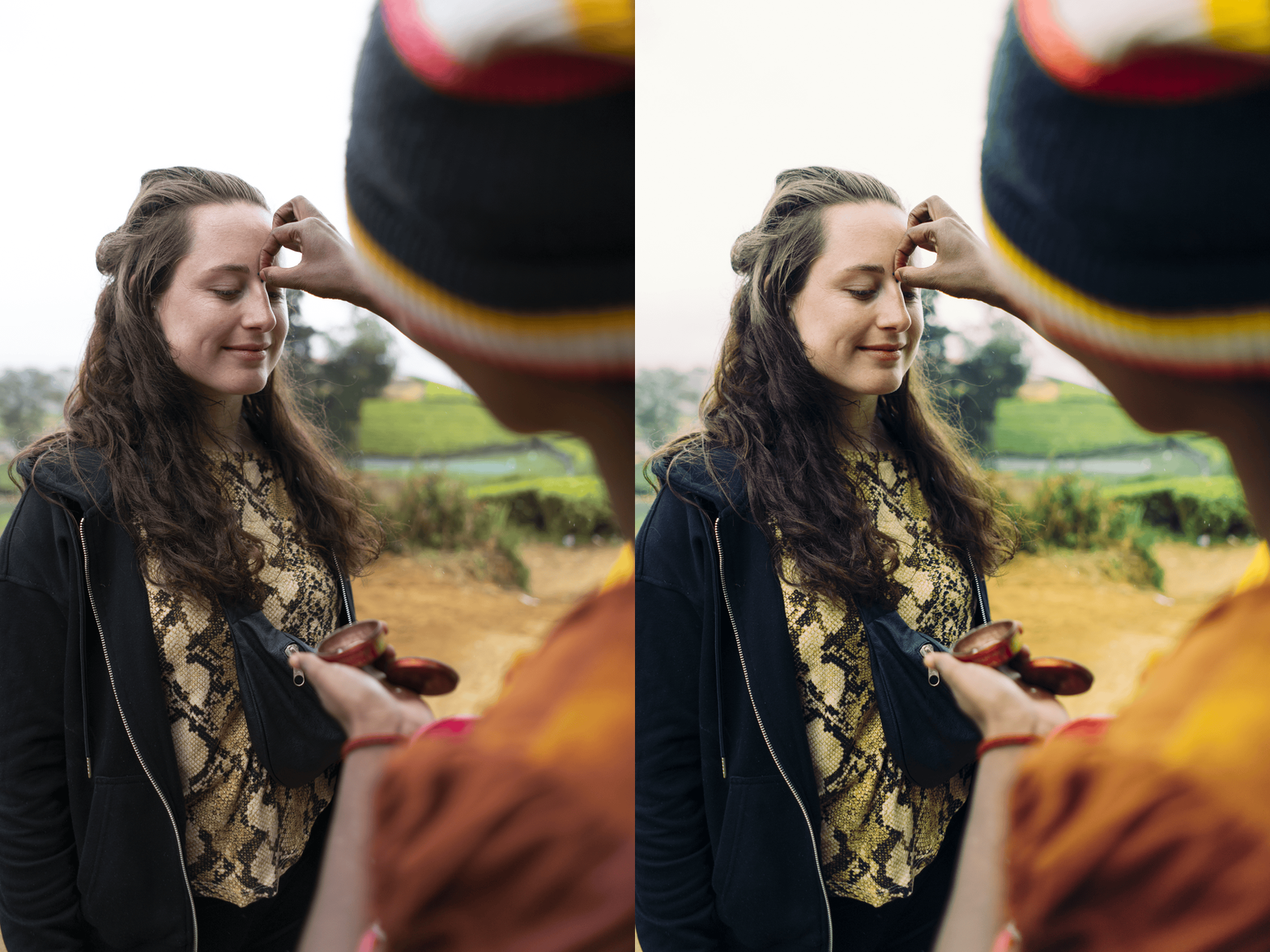
The Documentary Texture Instantly adds a layer of professional film grain that breaks up digital "perfection," making your images look like a still from a vintage movie.
Cinematic Color Grade Specifically calibrated with a subtle green-to-teal shift in the shadows, creating that coveted "Matrix" or "Stranger Things" cinematic depth.
The Storyteller’s Essential Works exceptionally well for street photography, moody portraits, travel adventures, and high-fashion editorials.
-
1x G3 Essence Preset for Lightroom MOBILE (DNG file).
1x G3 Essence Preset for Lightroom DESKTOP (XMP file).
Step-by-Step Guide for easy installation and professional results.
-
This preset captures the raw, high-contrast aesthetic similar to the legendary G3 filters. It’s the perfect professional alternative for those wanting an analog-inspired look that feels "gritty" and substantial. By emulating the look of high-ISO cinema film pushed in development, the G3 ensures your digital shots have a polished, art-house finish that commands attention.
-
Step 1: Get Started Download your G3 Essence presets and install them. You’re moments away from a grittier, more cinematic feed.
Step 2: Set the Scene Import photos with strong lighting or urban textures—G3 loves harsh sunlight, deep shadows, and "messy" backgrounds.
Step 3: The Transformation Apply G3 with one tap. Watch the contrast deepen and the filmic grain transform your photo with professional soul.
Step 4: Make it Yours The G3 is bold. If the "Grain" feels too intense for a portrait, simply go to the "Effects" panel and turn it down slightly while keeping the cinematic colors.
Step 5: Share your Glow Tag @theeditingstudio—we love seeing your gritty, cinematic stories!