 Image 1 of 1
The Kodak Portra 400 | Professional Analog Film Preset for for Lightroom Desktop & Mobile

-
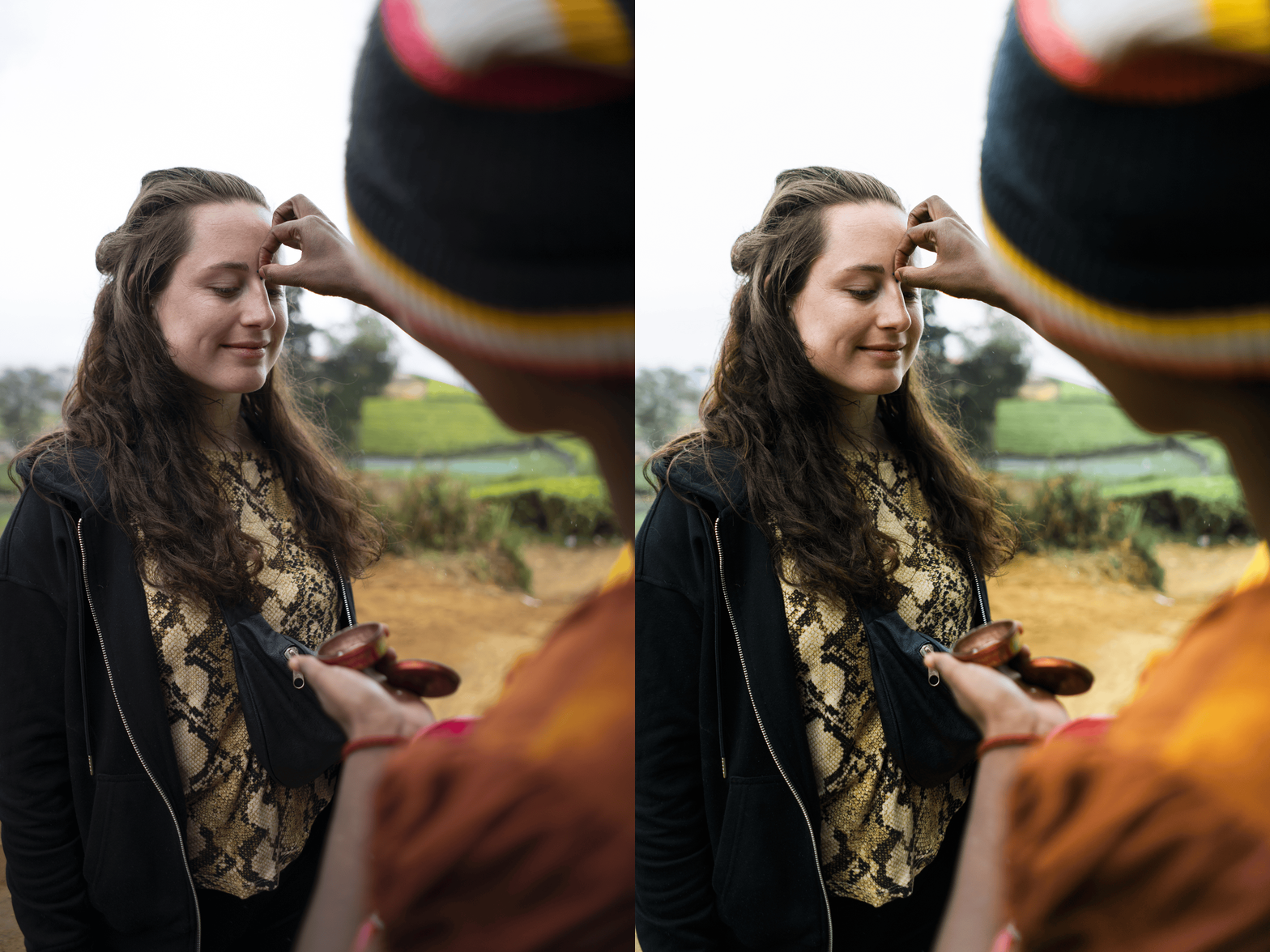
The "Portra Glow": Specifically engineered to replicate the way Portra 400 handles light, creating a soft, luminous quality in the highlights.
Masterful Skin Tones: Optimized for perfection across all complexions, providing that signature healthy, warm radiance that made this film famous.
Authentic Color Science: We’ve balanced the subtle magentas and warm yellows to ensure your images feel like they were shot on a Leica, not a phone.
Universal Compatibility: Works seamlessly on iOS, Android, and Desktop.
-
1x Kodak Portra 400 Preset for Lightroom MOBILE (DNG file).
1x Kodak Portra 400 Preset for Lightroom DESKTOP (XMP file).
Easy Step-by-Step Installation Guide.
-
Step 1: Get Started – Download your Kodak Portra 400 and install the preset into the Adobe Lightroom app on your phone or computer.
Step 2: Set the Scene – Import your images—this preset is the perfect match for outdoor portraits, golden hour landscapes, high-end weddings, or luxury lifestyle content.
Step 3: The Transformation – Apply the Portra 400 preset with just one tap for an instant analog character and professional warmth.
Step 4: Make it Yours – Use the Temp slider to fine-tune the "warmth" and adjust the Exposure to mimic the classic "overexposed" film look.
Step 5: Share your Heritage – Watch your photos transform into a timeless masterpiece. Don't forget to tag @theeeditingstudio so we can feature your work!