Image 1 of 1
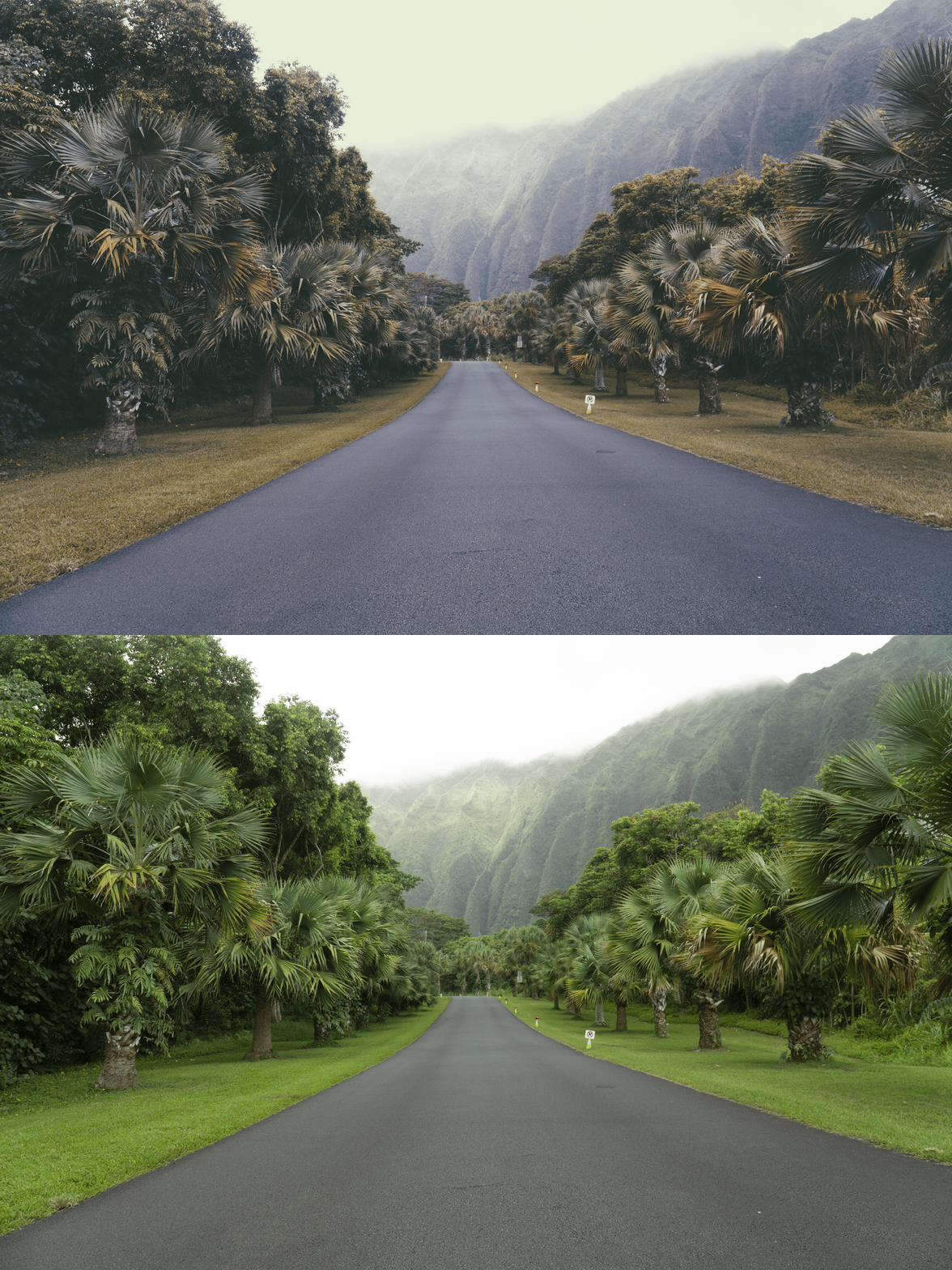
P6 Modern Classic | Indigo Vintage & Moody Magenta-Analog Preset for Lightroom & Mobile

-
Fully Compatible Designed to work seamlessly across iOS, Android, and Desktop (Mac/Windows).
The "Cool-Shift" Aesthetic Instantly transforms warm, messy lighting into a cohesive, cool-toned palette that mimics the color science of rare analog film stocks.
Sophisticated Tonal Range Specifically calibrated to emphasize "cool" colors like blues, greens, and purples, while keeping skin tones looking natural and editorial.
The Urban & Winter Essential Works exceptionally well for city street style, moody cafe interiors, snowy landscapes, and evening "blue-hour" photography.
-
1x P6 Essence Preset for Lightroom MOBILE (DNG file).
1x P6 Essence Preset for Lightroom DESKTOP (XMP file).
Step-by-Step Guide for easy installation and professional results.
-
This preset captures the moody, cool-toned aesthetic similar to the legendary P6 filters. It’s the perfect professional alternative for those wanting an analog-inspired look that feels "deep" rather than "airy." By emulating the chemical shift of instant film stored in cool conditions, the P6 ensures your digital shots have a polished, cinematic finish that feels like an indie-magazine editorial.
-
Step 1: Get Started Download your P6 Essence presets and install them. You’re moments away from a cooler, more atmospheric feed.
Step 2: Set the Scene Import photos with blue, grey, or white tones—P6 thrives in urban environments or low-light "blue hour" settings.
Step 3: The Transformation Apply P6 with one tap. Watch the yellows fade and the deep, indigo soul of the preset take over.
Step 4: Make it Yours The P6 look is all about the "Mood." If the image feels too cold, slightly increase the "Temperature" slider to bring back just enough warmth for the skin.
Step 5: Share your Glow Tag @theeeditingstudio—we love seeing your cool-toned, vintage stories!