Sale Price:
$27.00
Original Price:
$39.95
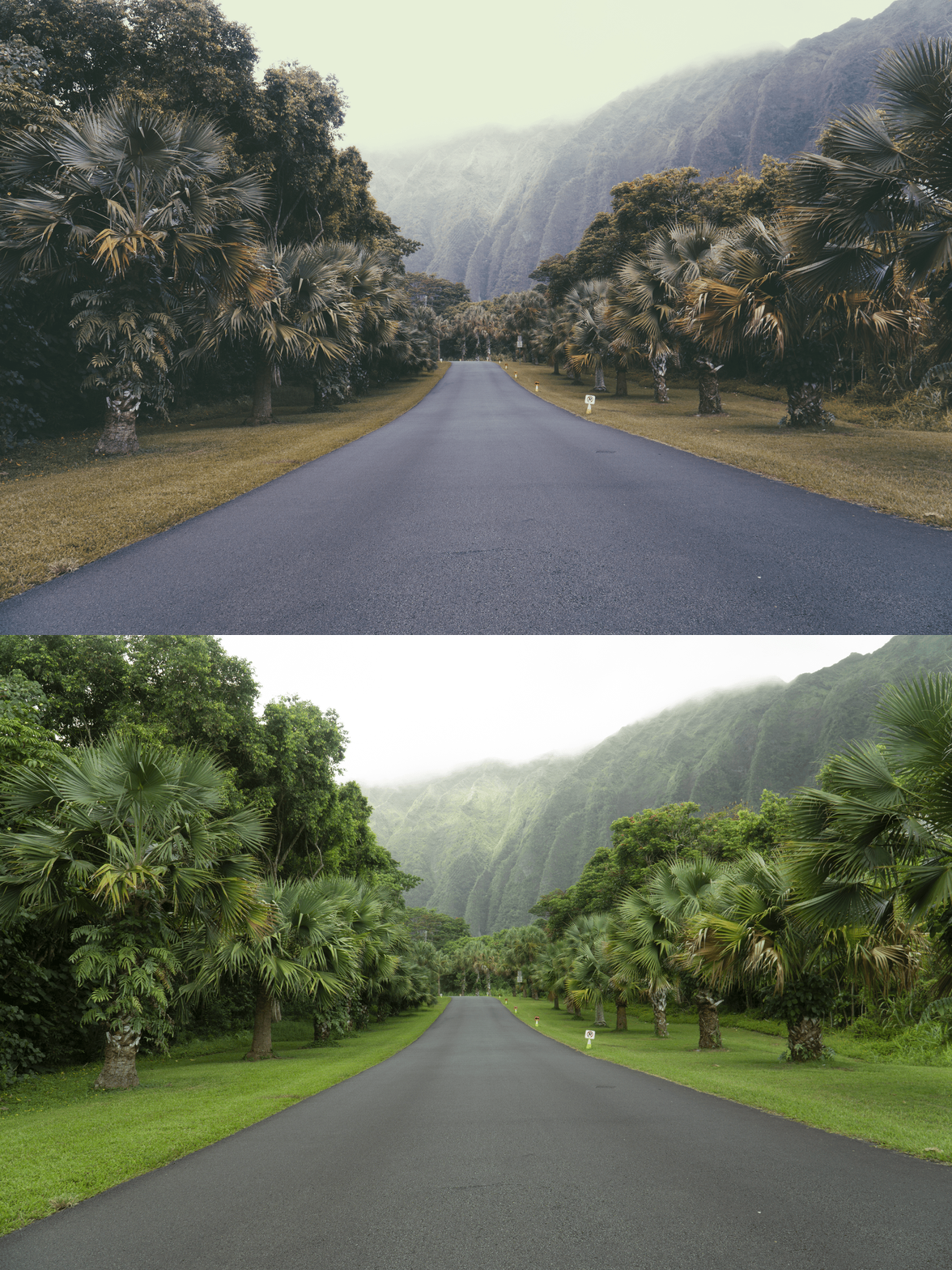
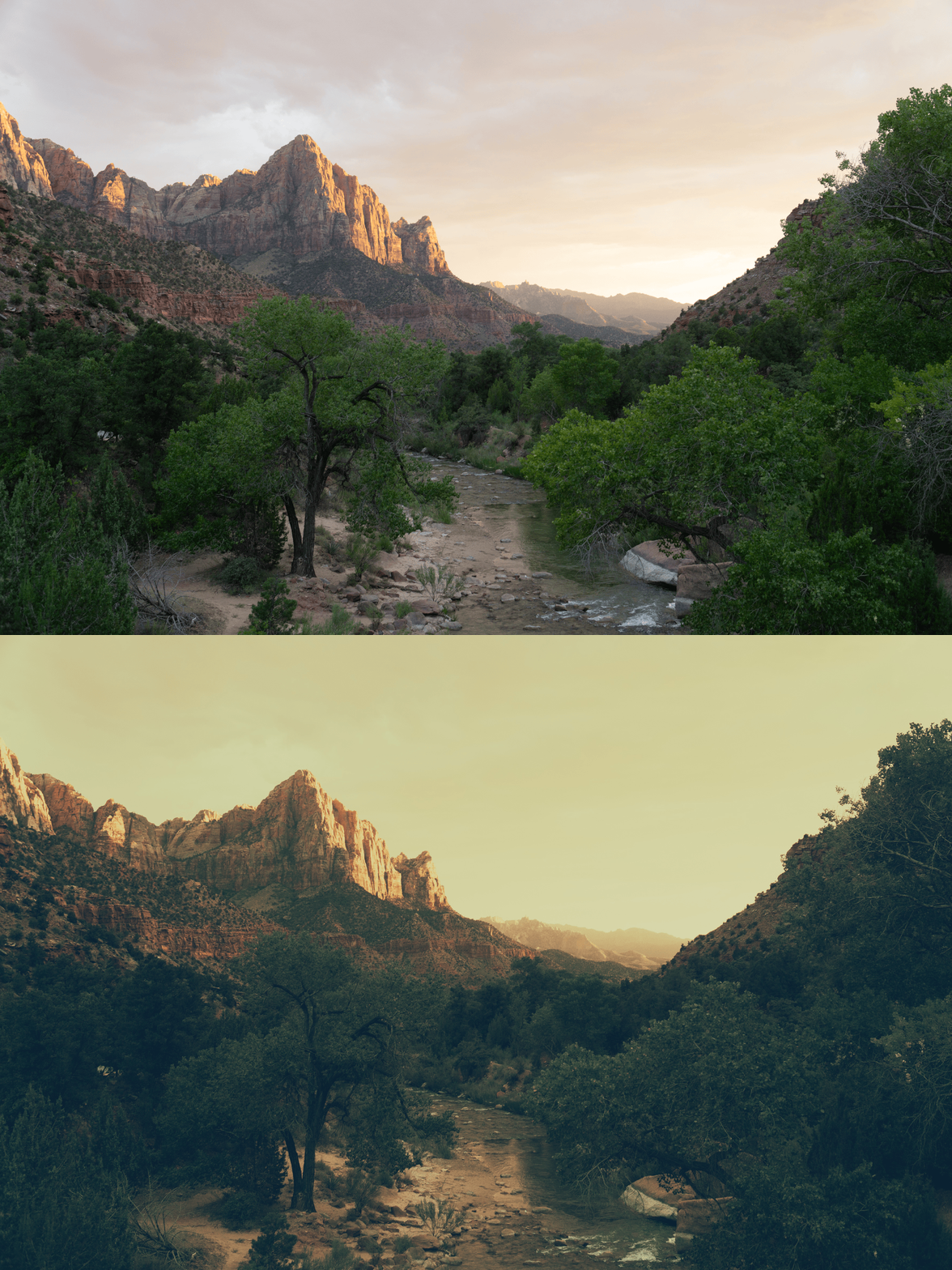
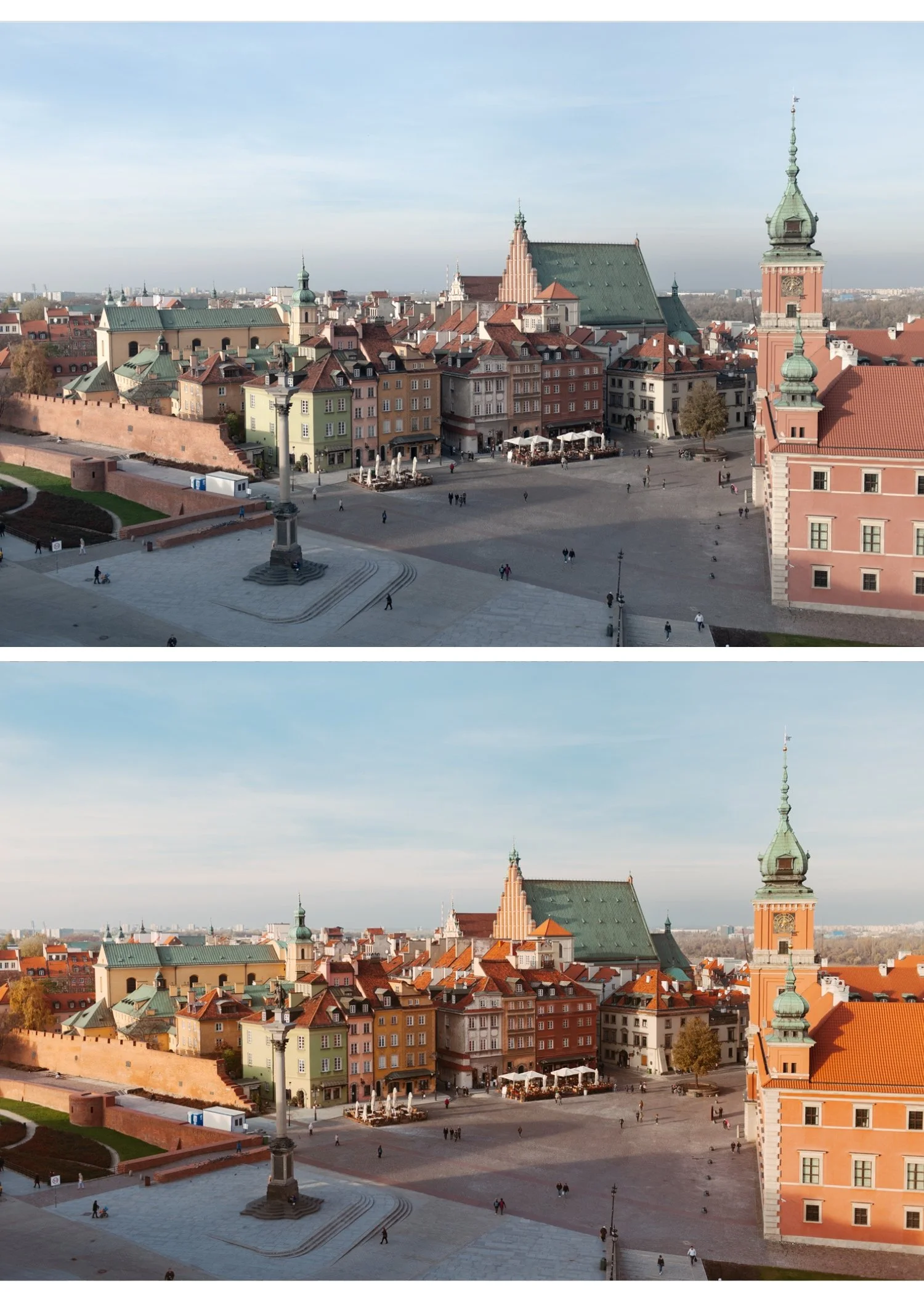
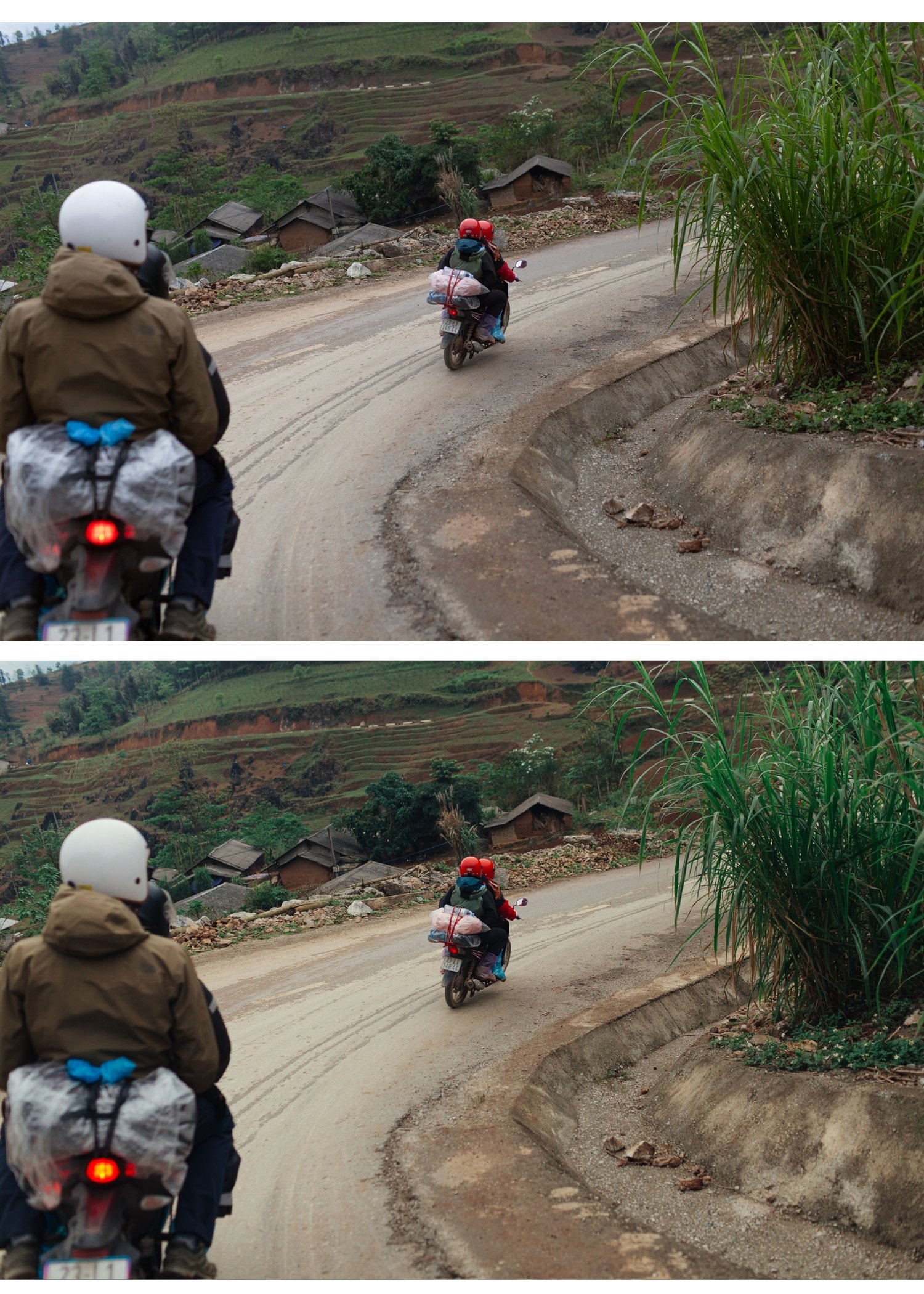
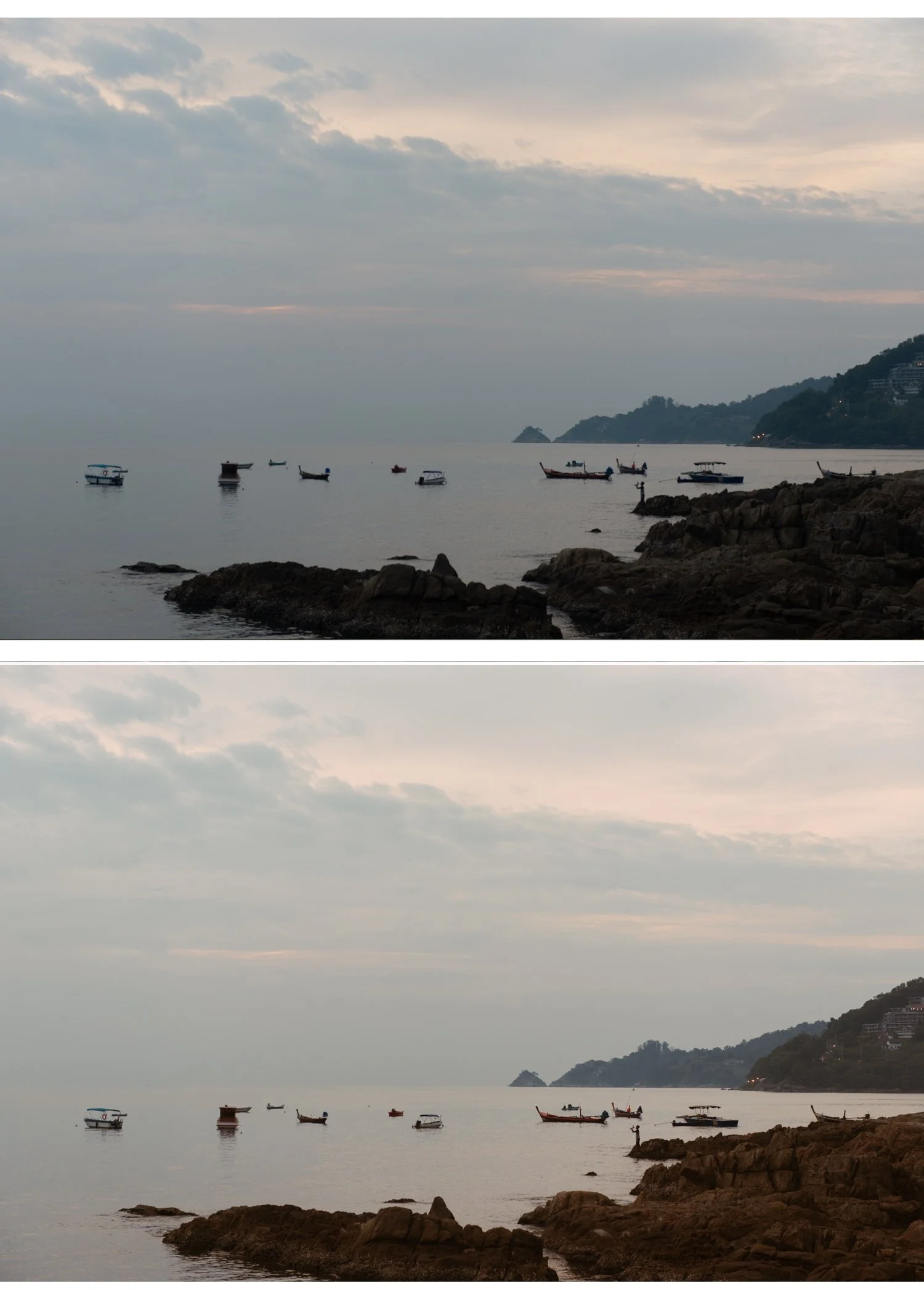
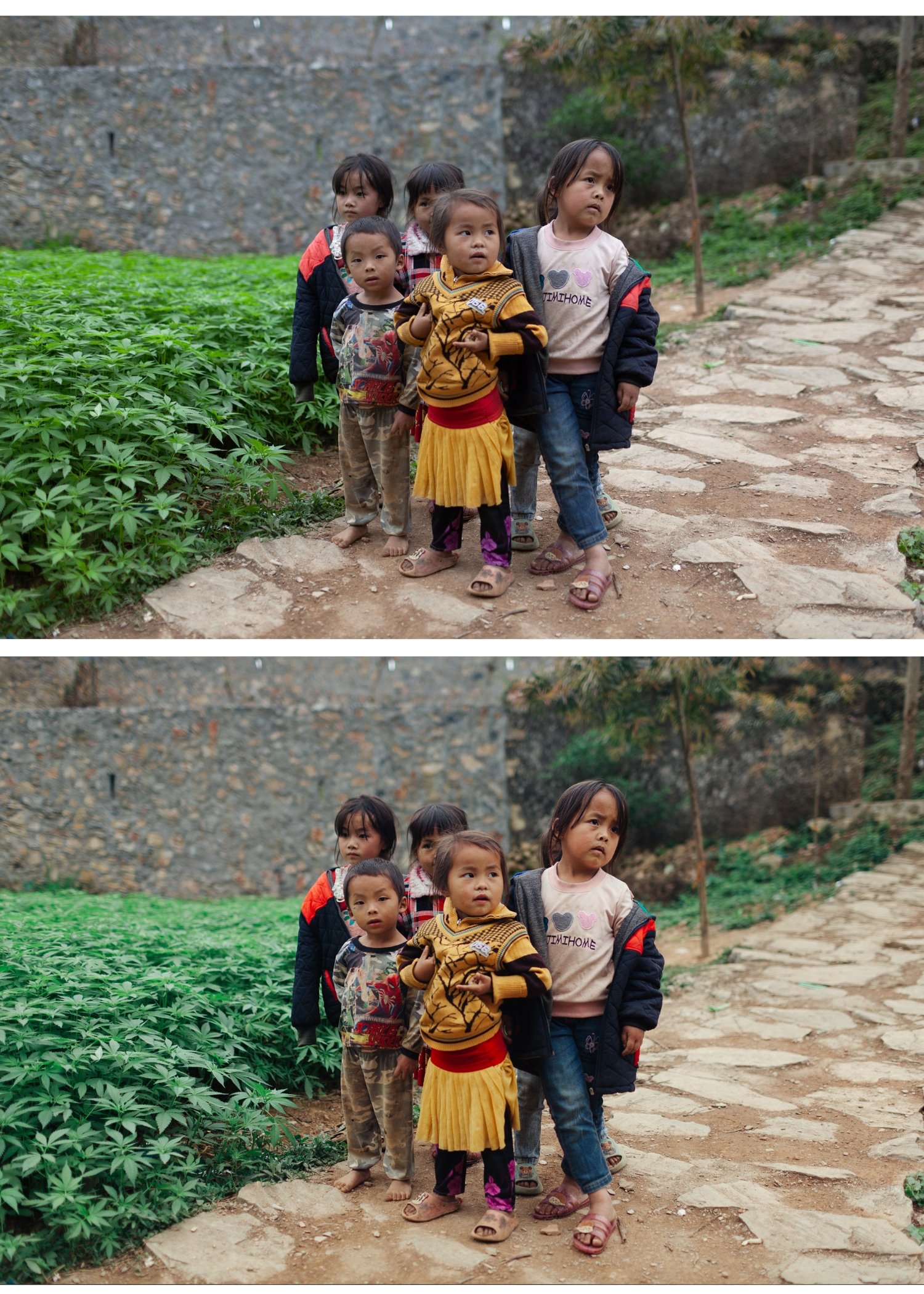
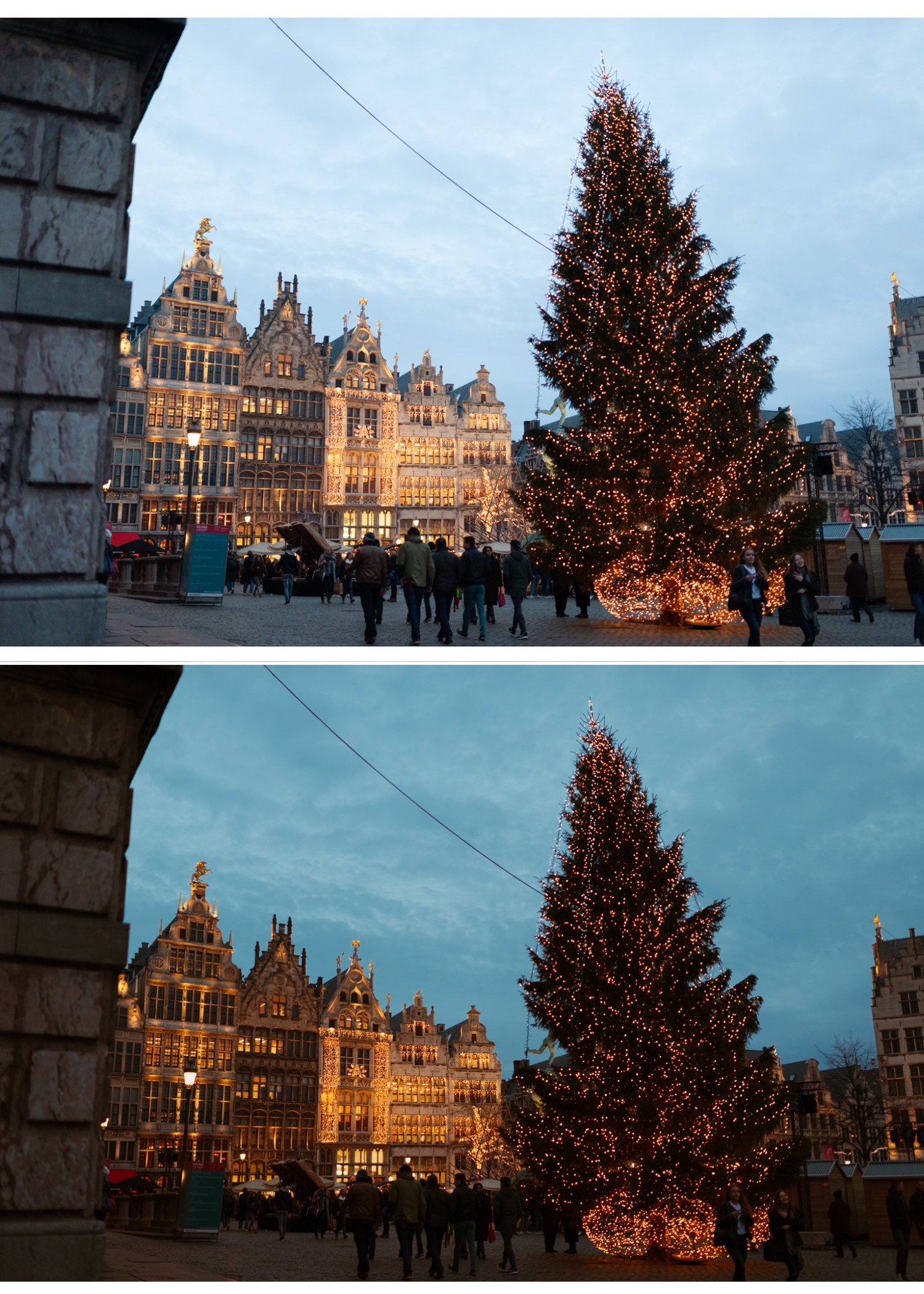
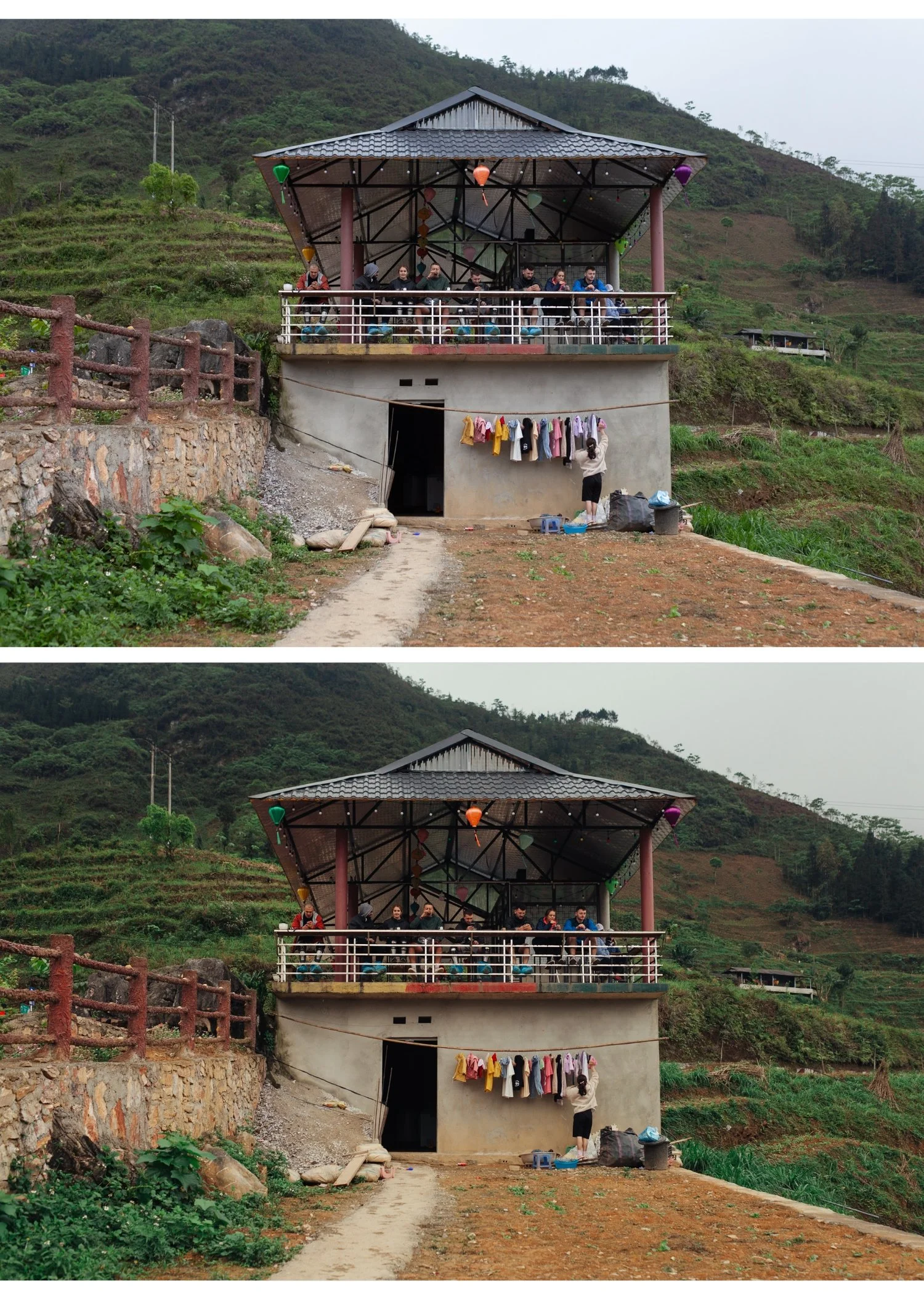
Four retro looks. Y2K digicam meets instant film. $6.75 per preset.
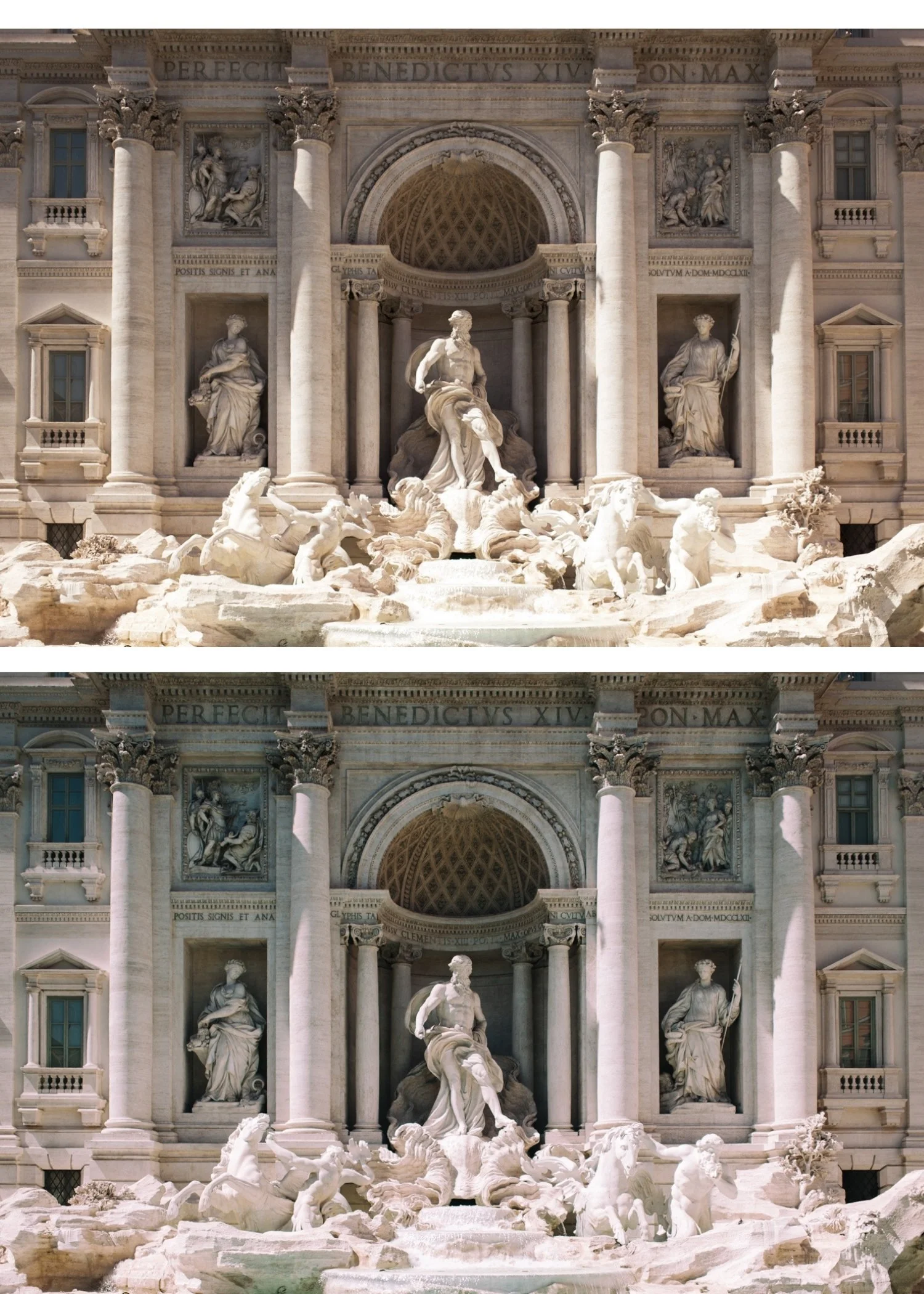
Two aesthetics defined retro digital photography: the punchy, vivid quality of early 2000s digital cameras and the warm, imperfect quality of instant film.
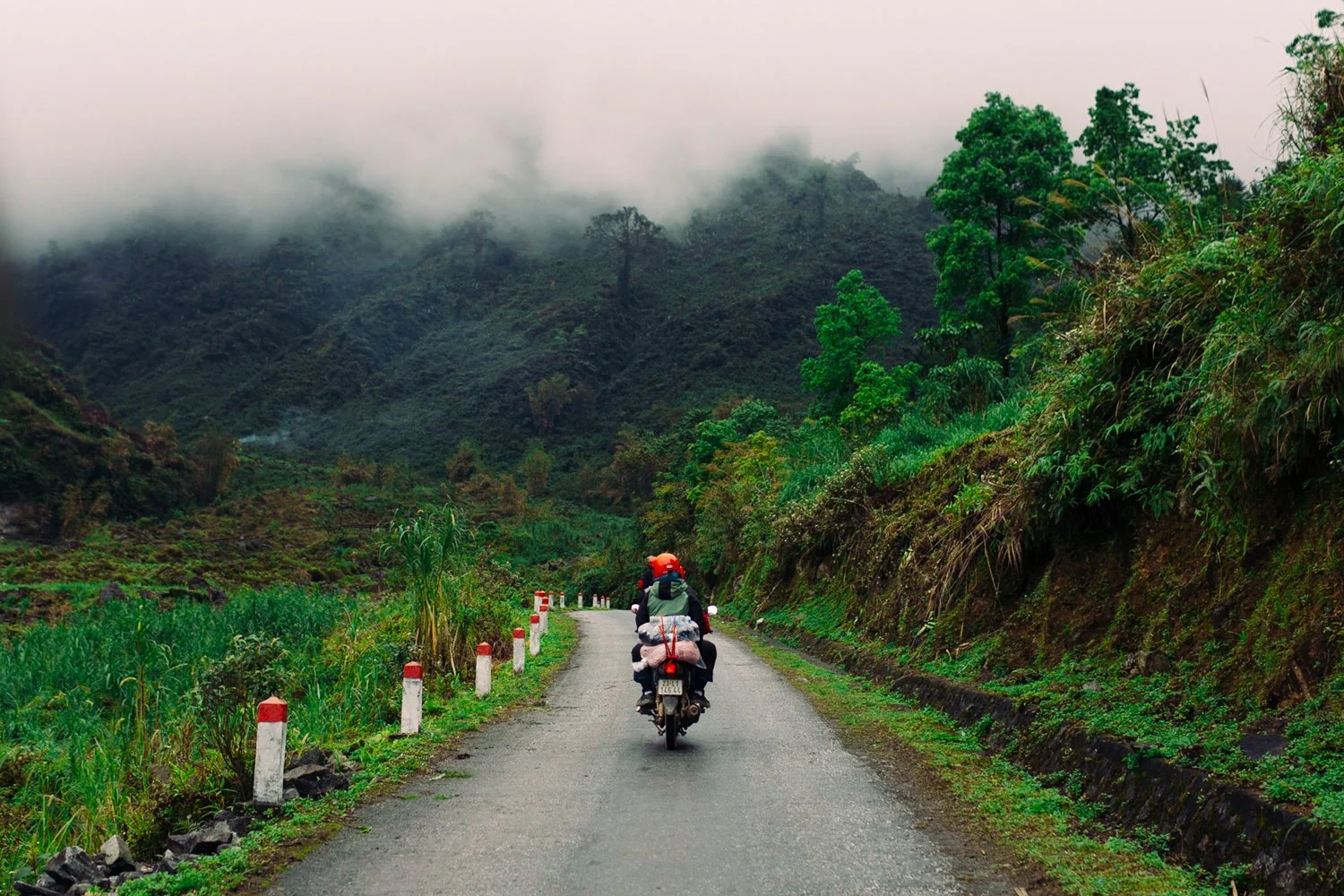
The Nostalgic Digicam Set brings them together. N1 and N2 for modern punchy color with retro energy. P2 and P5 for warm instant film nostalgia. Four presets. One retro philosophy.
✅ Lightroom Mobile & Desktop
✅ Works on RAW and JPEG
✅ Instant download
✅ Beginner friendly
✅ Lifetime access
THE NOSTALGIC DIGICAM SET — 4 PRESETS, ONE RETRO PHILOSOPHY
The Nostalgic Digicam Set is for photographers who want their photos to feel like memories rather than documents.
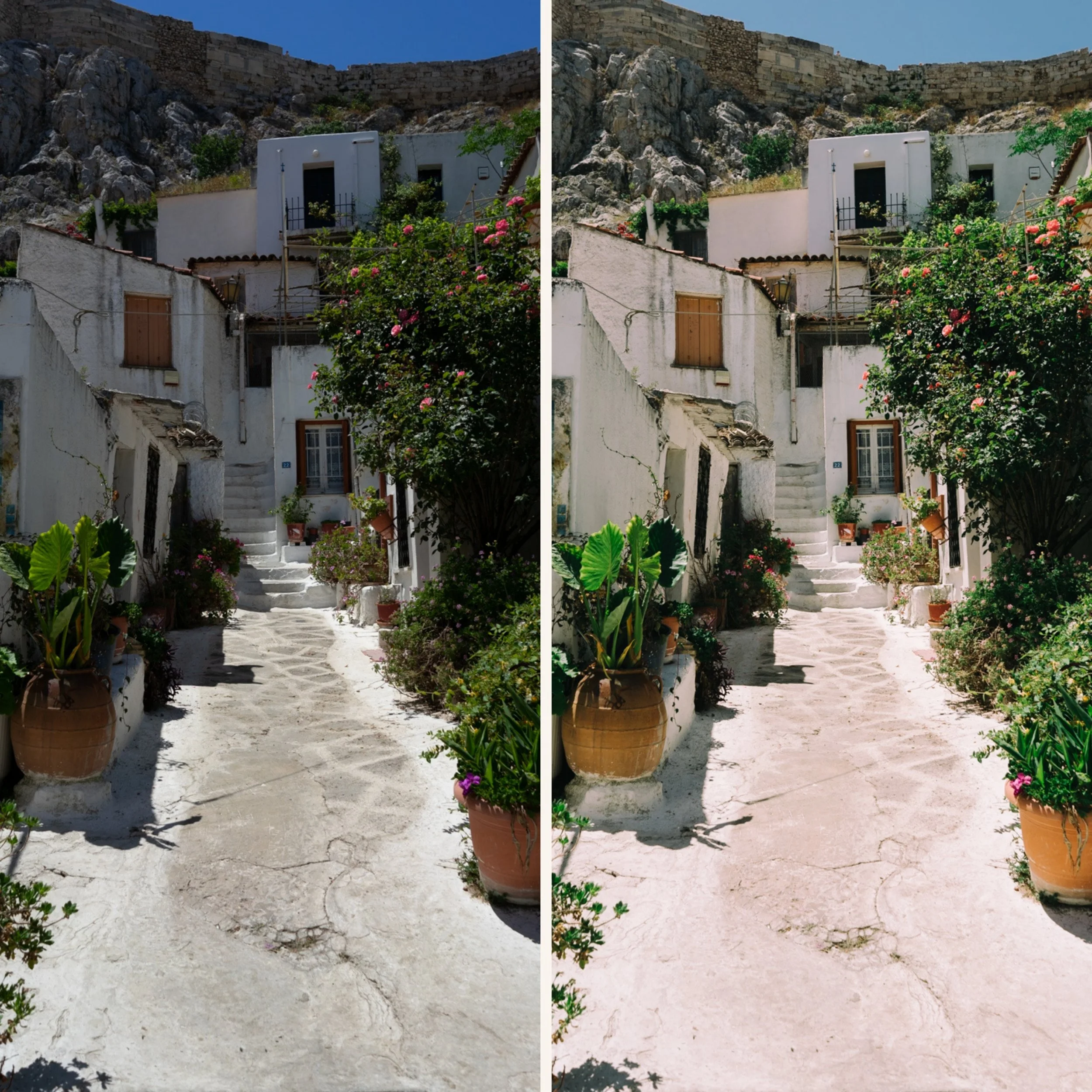
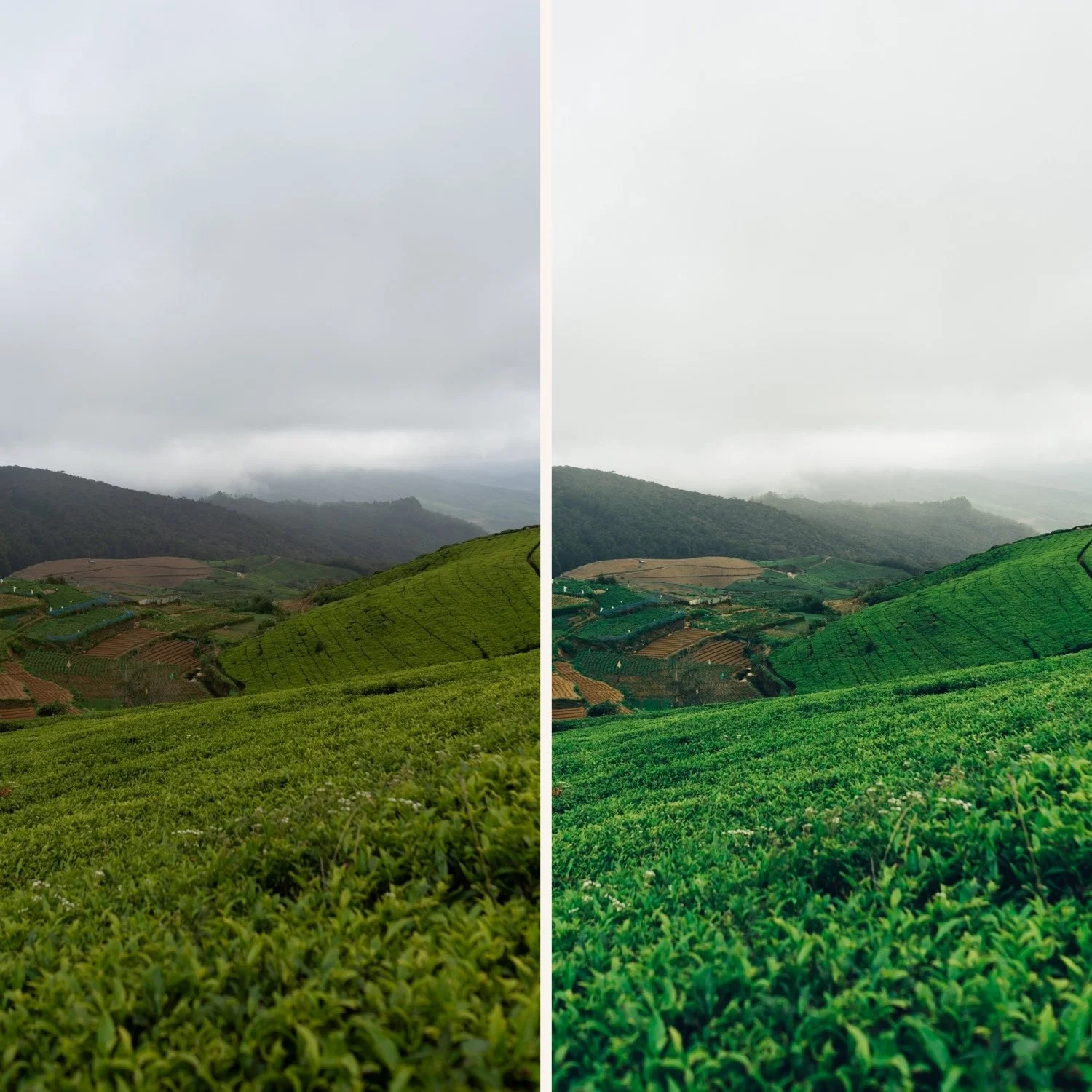
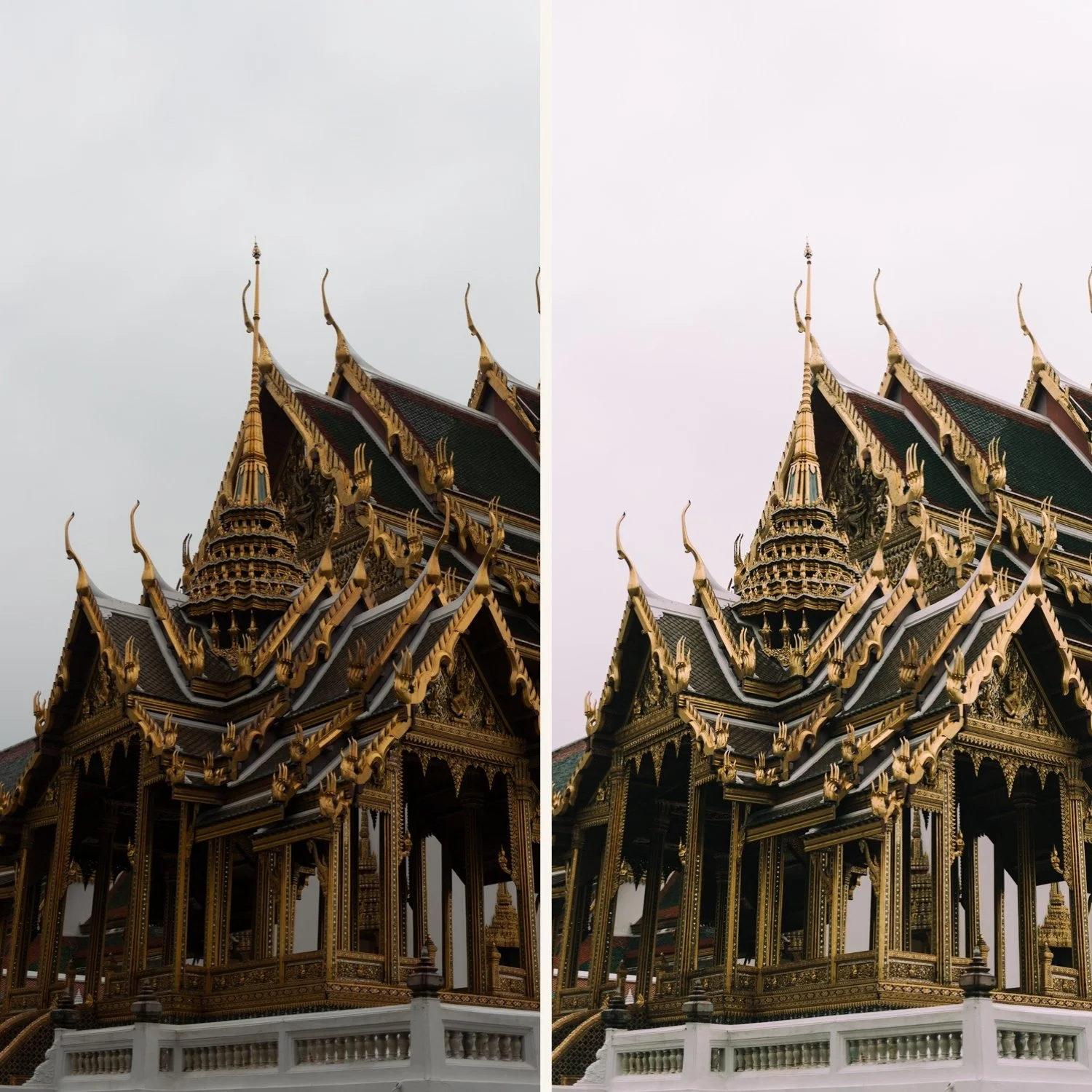
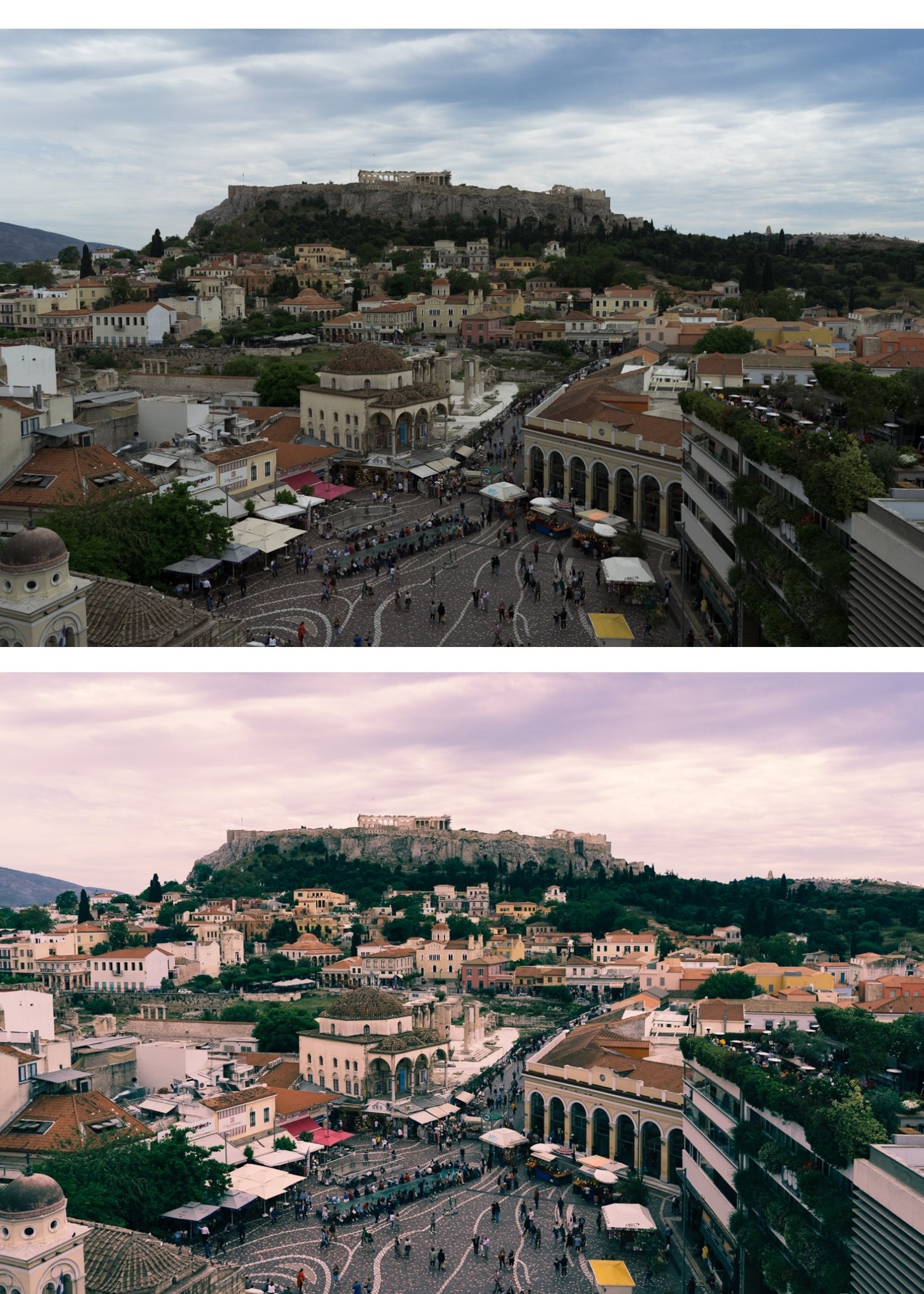
N1 and N2 bring the bold, punchy, vivid energy of early digital cameras — colors that pop, contrast that commands attention, a modern vitality that reads as intentional on social media.
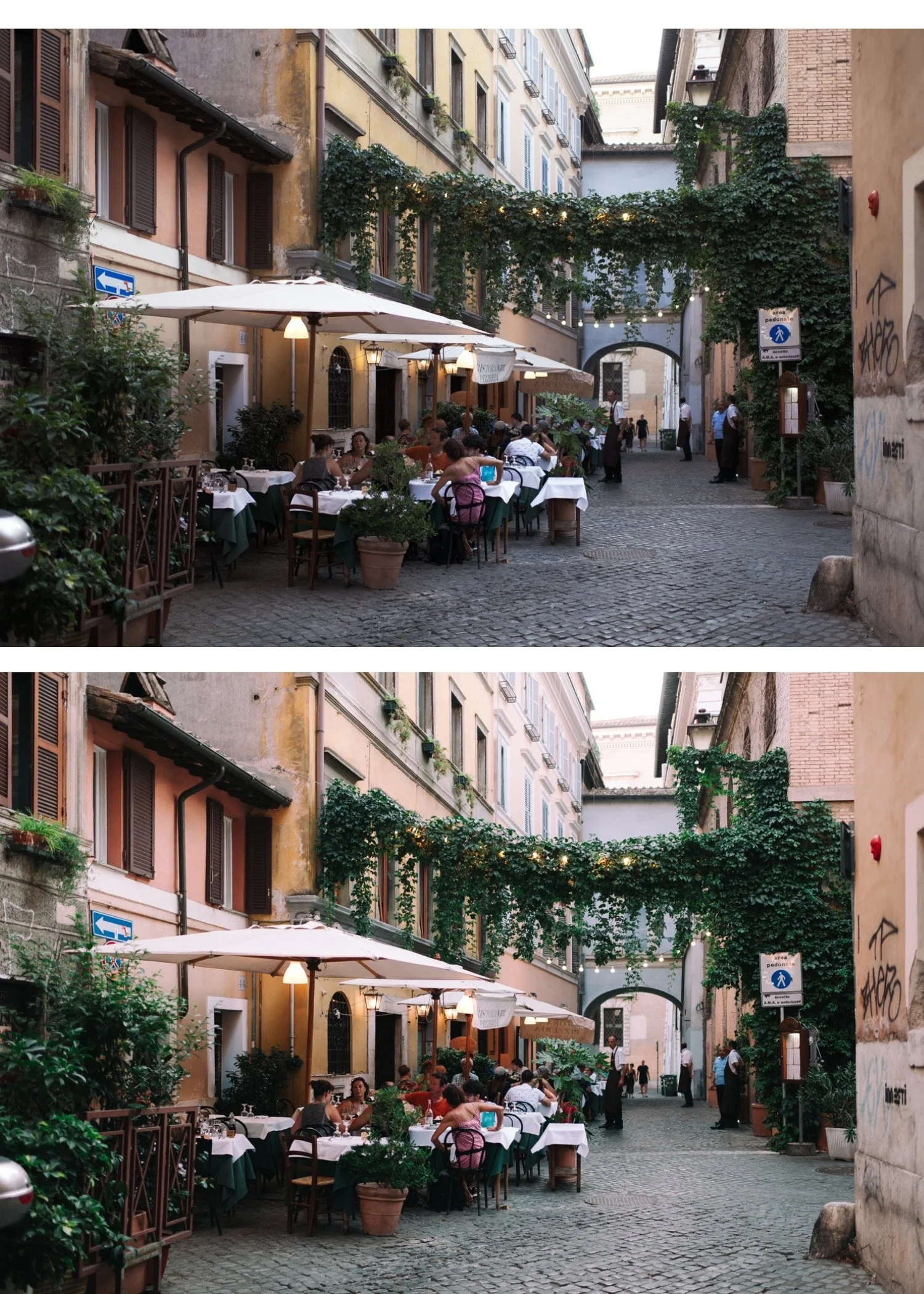
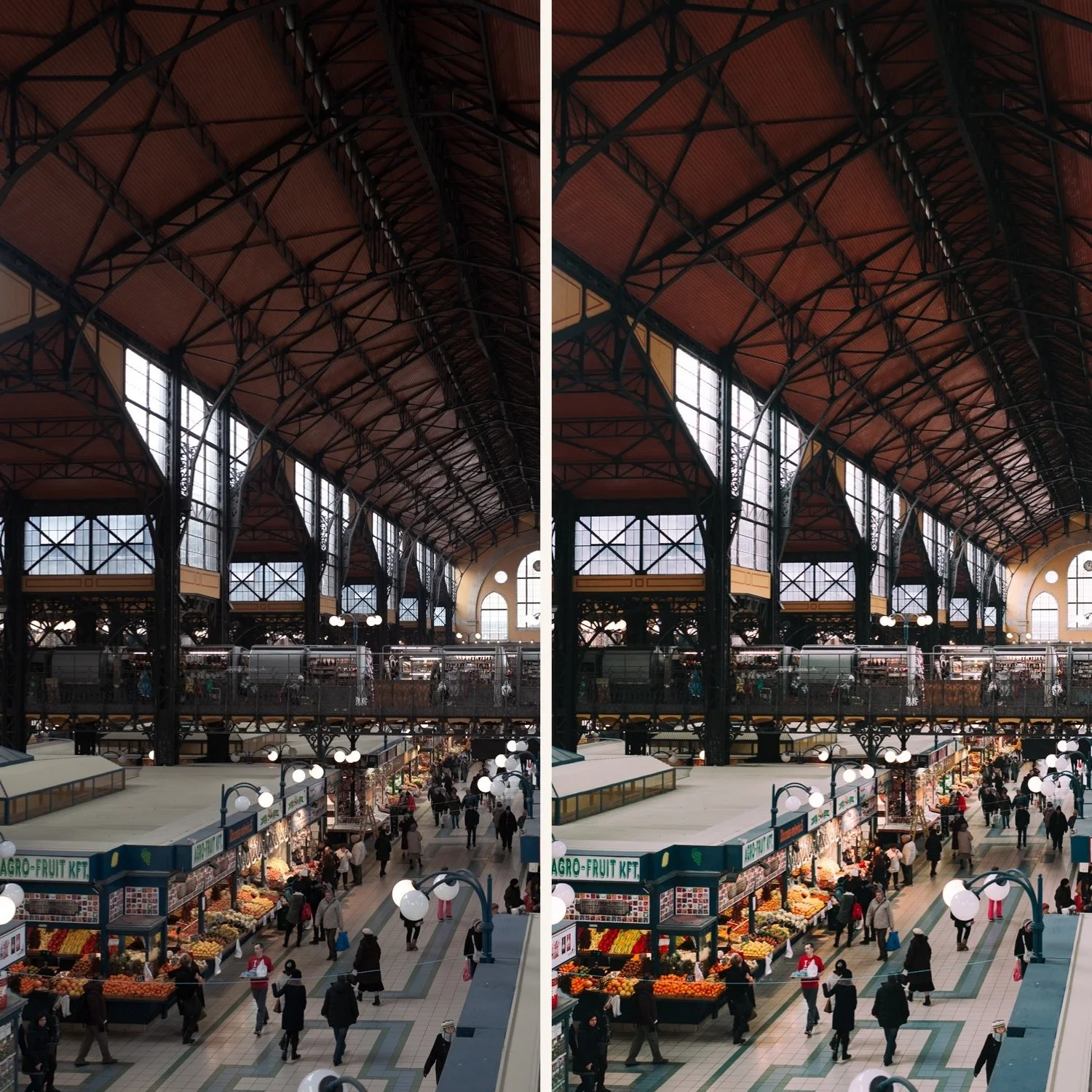
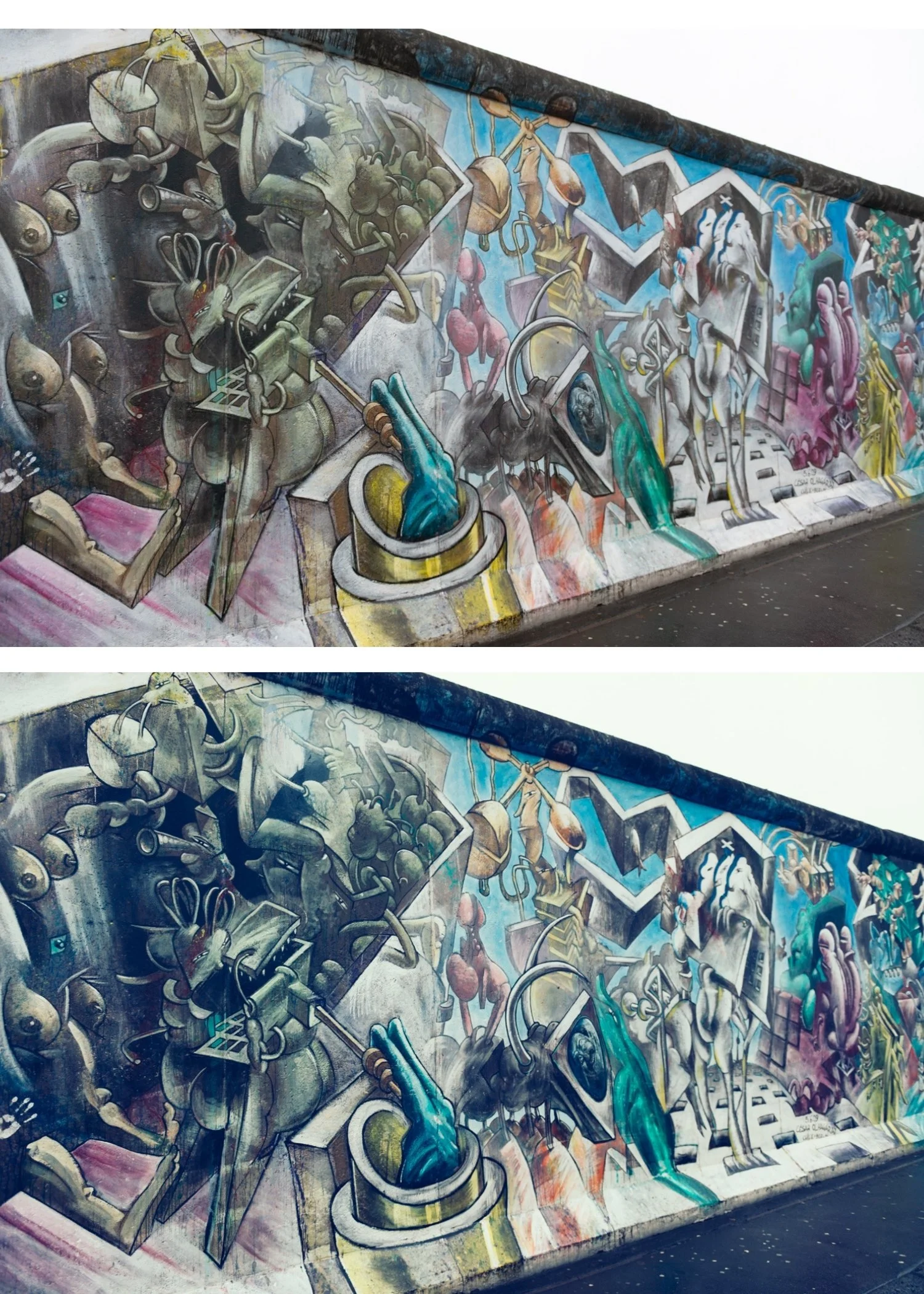
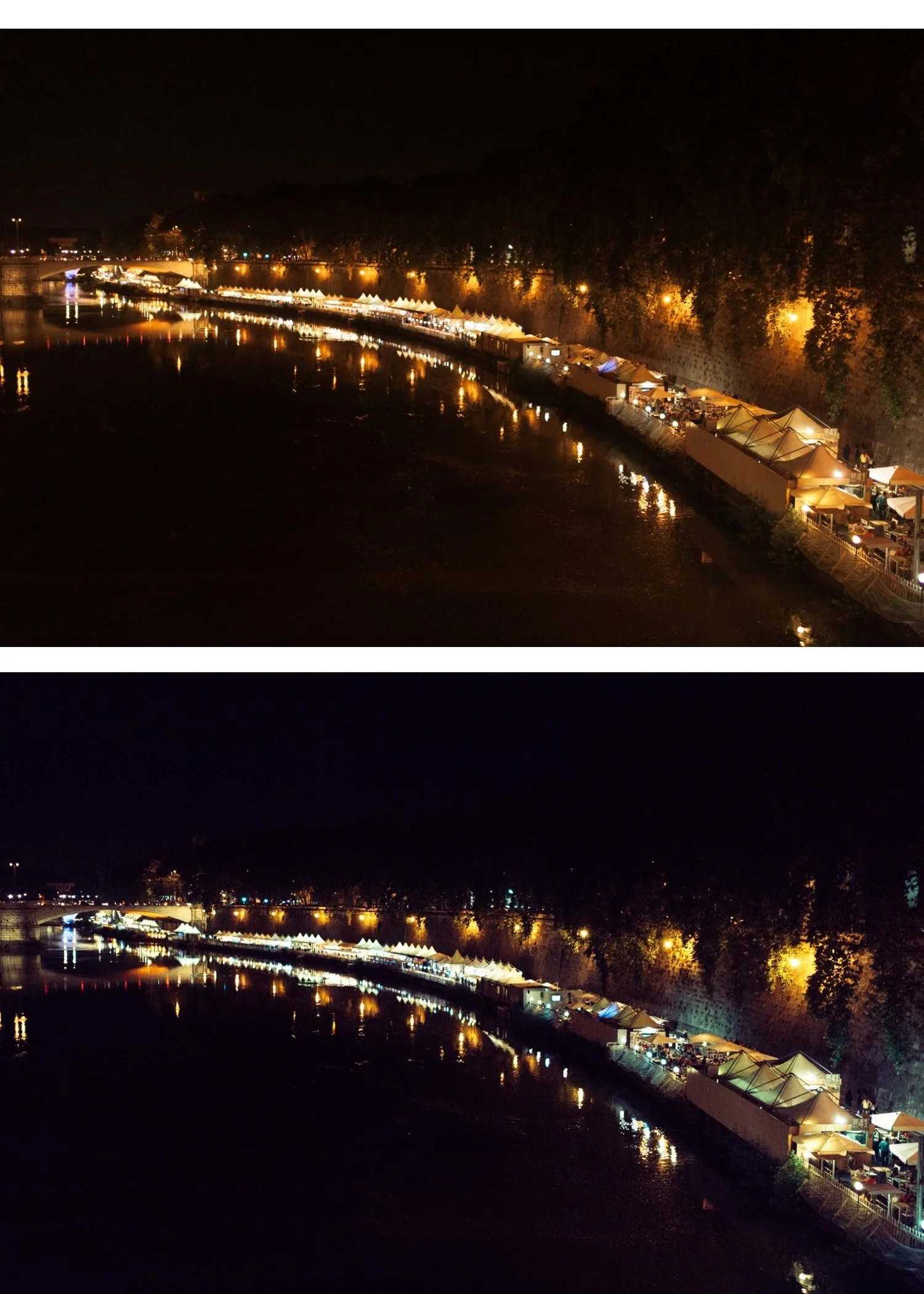
P2 and P5 bring the warm, imperfect, immediately emotional quality of instant film photography — lifted blacks, yellow-warm color cast, soft vignette, the specific quality of a Polaroid print that feels like a moment captured rather than a photo taken.
Two retro directions. One collection.
N1 — Clean Modern The foundation of the modern punchy direction. Clean, bold, vivid color with structured contrast. The most versatile of the four presets — works for lifestyle, travel, and social media content where visual energy and color presence are the priority. Bold without being artificial.
N2 — Warm Modern Warmer and richer than N1. More color depth and warmth — for outdoor lifestyle content in warm light where the punchy modern quality is enhanced by the natural warmth of the environment. The social media content preset for warm, energetic photography.
P2 — Soft Instant The softer, lighter instant film look. Warm yellow-green color cast, lifted blacks, reduced contrast — the quality of a Polaroid photograph from the 1990s. Softer and more accessible than P5 — the instant film look without the full Polaroid weight. Best for casual portrait and lifestyle photography.
P5 — Cool Instant The most distinctive preset in the collection. A slightly cool-leaning instant film quality that references certain Polaroid film stocks processed in cold conditions — blue-green toned, lifted blacks, the specific imperfect quality of an unexpected instant film result. Unique, editorial, immediately recognizable.
Bold punchy color meets warm instant film nostalgia
N1 and N2 are for photographers who want their digital photos to have visual energy — color that pops, contrast that reads well on phone screens.
P2 and P5 are for photographers who want their photos to feel like memories — warm, imperfect, immediate.
Most collections choose one lane. The Nostalgic Digicam Set gives you both.
$6.75 per preset. Four retro presets for the price of three from most shops.
View the Studio Archive →
Four retro looks. Y2K digicam meets instant film. $6.75 per preset.
Two aesthetics defined retro digital photography: the punchy, vivid quality of early 2000s digital cameras and the warm, imperfect quality of instant film.
The Nostalgic Digicam Set brings them together. N1 and N2 for modern punchy color with retro energy. P2 and P5 for warm instant film nostalgia. Four presets. One retro philosophy.
✅ Lightroom Mobile & Desktop
✅ Works on RAW and JPEG
✅ Instant download
✅ Beginner friendly
✅ Lifetime access
THE NOSTALGIC DIGICAM SET — 4 PRESETS, ONE RETRO PHILOSOPHY
The Nostalgic Digicam Set is for photographers who want their photos to feel like memories rather than documents.
N1 and N2 bring the bold, punchy, vivid energy of early digital cameras — colors that pop, contrast that commands attention, a modern vitality that reads as intentional on social media.
P2 and P5 bring the warm, imperfect, immediately emotional quality of instant film photography — lifted blacks, yellow-warm color cast, soft vignette, the specific quality of a Polaroid print that feels like a moment captured rather than a photo taken.
Two retro directions. One collection.
N1 — Clean Modern The foundation of the modern punchy direction. Clean, bold, vivid color with structured contrast. The most versatile of the four presets — works for lifestyle, travel, and social media content where visual energy and color presence are the priority. Bold without being artificial.
N2 — Warm Modern Warmer and richer than N1. More color depth and warmth — for outdoor lifestyle content in warm light where the punchy modern quality is enhanced by the natural warmth of the environment. The social media content preset for warm, energetic photography.
P2 — Soft Instant The softer, lighter instant film look. Warm yellow-green color cast, lifted blacks, reduced contrast — the quality of a Polaroid photograph from the 1990s. Softer and more accessible than P5 — the instant film look without the full Polaroid weight. Best for casual portrait and lifestyle photography.
P5 — Cool Instant The most distinctive preset in the collection. A slightly cool-leaning instant film quality that references certain Polaroid film stocks processed in cold conditions — blue-green toned, lifted blacks, the specific imperfect quality of an unexpected instant film result. Unique, editorial, immediately recognizable.
Bold punchy color meets warm instant film nostalgia
N1 and N2 are for photographers who want their digital photos to have visual energy — color that pops, contrast that reads well on phone screens.
P2 and P5 are for photographers who want their photos to feel like memories — warm, imperfect, immediate.
Most collections choose one lane. The Nostalgic Digicam Set gives you both.
$6.75 per preset. Four retro presets for the price of three from most shops.
View the Studio Archive →
 Image 1 of 1