 Image 1 of 1
LV-Series Modern Classic | LV1 Luminous Archive for Lightroom & Mobile
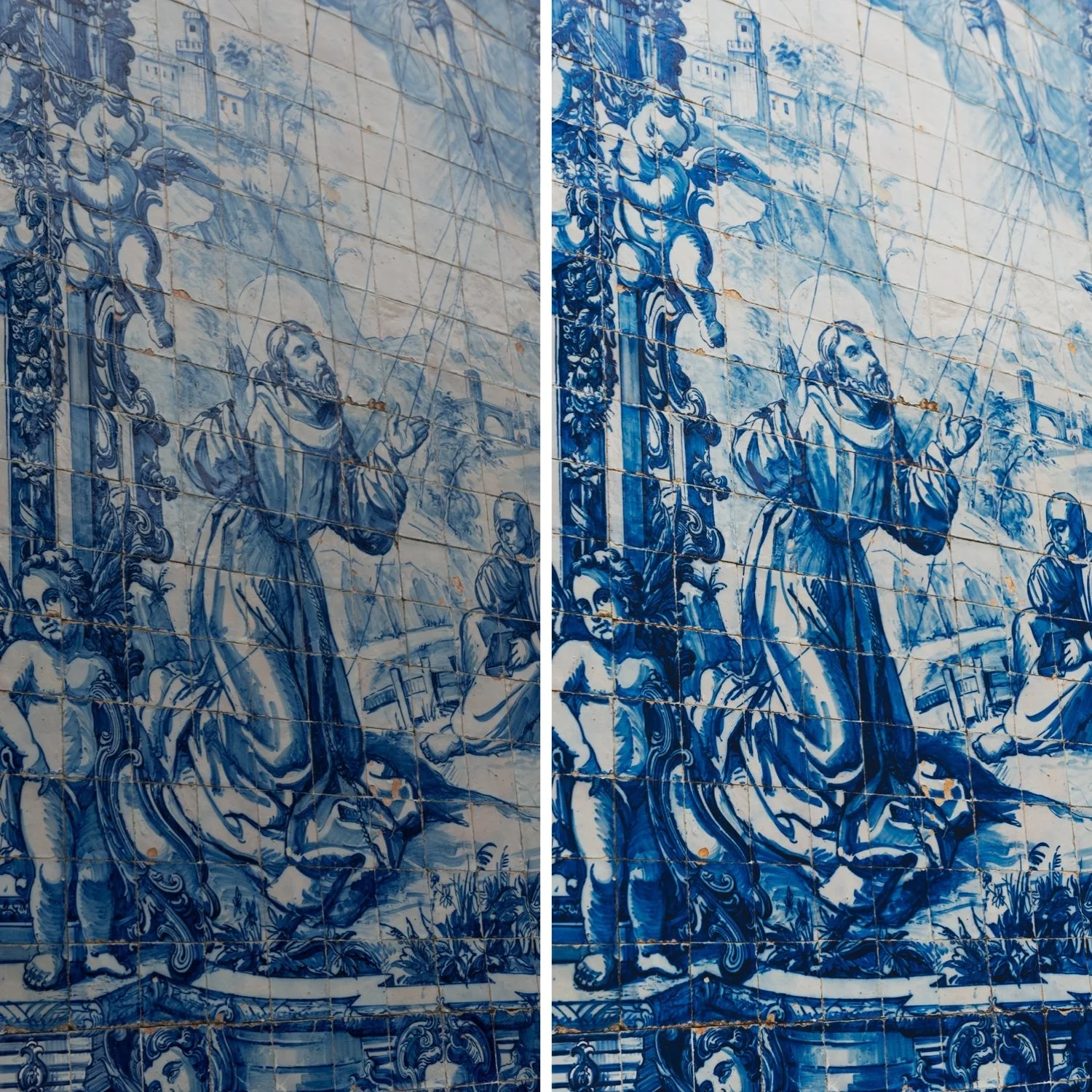

-
Luminous Skin Tones LV1 is specifically tuned to flatter skin. It smooths out imperfections by evening out the mid-tones, giving your subjects a radiant, "lit-from-within" glow.
The "Fine-Art" Finish There is a reason why high-end wedding photographers love this look. It feels romantic, clean, and incredibly polished—perfect for clients seeking a luxury aesthetic.
Shadow Softness Unlike high-contrast series, LV1 uses "velvety" shadows that are lifted and softened, ensuring your images feel open, breathable, and never heavy.
Clean White Balance This preset acts as a "correction" tool, cleaning up whites and ensuring that your highlights remain crisp and neutral, even in challenging lighting.
-
1x LV1 Luminous Preset for Lightroom MOBILE (DNG file for iOS & Android).
1x LV1 Luminous Preset for Lightroom DESKTOP (XMP file for Mac & Windows).
Easy Step-by-Step Installation Guide.
-
This preset captures the beloved aesthetic of high-end color negative films used in fine-art portraiture. It is the professional answer for photographers who want their work to feel light, airy, and emotionally soft. By emulating the unique highlight retention and soft grain of premium analog emulsions characterized by their gentle roll-off and luminous mid-tones—LV1 ensures your photos feel like a dream. It transforms standard digital files into ethereal pieces of art, reminiscent of luxury bridal magazines and sun-soaked European travelogues.
-
The Foundation: Start with a slightly over-exposed RAW file (+0.3 to +0.7 exposure). The LV1 thrives on extra light.
Apply LV1: Apply the preset and watch the highlights soften and the shadows turn to velvet.
Refine Exposure: Adjust the Exposure slider until the skin tones feel luminous but not washed out.
Temperature Check: If the image feels too "cool," nudge the Temp slider to the right. LV1 looks best with a hint of organic warmth.
The Final Touch: Use the Modern Classic Archive Toolkit to add or remove Grain depending on how "clean" or "analog" you want the final frame to feel.