Image 1 of 1
T-Series Modern Classic | T2 Timeless Archive for Lightroom & Mobile
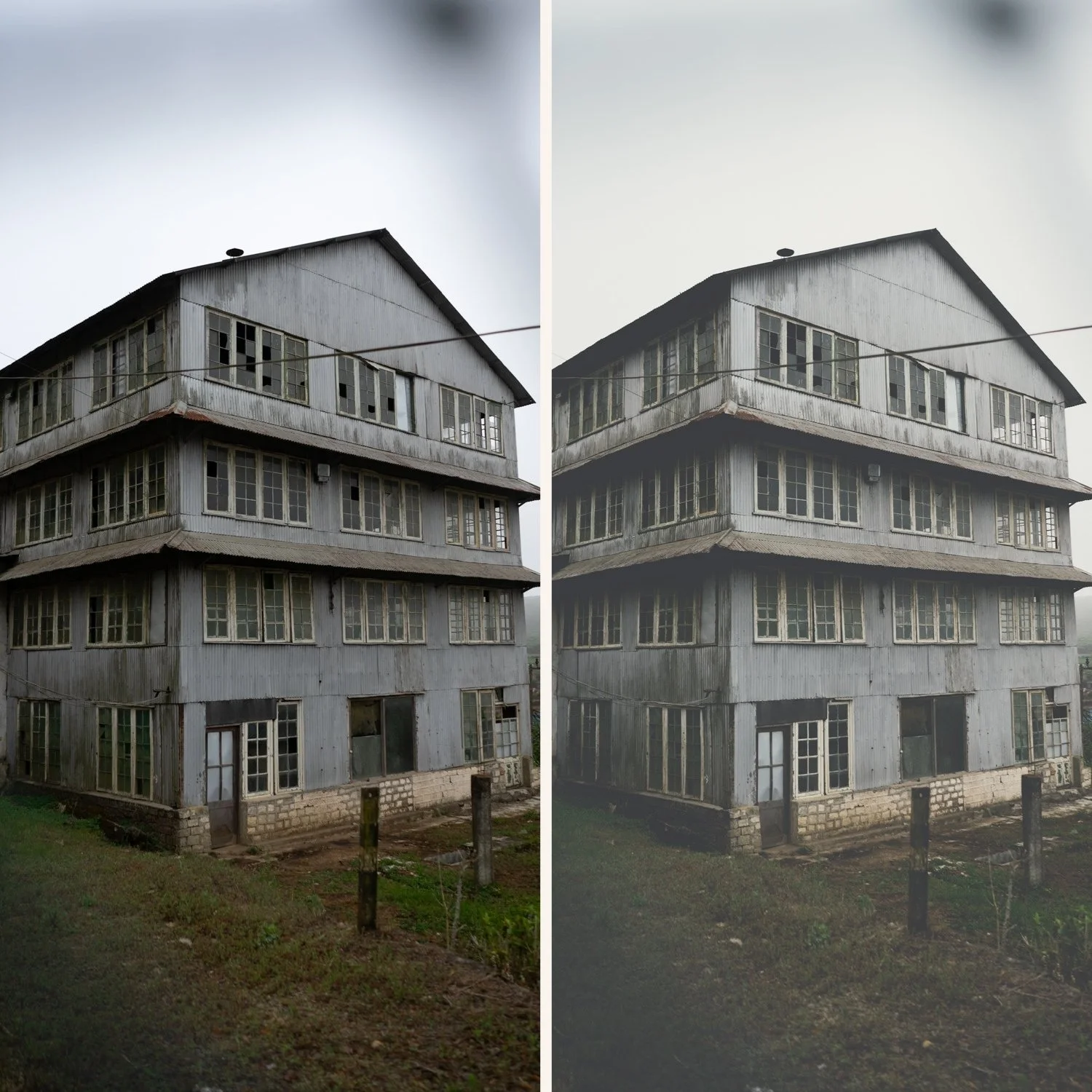

-
Dimensional Depth T2 adds a layer of "weight" to your images, making your subjects pop against a rich, moody background without looking over-edited.
Sophisticated Cool Shadows It shifts blacks and deep shadows toward a subtle, cool charcoal tone, which beautifully contrasts with warm skin tones or sunlight.
Versatile Mood While it's "deeper" than T1, it remains clean enough for high-end professional work, making it a favorite for "moody-luxe" branding.
Refined Grain Structure The preset includes a calibrated grain profile that adds texture to the shadows, mimicking the organic look of high-speed analog film.
-
1x T2 Deep Editorial Preset for Lightroom MOBILE (DNG file for iOS & Android).
1x T2 Deep Editorial Preset for Lightroom DESKTOP (XMP file for Mac & Windows).
Easy Step-by-Step Installation Guide.
-
This preset captures the aesthetic of professional 35mm film stocks like Fujifilm Pro 400H or Kodak Portra 800 when shot in slightly overcast or shaded conditions. It is the professional answer for those who want their work to feel "thick" and cinematic. By emulating the characteristic cool-cyan shadow shifts and the soft, matte-like highlight roll-off of these legendary emulsions celebrated for their ability to render mood without losing elegance T2 ensures your photos possess a gripping, archival quality. It transforms digital files into frames that look like they were pulled from a modern independent film.
-
The Foundation: T2 thrives on directional light—think window light, side-lit faces, or the long shadows of the "Blue Hour."
Apply T2: Watch as the frame takes on a more serious, cinematic tone with richer blacks and muted, elegant colors.
Shadow Recovery: If the shadows feel too intense for your specific shot, use the Shadows slider to lift them slightly while keeping the "T2" color profile.
Skin Warmth: Since the shadows are cool, ensure your White Balance is dialed in to keep skin tones looking warm and healthy.
The Final Touch: Add Fine Grain to emphasize the premium, archival nature of the image.