 Image 1 of 1
S-Series Modern Classic | S5 Street Archive for Lightroom & Mobile

-
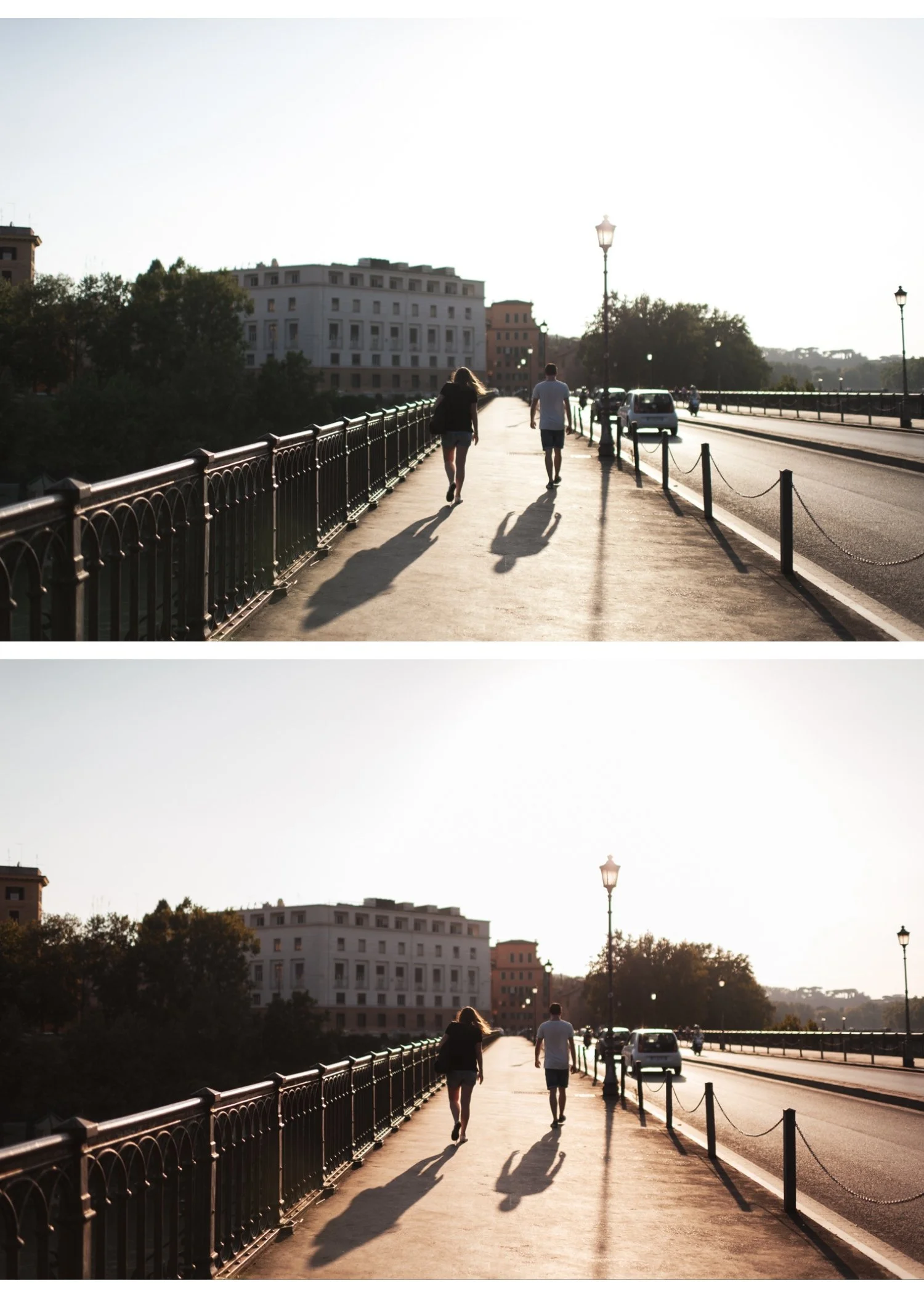
Matte Shadow Lift S5 replaces "inky" blacks with a soft, charcoal-gray fade, giving your street shots an instant high-end editorial or archival feel.
Muted Color Harmony It excels at neutralizing distracting, bright colors (like a bright red car or a yellow sign), blending them into a cohesive, desaturated story.
Dreamy Urban Light The preset creates a subtle "glow" around light sources, making even the harshest midday sun look soft and intentional.
Timeless Storytelling By removing the clinical sharpness of modern sensors, S5 makes every street corner look like a scene from a classic movie.
-
1x S5 Nostalgic Moody Street Preset for Lightroom MOBILE (DNG file for iOS & Android).
1x S5 Nostalgic Moody Street Preset for Lightroom DESKTOP (XMP file for Mac & Windows).
Easy Step-by-Step Installation Guide.
-
This preset captures the aesthetic of consumer-grade color negative film that has been aged and slightly overexposed. It is the professional answer for those who want their work to feel "lived-in" and approachable. By emulating the characteristic "dusty" shadows and the warm, creamy highlights of vintage street emulsions known for their ability to soften the hard edges of the city S5 ensures your photos possess an unmistakable nostalgic soul. It transforms digital frames into frames that feel like they were shot on a vintage rangefinder.
-
The Foundation: S5 works best with even, bright light—overcast days or street scenes with lots of neutral colors like beige, white, and brick.
Apply S5: Watch as the contrast softens and the frame takes on a beautiful, "faded-glory" cinematic aesthetic.
Exposure Check: Because S5 has a matte finish, you can afford to push your Exposure a little higher to keep the "airy" nostalgic feel.
Saturation Nudge: If you want a specific "vintage" color to stand out, slightly increase the Saturation of Orange or Red in the HSL panel.
The Final Touch: Add Medium Grain to emphasize the tactile, printed-on-paper quality of the shot.


