ProRAW vs JPEG for Film Presets — Which Format Works Better?
ProRAW vs JPEG for Film Presets — Which Format Works Better?
The most common complaint among mobile photographers using film presets is that the results look harsh, flat, or artificially digital even after applying a preset that looked good on someone else's photos. The most frequent cause is not the preset. It is the file format.
ProRAW and JPEG are not simply different sizes of the same image. If you are new to film preset editing on mobile, Lightroom Mobile Film Editing Guide covers the complete workflow before you reach the format decision. They contain fundamentally different amounts of tonal information, and film presets depend heavily on that tonal information to do what they are designed to do. Understanding the difference helps you make better decisions about when each format is appropriate and why your results look the way they do.
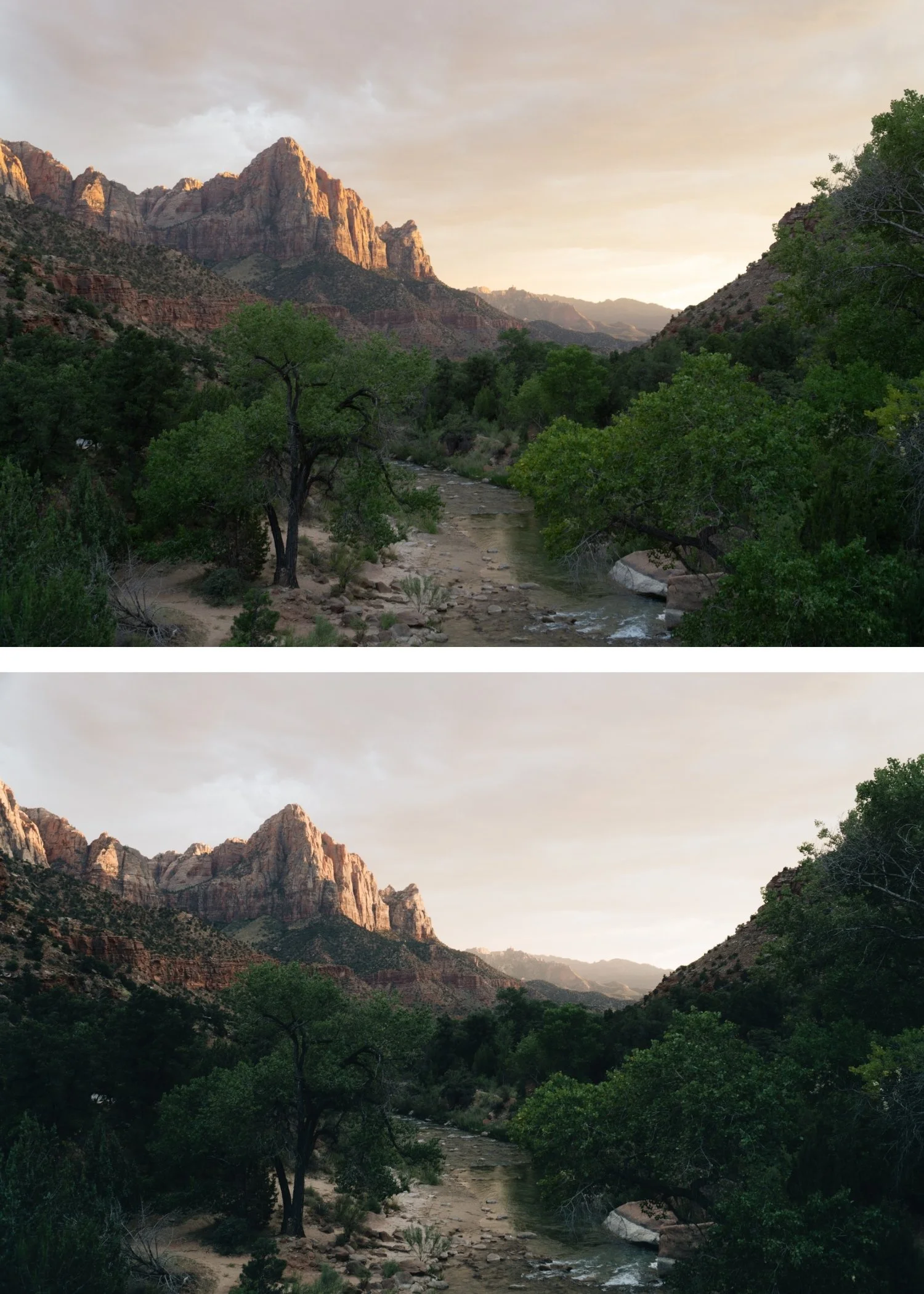
What JPEG Does to Your Image Before You Edit It
When you shoot JPEG on an iPhone, the camera processor has already made significant decisions about your image before you open it in Lightroom. It has applied sharpening to edges and fine detail. It has added contrast. It has processed the HDR data from the sensor into a compressed tonal range. It has applied its own saturation and color rendering. And it has compressed the file using lossy compression that permanently discards image data to reduce file size.
The result is a file that looks good by default, because the camera processor is optimizing for how the image will look on a phone screen. But the editing flexibility is significantly limited because most of the adjustable data has already been baked in. When you push a JPEG file through a film preset that pulls highlights, lifts shadows, and adjusts color channels, you are working with a file that has already had those adjustments applied once by the phone. The combination of the camera's processing and the preset's processing can produce harsh highlights, broken skin tones, and color banding that neither would produce individually.
What ProRAW Preserves
ProRAW captures a much larger amount of image information from the sensor and applies significantly less in-camera processing. The file preserves the actual highlight detail from the exposure rather than compressing it into a smaller tonal range. Shadow detail is maintained rather than being crushed toward black. Color channel data is wider and more nuanced, allowing for more precise adjustments without the banding that compressed JPEG files produce when pushed hard.
For film presets specifically, this matters in three ways. The highlight roll-off and skin tone behaviors that benefit most from ProRAW are explained in detail in How to Create a Natural Film Look in Lightroom. First, the highlight roll-off that defines the creamy film aesthetic requires actual highlight detail to work with. If the JPEG compression has already clipped those highlights, the Tone Curve and Highlights slider adjustments that a film preset makes cannot recover what is not there. ProRAW gives the preset more real highlight data to work with, which produces the gradual, organic roll-off that makes film presets look correct. Second, the skin tone adjustments in the Orange HSL channel work more accurately on ProRAW because the tonal transitions in skin are preserved rather than compressed. Third, grain structure in film presets integrates more naturally with ProRAW files because they do not have the in-camera sharpening that makes JPEG files look sharp underneath the grain rather than organically unified with it.
When JPEG Works Well Enough
JPEG is not unsuitable for film editing. It is used successfully by a large majority of mobile photographers, and well-calibrated film presets are designed to work on JPEG rather than requiring ProRAW. JPEG works well when exposure is correct, lighting is soft and even, preset adjustments are applied at moderate strength rather than full intensity, and the editing is kept relatively simple with Exposure and White Balance as the primary per-photo adjustments.
The cases where JPEG produces consistently good results are everyday outdoor photography in good light, lifestyle content shot in soft natural light, and portrait work in controlled ambient conditions. The cases where JPEG starts showing its limitations are harsh bright sunlight where highlights clip easily, indoor low-light photography where shadow noise interacts poorly with the preset's grain, and close-up portrait work where skin tones need precise tonal control.
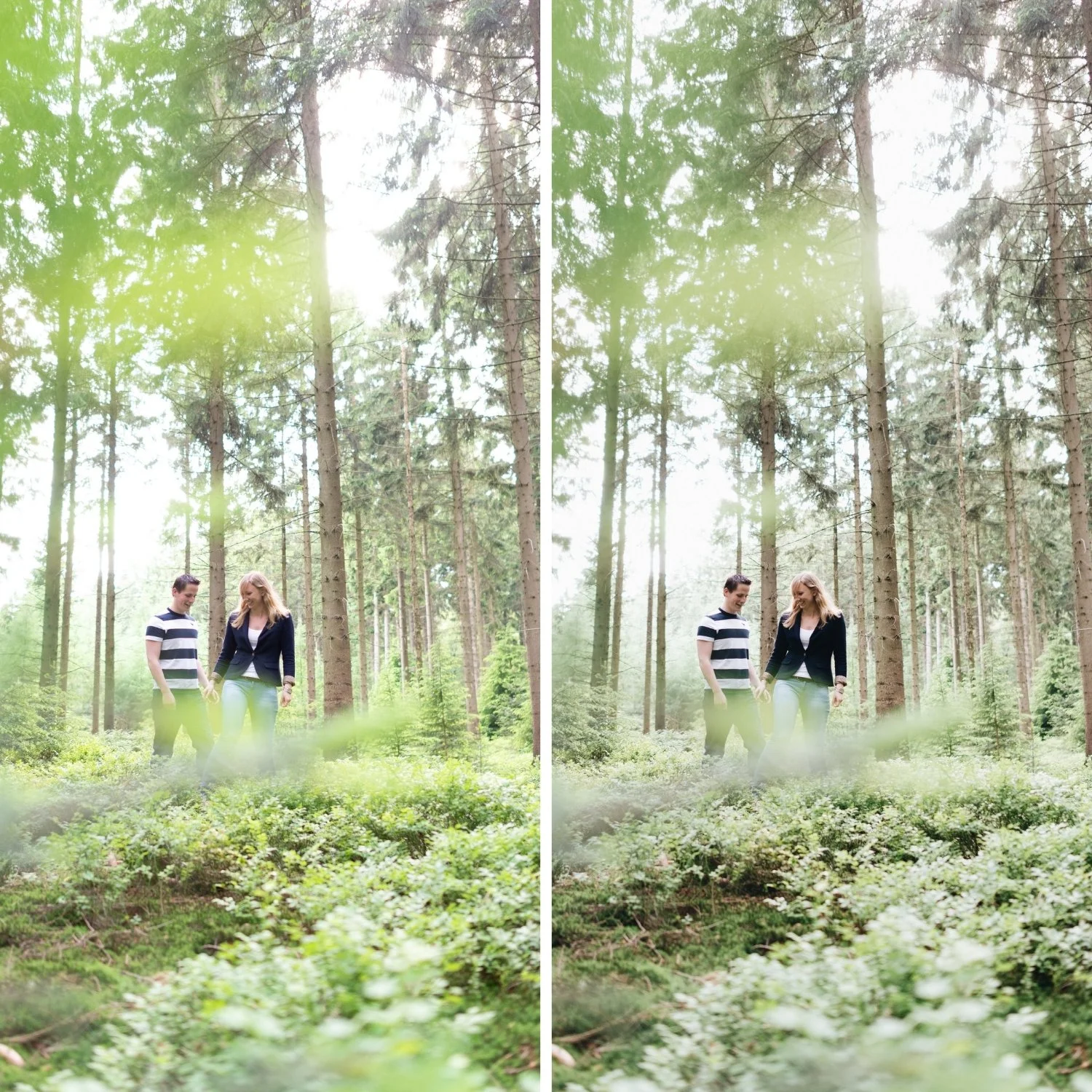
The Practical Comparison
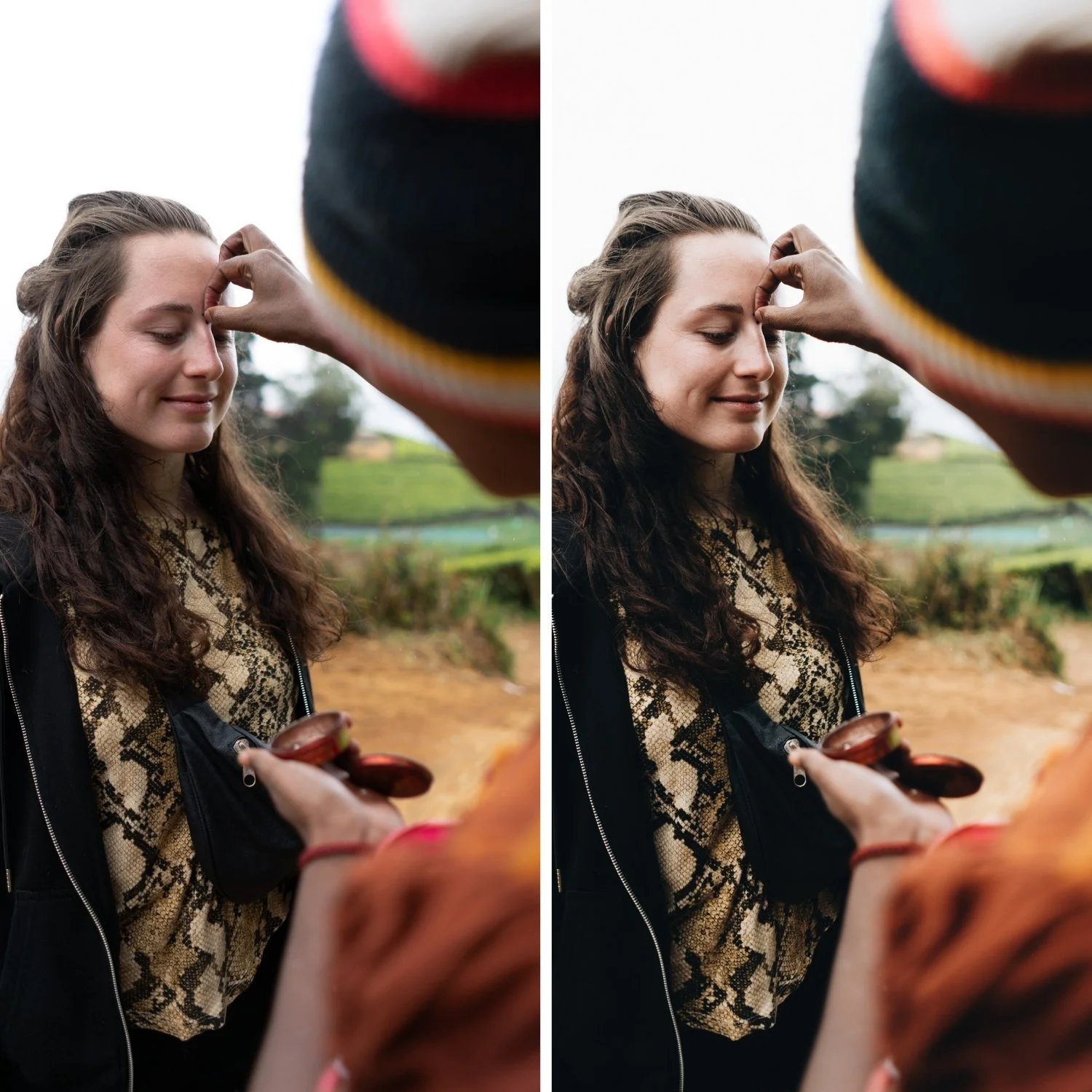
The most visible difference between ProRAW and JPEG after applying a film preset is in the highlights and skin tones. In bright outdoor photography on JPEG, highlights that were close to clipping before the preset will often clip after, because the preset's tonal adjustments push the already-compressed tonal data further. On ProRAW, the same adjustments work with actual highlight detail and produce the gradual roll-off that makes film photography look the way it does. In portrait photography, skin tones on ProRAW maintain the smooth transitions between warm and light areas that give the skin its dimensional quality. On JPEG, those transitions can break into visible banding when pushed by the orange channel adjustments.
The trade-off is storage and workflow speed. ProRAW files are significantly larger than JPEG. On an iPhone, enabling ProRAW and shooting a full day of travel or event photography generates much more storage demand than equivalent JPEG shooting. The editing workflow is also slightly slower because Lightroom is processing more data per image. For casual shooting and everyday social content, this trade-off may not be worth it. For professional work, client delivery, or photography in demanding conditions, it is.
Enabling ProRAW on iPhone
ProRAW is available on iPhone 12 Pro and later. To enable it, go to Settings, then Camera, then Formats, and turn on Apple ProRAW. Within the camera app, a RAW button will appear in the top right corner that toggles ProRAW on and off, allowing you to switch between formats for individual shots.
A practical approach for mobile photographers is to use JPEG for casual everyday shooting and enable ProRAW selectively for specific situations where the format's advantages are most relevant: harsh outdoor light, important portrait sessions, or professional work. The Best iPhone Camera Settings for Film Look guide covers the full capture setup that pairs with this format decision.
FAQ
Is ProRAW required for film presets to work?
No. Film presets are designed to work on JPEG and do so successfully for most photographers in most conditions. ProRAW gives presets more tonal data to work with, which is most relevant in challenging lighting conditions.
Does ProRAW improve skin tones?
Yes, because it preserves the smoother tonal transitions in skin that JPEG compression reduces. The difference is most visible in close-up portrait work and in photography taken under mixed or challenging light.
Should beginners use ProRAW?
Only if they are comfortable with larger file sizes and a slightly slower editing workflow. The editing workflow itself is covered in the Cinematic but Natural Editing Style Guide, which is equally applicable to both formats. The image quality improvement is real but not significant enough to outweigh the workflow complications for casual photography.
Can I convert JPEG to something similar to ProRAW?
No. Once the camera processor has baked in the JPEG compression and applied its in-camera processing, the discarded data cannot be recovered. The format decision has to be made at the moment of capture.
Start with presets calibrated for both ProRAW and JPEG:
Download the free Analog Film preset and test it on both file formats to understand how the format affects the result.
For a complete analog film system with presets designed for mobile shooting conditions across varied formats, explore the Analog Film Archive.
