RAW vs JPEG for Film Presets (Which Should You Use?)
RAW vs JPEG for Film Editing — Which Is Better? (2026)
For film preset editing in Lightroom, RAW files give significantly better results than JPEG. The difference is not subtle — it affects highlight recovery, preset rendering quality, and how natural the film look appears.
This guide explains exactly why and what the practical difference looks like.
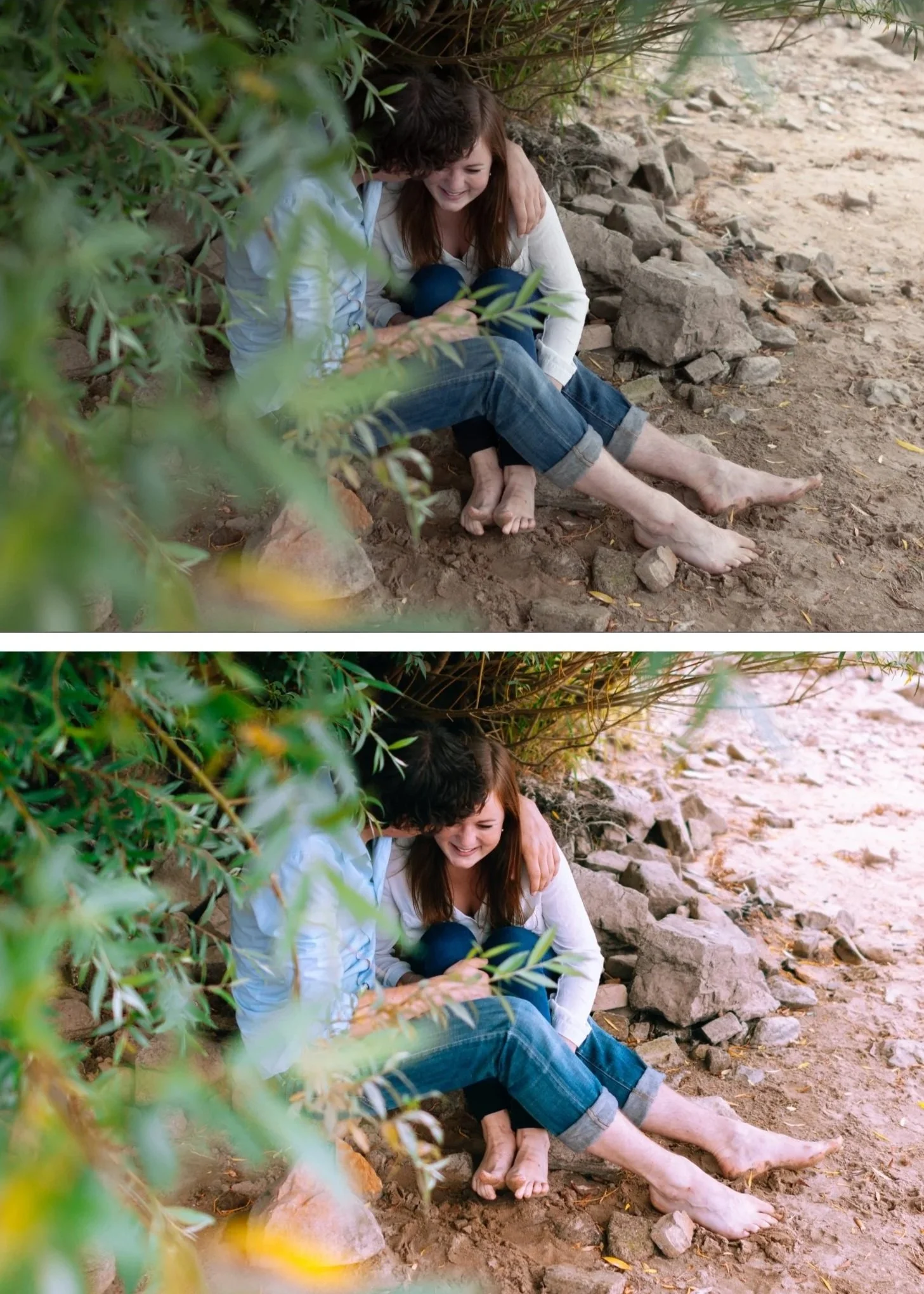
What the difference actually is
RAW files contain the unprocessed sensor data. No sharpening, no noise reduction, no contrast enhancement, no color processing. Lightroom receives the raw information from the sensor and you control every aspect of how it looks.
JPEG files have been processed by the camera before Lightroom sees them. Contrast, sharpening, noise reduction, color enhancement, and exposure adjustments have already been applied. The tonal range is compressed. The color is already processed.
For film preset editing, this matters because film presets are calibrated to work on a neutral, unprocessed starting point. When a preset assumes a specific tonal range to lift shadows and compress highlights, and the camera has already compressed that range in JPEG processing, the preset is working on a different foundation than it was designed for.
Practical differences for film editing
Highlight recovery: RAW files can recover 2-3 stops of overexposed highlights. A blown sky in RAW is often fully recoverable. The same sky in JPEG is permanently lost.
Shadow lifting: RAW files have more shadow information. Lifting shadows in RAW reveals detail that looks organic. Lifting shadows in JPEG reveals noise and banding.
Preset rendering: Film presets calibrated for RAW files apply with natural, organic results. The same preset on a JPEG that has already been processed — compressed tonal range, added contrast — reads differently. Often stronger, flatter, or less natural.
Color accuracy: RAW files give you full control over color rendering from the sensor up. JPEG files have color processing applied that affects how HSL adjustments and Color Grading interact.
When JPEG is acceptable
JPEG is not useless for film editing. For casual photography where the lighting is controlled and consistent, JPEG with the correct preset workflow produces good results.
The situations where JPEG is acceptable:
Soft indoor natural light with no extreme highlights
Consistent studio or controlled lighting
Casual lifestyle photography where maximum quality is not the priority
Speed — when you need to edit and share quickly
The situations where RAW makes a clear difference:
Outdoor photography with bright skies and highlights
High-contrast scenes with deep shadows and bright subjects
Portrait photography where skin tone precision matters
Any photography you plan to print at large sizes
RAW on phone cameras
iPhone ProRAW (iPhone 12 Pro and later) and Android Expert RAW/Pro mode give significantly better film preset results than standard JPEG.
Phone JPEG processing — Smart HDR on iPhone, Scene Optimiser on Samsung — compresses tonal range more aggressively than a dedicated camera's JPEG. Phone RAW files give the same latitude advantage over phone JPEG that camera RAW gives over camera JPEG.
Full guide: iPhone HDR vs ProRAW for Film Editing
The practical recommendation
Shoot RAW for any photography where you care about quality. Shoot JPEG for casual quick shares where editing is not a priority. If your camera supports RAW+JPEG simultaneously, use that — RAW for editing, JPEG for quick sharing.
FAQ
Does RAW take more storage?
Yes — typically 4-6x more than JPEG depending on camera and settings. For photographers who care about film quality, the storage cost is worth the editing latitude.
Can I switch from JPEG to RAW mid-shoot?
Yes — change the file format in camera settings at any time. Switching to RAW for the rest of a shoot is better than finishing in JPEG.
Do Lightroom presets work better on RAW than JPEG?
Yes. Presets are calibrated for the neutral, unprocessed starting point of RAW. JPEG processing changes the starting point. Results are still good on JPEG but better on RAW.
