iPhone HDR vs ProRAW for Film Editing — Which Is Better? (2026)
iPhone HDR vs ProRAW for Film Editing — Which Is Better? (2026)
When editing iPhone photos with film presets in Lightroom, the file format you shoot in has more impact on the result than the preset itself. HDR JPEG and ProRAW behave completely differently under film preset editing. Here is the honest comparison.
What Smart HDR does to your photo
Smart HDR on iPhone automatically combines multiple exposures — typically three to five frames shot in rapid succession — into one image. The result is a photo with:
Compressed highlights (pulled back automatically)
Lifted shadows (opened automatically)
Reduced overall contrast
Added sharpening
For casual viewing, this looks good. For film preset editing in Lightroom, it creates problems. The tonal range has already been compressed before Lightroom sees the file. A film preset that assumes a wider tonal range to work within then pushes further in the same direction — making the result look overdone, flat, or unnatural.
What ProRAW gives you instead
ProRAW bypasses Smart HDR processing entirely. The file Lightroom receives is the sensor data with minimal processing applied — no compression, no automatic shadow lifting, no sharpening.
What this means for film preset editing:
Film presets render more naturally because the tonal range is wider and more film-like
Highlights recover 2-3 stops more than JPEG when you pull Highlights in Lightroom
Shadow lifting feels more organic because the shadows have not already been processed
Preset amount at 100% often looks correct rather than requiring reduction to 70-75%
Side-by-side comparison
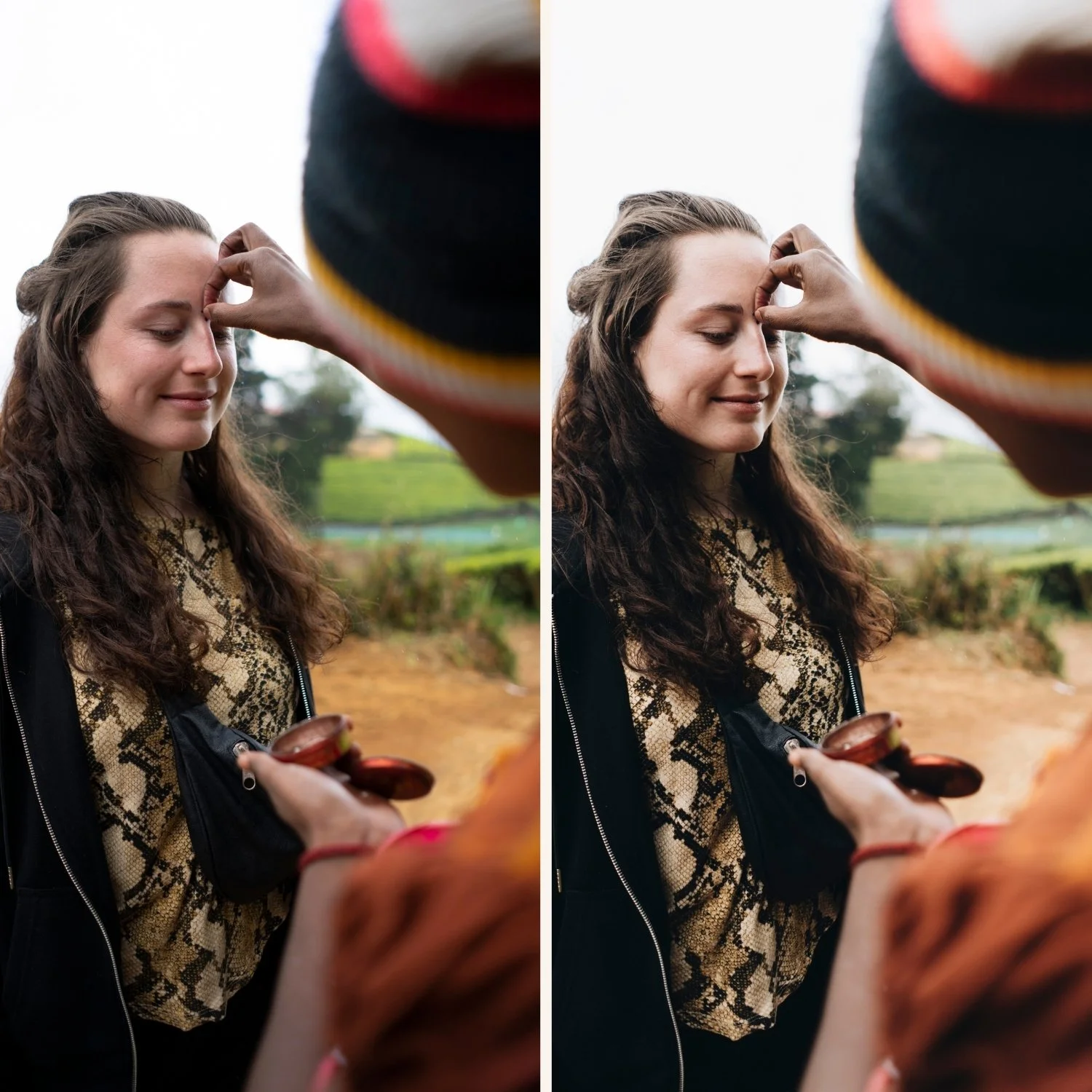
Same photo, same preset, different file format:
Smart HDR JPEG: Preset looks slightly overdone. Highlights that are near-clipped in the JPEG cannot be pulled back in Lightroom. Shadows that Smart HDR already lifted respond less naturally to the preset's shadow adjustments. Result often requires preset amount reduction to 70-75%.
ProRAW: Preset renders with the natural, controlled quality it was designed for. Highlight recovery is significant — a blown sky in ProRAW is often fully recoverable. Shadows respond organically to the preset's tonal adjustments. Preset at 100% usually looks correct.
When to use each format
Use ProRAW when:
You are going to edit the photo in Lightroom
Highlights matter — bright outdoor scenes, beach, snow, direct sun
You want the most natural film preset results
You are shooting portraits where skin highlight detail matters
Use Smart HDR JPEG when:
You need the photo instantly — share directly without editing
Storage is limited
The photo is casual and not worth the editing time
You are shooting in low light where Smart HDR's multi-frame compositing helps noise
ProRAW availability
ProRAW is available on iPhone 12 Pro and later. Standard iPhone models (12, 13, 14, 15 — non-Pro) do not support ProRAW.
Enable: Settings, Camera, Formats, Apple ProRAW.
FAQ
Is ProRAW always better than JPEG for Lightroom editing?
For film preset editing with highlights and skin tones, yes. For low-light photography where Smart HDR's noise reduction is helpful, the difference is less clear. ProRAW preserves more noise — which can be an advantage (add your own film grain) or a disadvantage (more noise reduction work).
Does ProRAW make a visible difference on every photo?
Most visible in bright outdoor conditions where highlights are challenging. Less visible in soft indoor light where Smart HDR's compression is less aggressive.
Can I shoot ProRAW and JPEG simultaneously?
Yes. In Camera settings, enable ProRAW and also enable JPEG. The camera saves both files. Useful if you want a quick shareable JPEG alongside the editing-quality ProRAW.