Best Presets for Instagram Creators (2026)
Best Presets for Instagram Creators (2026)
Instagram content creation has one editing requirement above all others: consistency. A preset applied to every photo creates a recognizable visual identity. Switching presets per photo destroys it, regardless of how good each individual edit looks.
This guide covers the best presets for Instagram content creation in 2026 and how to use them to build a consistent visual identity.
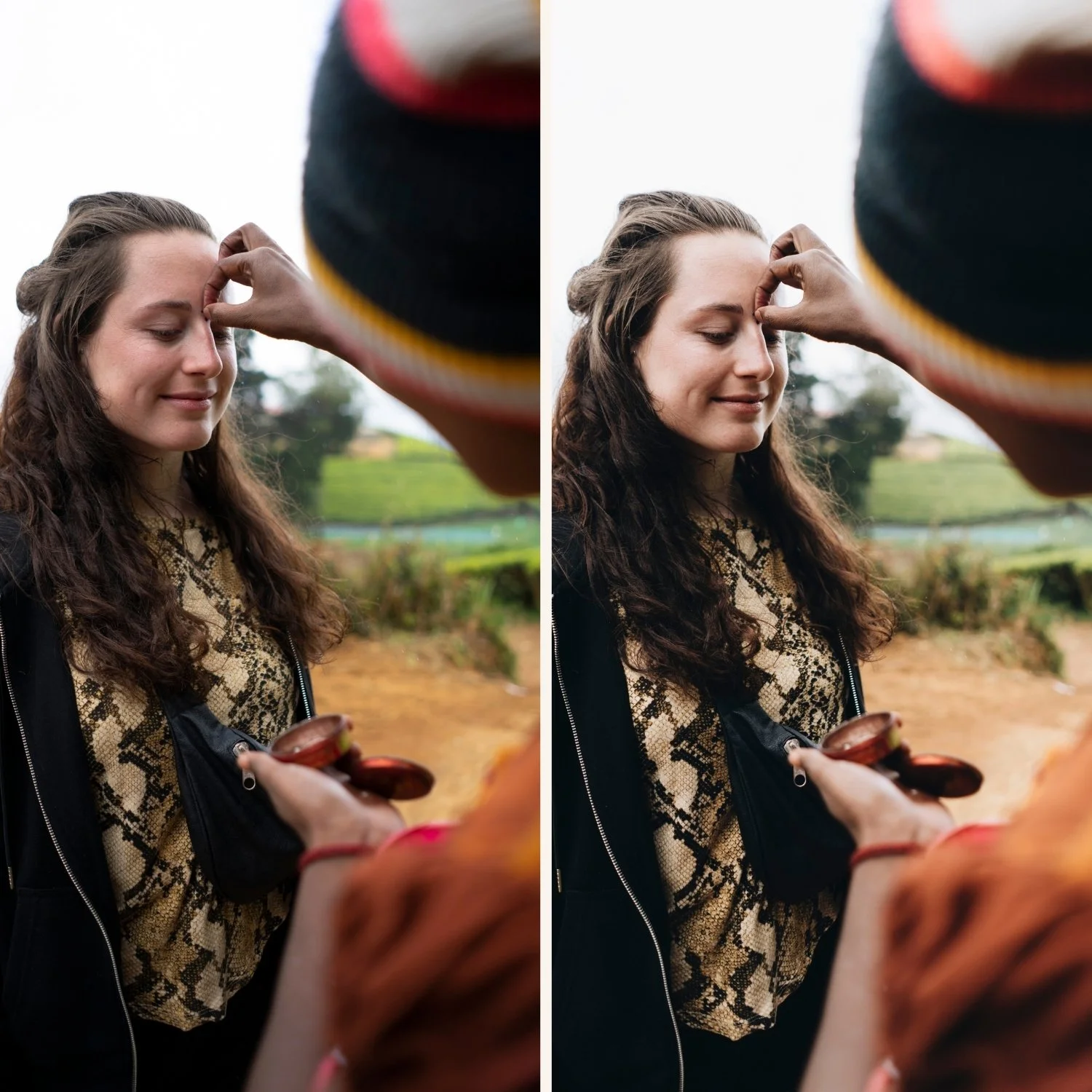
Best presets by Instagram aesthetic
Clean and minimal (most popular 2026): A6 Clean Portrait or S1 Clean Neutral. Natural, clean, effortless. Works for lifestyle, portrait, and everyday content. Suits the clean girl and minimal aesthetics.
Bright and airy: S2 Dreamy Soft or S4 Pure Light. Luminous, soft, Instagram-friendly. Best for portrait and lifestyle content where brightness is the aesthetic.
Warm film: V1 Classic Film or A6 with slight warmth. Natural film quality that reads as intentional without being obviously warm. The most popular direction for lifestyle creators.
Moody and atmospheric: M4 or M5. Deeper shadows, muted color, cinematic depth. Best for editorial lifestyle and content where atmosphere matters more than brightness.
Old money and muted luxury: LV1 Muted Clean or LV2 Refined Black and White. Desaturated, sophisticated, expensive-feeling. The quiet luxury aesthetic that dominated 2024-2026.
Bold and vibrant: N1 Clean Modern or N3 Bold Modern. Punchy color that stands out in a feed. Best for creators who want visual energy over timeless quality.
How presets build Instagram visual identity
The photographers and creators with the most recognizable Instagram feeds are not using the most complex editing. They are using the simplest editing most consistently.
Choose one direction. Apply it to every photo. Do not switch presets based on mood or trend. The feed builds a visual identity through repetition — fifty photos with the same color philosophy look unmistakably yours.
The only time to switch is when you consciously rebranding your visual direction — and even then, transition gradually rather than switching all at once.
Export settings for Instagram
After editing with your preset, export correctly to preserve the quality:
JPEG, quality 85%
Color space: sRGB
Dimensions: 1080 x 1350px (portrait) or 1080 x 1080px (square)
No output sharpening
Full guide: Best Lightroom Export Settings for Instagram
Free Instagram preset
FAQ
How many presets do I need for a consistent Instagram feed?
One to three. One core preset for most photos, one or two variations for different lighting conditions. More than five and consistency becomes harder to maintain.
Should I use the same preset for Reels and Stories as for feed posts?
Yes for consistency. Stories and Reels are more casual but the same color direction keeps your profile looking coherent.