The Ultimate Film Preset Guide: Creating a Timeless Analog Look in Lightroom
The Ultimate Film Preset Guide: How to Create a Timeless Analog Look in Lightroom
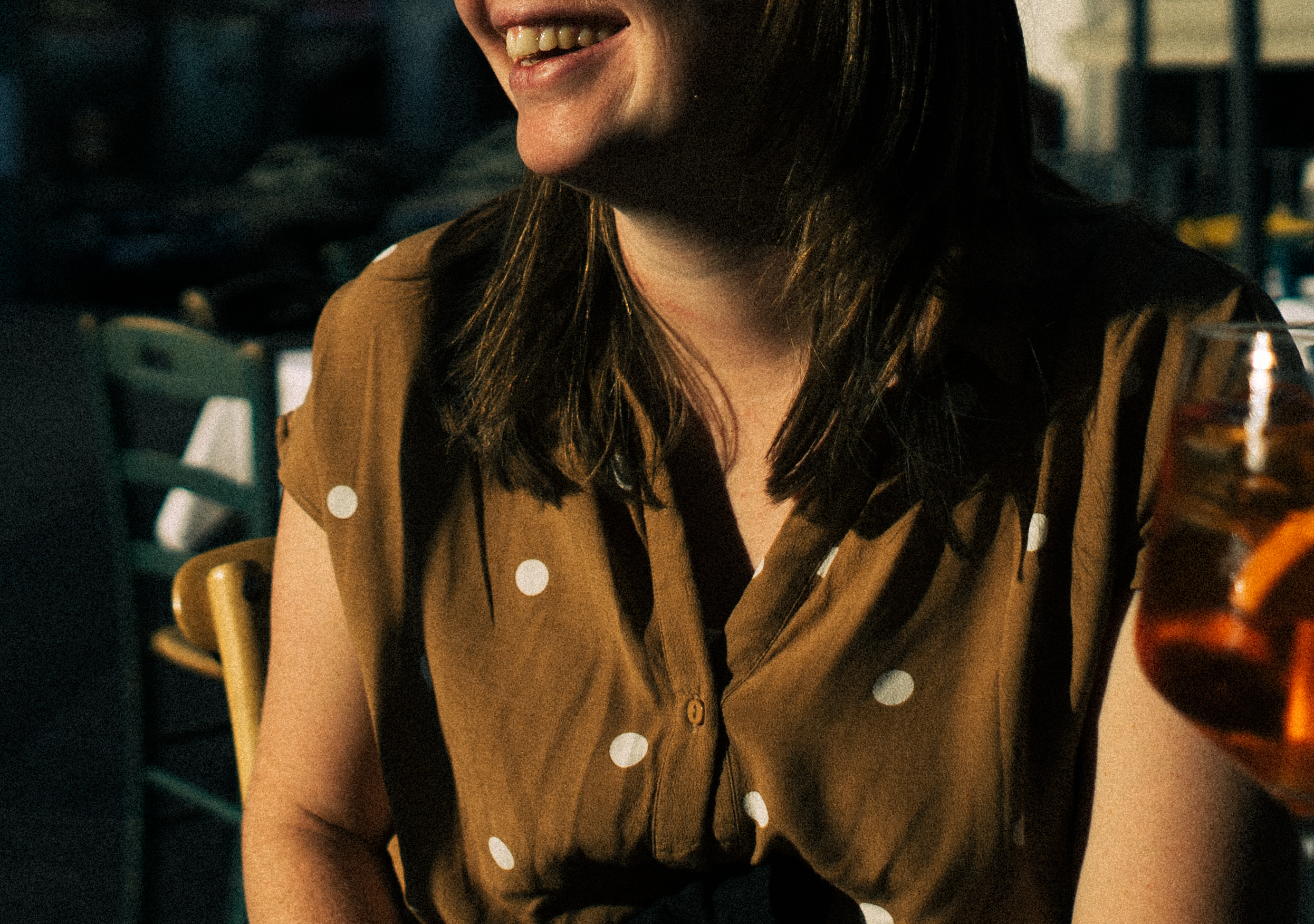
You’ve seen it before.
That image that doesn’t scream for attention but holds it.
Soft highlights.
Natural skin tones.
Depth in the shadows.
Nothing feels forced.
It doesn’t look edited.
It looks remembered.
That’s the difference between a digital file and a filmic image.
And that’s exactly what this guide is about.

Before

After
Within the first few minutes of editing, most creators do one of two things:
• Over-edit
• Or flatten the image trying to “look filmic”
Neither creates a timeless result.
In this guide, we’ll break down:
What makes a film preset actually work
How to avoid the “fake vintage” trap
How to build consistency across different lighting conditions
When free presets are enough
When a calibrated system changes everything.
If you're new to the concept, you may also want to read our deep breakdown of our Lightroom Film Presets (Complete Overview Page).
What Makes an Image Look “Filmic”?
Film is not about orange tones.
It’s not about faded blacks.
It’s not about grain.
It’s about response to light.
Digital sensors react clinically.
Film reacts organically.
If you want the exact step-by-step workflow, follow How to Get the Film Look in Lightroom.
Here’s what actually creates that difference:
1. Highlight Roll-Off
Digital clips. Film rolls.
Bright skies shouldn’t explode into white.
They should fade gently.
2. Controlled Contrast
Film doesn’t punch midtones aggressively.
It creates separation without harshness.
3. Skin Tone Stability
True film aesthetics protect reds and oranges.
Digital editing often destroys them.
If portraits are your main subject, use this guide to keep skin tones stable: Best Film Presets for Portrait Photography.
4. Subtle Depth
Not crushed blacks.
Not lifted greys.
But layered shadows.
This is where most presets fail.
They copy a “look.”
They don’t recreate the light behavior.

Why Most Edits Fall Apart After 20 Photos
One preset applied everywhere sounds efficient.
Until you edit:
• Golden hour
• Overcast light
• Indoor mixed lighting
• Night scenes
• Harsh midday sun
Travel is the fastest way to expose weak presets. Here’s the full guide: Best Film Presets for Travel Photography.
And suddenly…
More tweaking.
More guessing.
More inconsistency.
Not because the preset is bad.
Because one look isn’t a system.
A real analog workflow includes:
A clean daylight base
A shadow-weighted option
A portrait-optimized version
A mixed-light balance preset
A deeper contrast variation
All built on the same color philosophy.
That’s the difference between:
Nice edits.
And recognizable style.
Free vs Paid Film Presets
Free presets are a perfectly valid starting point.
They let you experiment with tone, light, and contrast without commitment. But most free presets are built around a single lighting scenario. They work beautifully in one situation — and start to break when conditions change.
Bright daylight behaves differently than overcast scenes.
Indoor mixed light reacts differently than golden hour.
That’s where calibration matters.
If you want a deeper breakdown of how flexibility and long-term consistency differ between free and paid options, read our full comparison of Free vs Paid Film Presets.
Because the real difference isn’t price.
It’s scalability.
How to Actually Use a Film Preset Properly
Most creators apply at 100% and move on.
That’s not how film works.
Here’s the smarter workflow:
If you want the exact workflow (exposure, white balance, tone curve, grain), follow How to Get the Film Look in Lightroom (Step-by-Step).
Step 1: Apply the preset
Start neutral.
Step 2: Adjust exposure
Film reacts to light not sliders.
Step 3: Fine-tune opacity
Lower slightly if needed.
Step 4: Protect highlights
Pull them back gently if clipped.
Soft highlight transitions usually come down to tone curve control if you want to understand that deeper,
read: How to Use the Tone Curve for Soft Film Highlights.
Step 5: Adjust grain intentionally
Not for “vintage.”
For texture.
The preset gives direction.
Your light completes it.
Different Film Looks Explained
Let’s break down the most common analog directions.
Clean Minimalist
Bright whites.
Soft shadows.
Neutral warmth.
Perfect for:
• Interiors
• Lifestyle
• Travel
• Editorial feeds
Warm Heritage Film Look
Golden undertones.
Subtle nostalgia.
Late-afternoon glow.
Perfect for:
• Couples
• Outdoor portraits
• Travel storytelling
Travel photography, in particular, involves unpredictable lighting harsh midday sun, deep shadows, mixed interiors, and changing weather.
If you primarily shoot outdoors, explore our breakdown of the best film presets for travel photography, where we explain which tonal variations perform best across real-world lighting conditions.
Because consistency isn’t about using one preset everywhere.
It’s about selecting the right tonal direction for the light you’re in.
Cool Editorial
Blue undertones.
Urban depth.
Modern contrast.
Perfect for:
• Architecture
• Street photography
• Industrial scenes
Moody Analog
Deeper shadows.
Lower saturation.
Atmospheric balance.
Perfect for:
• Rain
• Coffee shops
• Intimate portraits
Each of these directions should feel related.
Not random.
Building a Cohesive Feed (Without Overthinking It)
Consistency isn’t about using one preset forever.
It’s about:
• Shared contrast structure
• Shared color bias
• Shared highlight treatment
When all your presets are built on the same foundation, your grid looks intentional.
Not chaotic.
This is where calibrated collections matter.
Not more presets.
Better structure.
If you want a repeatable system for editing full shoots, follow Film Editing Workflow in Lightroom.
Want a simple system that works year-round? Read: Seasonal Film Preset Guide.
Common Mistakes That Ruin the Film Look
❌ Over-lifting blacks
Matte does not equal film.
❌ Over-saturating skin
Film is soft, not neon.
❌ Crushed shadows
Depth is layered, not blocked.
❌ Over-using grain
Grain supports. It doesn’t dominate.
When Should You Upgrade to a Full Collection?
Ask yourself:
Do my edits break in different lighting?
Do I constantly tweak temperature?
Do my skin tones shift between photos?
Do I hesitate before posting because something feels “off”?
If yes, you don’t need more tweaking.
You need alignment.
The Role of the Analog Series
A structured analog collection isn’t about more choices.
It’s about removing doubt.
Instead of guessing which preset works:
You select the direction based on light.
Daylight?
Minimalist base.
Shadow-heavy?
Contrast variation.
Portrait?
Skin-optimized version.
Same philosophy.
Different lighting.
That’s how professionals lock consistency.
FAQ
Are film presets worth it?
Yes, if they’re built as a calibrated system.
The real value isn’t the “look.”
It’s the time you save and the consistency you gain.
When presets are engineered around real lighting scenarios, they eliminate guesswork and protect skin tones automatically.
That’s what makes them worth it.
Can I use film presets on Lightroom Mobile?
Absolutely.
All of our presets are optimized for both desktop and mobile, so your editing workflow stays consistent wherever you shoot.
Consistency across devices is just as important as consistency across lighting.
Do presets replace manual editing?
No, and they shouldn’t.
Presets give you structure.
Instead of building every image from scratch, you start 80% of the way there.
That’s how professionals scale their workflow without sacrificing quality.
How many presets do I actually need?
Not hundreds.
You need a calibrated direction.
For most creators, 6–12 variations built on the same base will handle:
• Bright daylight
• Cloudy conditions
• Indoor mixed light
• Portrait sessions
• Moody shadows
More random presets create chaos.
A structured collection creates identity.
Final ThoughtS
Film isn’t about nostalgia.
It’s about restraint.
It’s about trusting light.
It’s about knowing when to stop editing.
If your goal isn’t just “nice photos”
but a signature that feels intentional
Start with one calibrated direction.
Then build the system around it.
If you’re ready to move from experimenting
to building a cohesive analog identity,
Explore the full Analog Series.
Ten calibrated film variations.
One unified philosophy.
Built for real light.
