From Harsh Light to Soft Film Look
From Harsh Light to Soft Film Look
Harsh midday light is the condition that most defeats film-look editing attempts. The contrast is high, the shadows are deep and hard, the highlights clip easily, and the overall quality is the opposite of the soft, dimensional warmth of film photography. Photographers who shoot in ideal golden-hour conditions get film looks relatively easily. Photographers who shoot throughout the day — at events, on travel days that run from morning to afternoon, at outdoor shoots where the schedule is not light-dependent — need a workflow that handles harsh light without surrendering the film aesthetic.
This guide covers the complete process for transforming harsh direct-sun photography into a soft film look.

Understanding Why Harsh Light Fights the Film Aesthetic
Film photography in harsh light looked different from digital photography in harsh light for technical reasons. Film's shoulder behavior compressed the highlights of overexposed areas gradually, preventing the clipping that digital sensors produce abruptly at the same conditions. Film's base density lifted the shadow floor, preventing the extreme dark shadows that direct overhead sun creates.
In digital, both extremes are more severe. Highlights clip harder. Shadows go darker. The contrast ratio of the digital file in harsh light is higher than an equivalent film photograph would have been in the same conditions.
This means the work in Lightroom is not simply to add the film look on top of the harsh starting point — it is to first undo the specific ways that digital capture makes harsh light look worse than film, and then add the film quality on top of the corrected version.
Step 1: Aggressive Highlight Recovery
The first and most important step for harsh light editing is aggressive highlight recovery. More aggressive than any other lighting scenario.
Highlights: -50 to -70. This is significantly more than the -20 to -35 that warm afternoon or overcast photography requires. Harsh midday light produces highlights that are often at or near clipping in the RAW file. The large Highlights reduction brings these back into a usable range for the Tone Curve to work with.
Whites: -25 to -40. Correspondingly aggressive Whites reduction.
After these adjustments, check the histogram. Highlight clipping (the right edge of the histogram) should be minimal or absent. If highlights are still clipping after maximum Highlights and Whites reduction, the starting exposure was genuinely overexposed and detail is permanently lost in those areas.
Step 2: Shadow Management — Less Than You Think
The instinctive response to harsh light's deep shadows is to lift them aggressively. This is usually the wrong approach. Lifting shadows to +40 or +50 to compensate for harsh overhead light produces flat, muddy results — the shadow depth is removed but the overall quality becomes grey and lifeless.
Shadows: +15 to +25. Moderate lift, not aggressive. The goal is to soften the harshest shadows while retaining enough depth for the Tone Curve to work with.
Blacks: +8. Shadow floor lift.
The remaining shadow depth is addressed through the Tone Curve rather than through the Shadows slider. The Tone Curve lifts the lower midtone range in a more targeted and dimensional way.
Step 3: Tone Curve for the Soft Transition
The Tone Curve for harsh-light editing needs to do more work than in soft-light scenarios. The primary task is creating the soft midtone transitions that harsh light destroys.
Shadow point: output 20.
Lower midtone point: input 60, output 70. This is an upward lift in the lower midtones — the opposite direction from the standard gentle S-curve compression at this point. For harsh light editing, lifting the lower midtones softens the hard shadow edge that direct overhead sun creates.
Upper midtone point: input 180, output 192. Gentle upward lift.
Highlight point: output 220.
The result is a curve that lifts the lower midtones (softening shadows) and protects the upper highlights (creating roll-off) with moderate midtone separation. This is a different curve shape than golden-hour or overcast editing — it is specifically calibrated for the harsh starting point.
Step 4: Clarity Management
Clarity is particularly important in harsh light editing. Harsh light creates its own strong midtone contrast through the direction and intensity of the light. Adding Clarity on top of this amplifies the harsh quality. For harsh light film editing, Clarity should be at -10 to -20 — significantly more negative than for soft-light editing.
Texture: -8 to -12. Further midtone softening.
Step 5: Color Adjustments for Harsh Light
Harsh direct sun amplifies color saturation, particularly in warm channels. Orange skin in harsh sun is vivid. Green foliage is bright. Blue sky is saturated. Each needs more reduction than soft-light scenarios.
Orange Saturation: -20 to -25. More aggressive than the -12 to -15 of soft outdoor editing.
Orange Luminance: +12 to +15. The compensating lift is also higher to keep skin present after the stronger saturation reduction.
Green Saturation: -25 to -30. Outdoor greens in midday sun are significantly more vivid than in soft or overcast light.
Blue Saturation: -18 to -25. Midday sky is more saturated than afternoon or morning sky.
Step 6: Color Grading Calibration for Harsh Light
Harsh light creates warmth in highlights through the direct sun rather than through the ambient. The Color Grading highlight warmth needs to complement this without amplifying the already-warm harsh light into orange.
Highlight Hue 42, Saturation 6. Lower Saturation than soft-light scenarios because the direct sun is already warming highlights significantly. Adding too much Color Grading warmth to already-warm harsh-light highlights pushes into orange.
Shadow Hue 210, Saturation 4. The overhead sun creates underside shadows that are often quite cool — diffuse blue skylight from directly above. A subtle cool shadow direction works with this natural cool quality.
Checking the Result
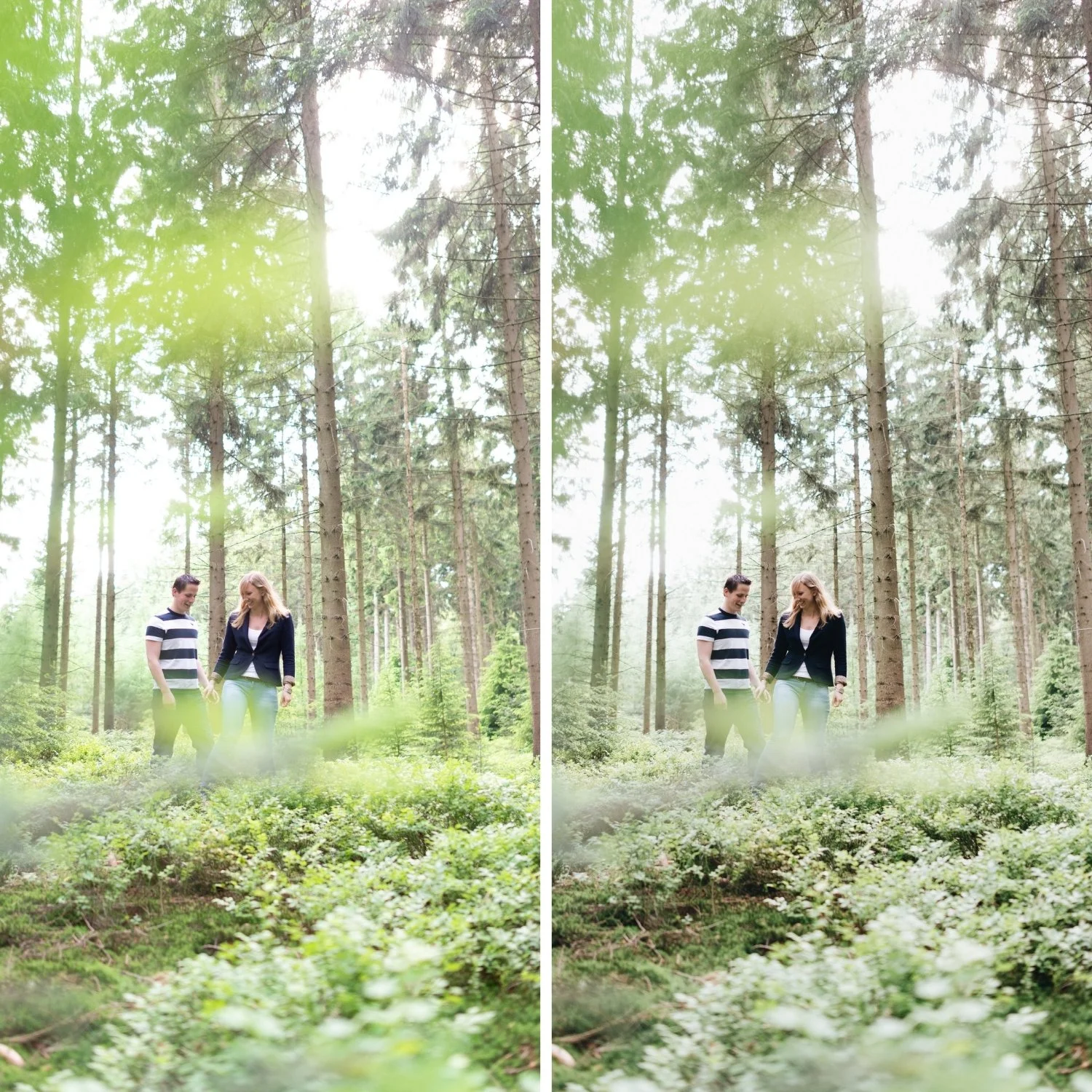
A successful harsh-light to soft-film conversion should read as if the photograph was taken in moderate rather than harsh conditions. The shadow-to-highlight transitions should be smooth rather than abrupt. Skin should be warm and dimensional rather than bleached or orange. The overall quality should have the soft warmth of the film aesthetic regardless of the actual lighting conditions.
FAQ
Is it better to shoot in shade than try to correct harsh light?
For portrait photography, yes — shade produces genuinely softer light that is easier to edit in the film direction. For travel photography where the schedule is not controllable, this workflow provides a reliable way to handle the resulting harsh-light photographs.
Can I fix completely clipped highlights in harsh light?
No. If a RAW file has highlights that are clipped to pure white before any Lightroom adjustments, that data was not captured at exposure and cannot be recovered. Slightly underexposing in harsh light by -0.5 to -1 stop captures highlight detail that would otherwise be lost.
Does this workflow work for indoor flash photography?
Flash photography shares some characteristics with harsh light — hard shadows, clipped highlights, high contrast. The same general approach applies with some modifications for the mixed ambient and flash environment.
Apply the harsh-light softening approach to your own photos:
Download the free Analog Film preset and apply the specific Highlights reduction and modified Tone Curve for harsh light conditions described above.
For more on highlight behavior in challenging light, Highlight Roll-Off Explained covers the technical background. For the complete contrast approach, How to Balance Contrast for a Soft Analog Look covers the soft contrast methodology.
