Coastal Fashion Lightroom Preset — Complete Guide (2026)
Coastal Fashion Lightroom Preset — Complete Guide (2026)
Coastal fashion photography sits at the intersection of travel photography and editorial fashion — the clean, open quality of coastal environments combined with the considered visual identity of editorial work. It is not warm and vivid like California film. It is not dark and moody. It is clean, controlled, and quietly high-end.
The coastal fashion aesthetic references the natural light of coastlines — bright, slightly cool, open. Combined with the restrained color palette of fashion photography, it creates a look that feels expensive without being obvious.
This guide covers exactly how to achieve the coastal fashion look in Lightroom and which presets deliver the most consistent results.
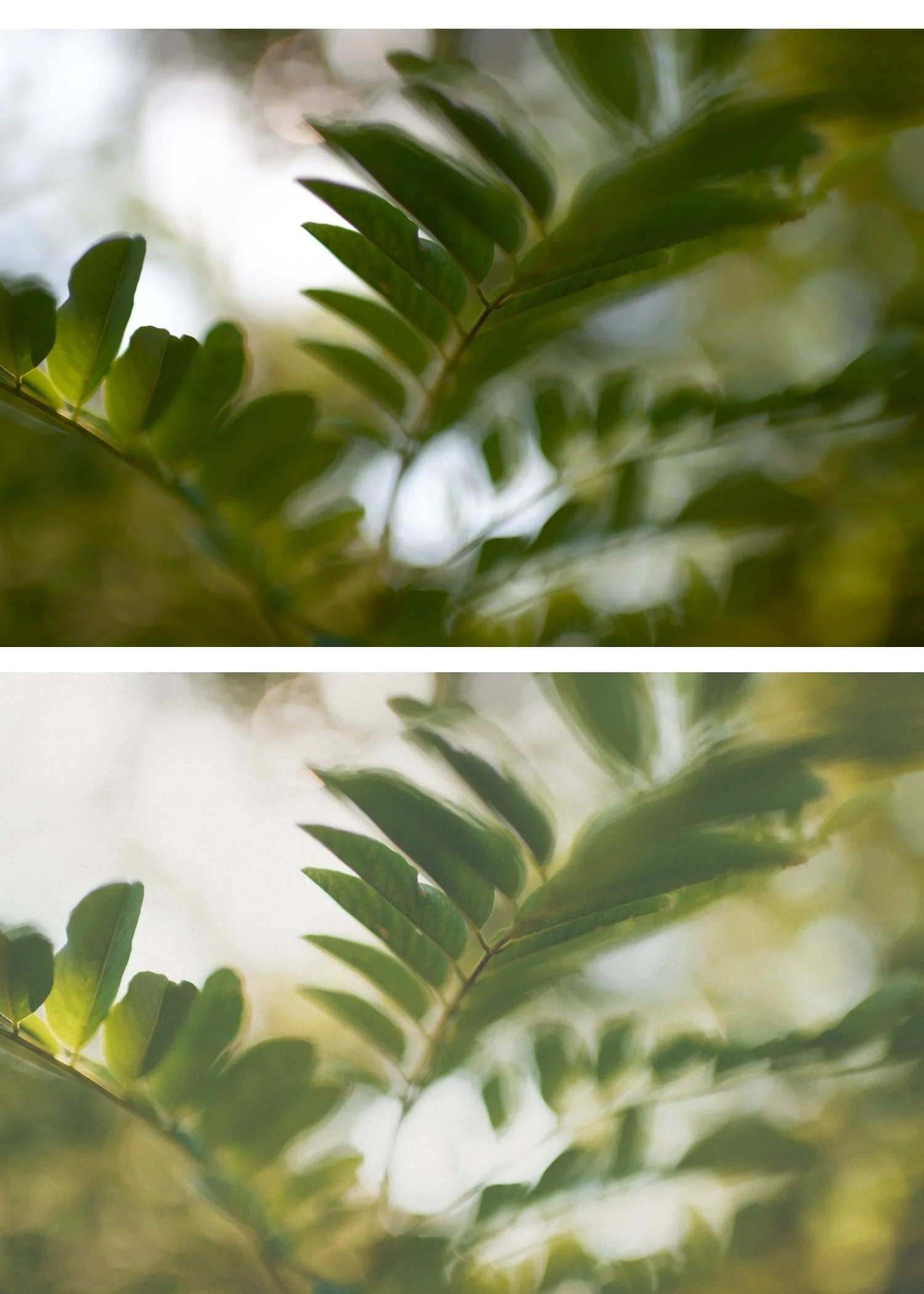
What defines coastal fashion editing?
Clean, natural color. Not warm, not vivid. The color is balanced and controlled — natural enough to reference the actual environment, refined enough to feel editorial.
Controlled contrast. Coastal fashion has tonal structure without drama. Not flat, not punchy. The contrast creates depth and presence while staying within the refined quality of the look.
Slightly cool or neutral tone bias. Coastal light is naturally slightly cooler than inland light — the ocean reflects blue light into the scene. The editing references this natural cool quality rather than fighting it with warmth.
Highlight protection. Coastal environments have bright skies and reflective water. The editing needs to protect these areas naturally while maintaining the open, bright quality.
High-end editorial quality. The overall feeling is refined and considered — images that look like they were planned and executed with specific intent rather than captured casually.
Exact settings for coastal fashion
Basic panel:
Exposure: 0 to +0.3
Contrast: +5 to +15
Highlights: -25 to -40
Shadows: +10 to +20
Whites: -15 to -25
Blacks: +5 to +15
Presence:
Texture: -5 to 0
Clarity: -5 to -10
Vibrance: -10 to -15
Saturation: -5 to -10
White Balance:
Temperature: -100 to 0 (neutral to slightly cool)
HSL — Saturation:
Green: -15 to -20
Blue: 0 to +10 (enhance coastal blues slightly)
All others: -5 to -10
Color Grading:
Shadows: very slight cool (hue 200-215, saturation 5-10)
Highlights: neutral
Midtones: neutral
Tone Curve:
Gentle S-curve
Slightly lifted black point
Effects:
Grain Amount: 10-18
Size: 20-25
Roughness: 35-45
Coastal fashion vs related aesthetics
Coastal fashion vs California film. California film is warm and vibrant — golden, energetic, sun-soaked. Coastal fashion is cool and restrained — clean, editorial, high-end. California film feels warm. Coastal fashion feels refined.
Coastal fashion vs muted luxury. Muted luxury is more desaturated and cool. Coastal fashion retains more natural color and has a slightly more open quality. Muted luxury feels expensive and exclusive. Coastal fashion feels clean and editorial.
Coastal fashion vs bright and airy. Bright and airy is explicitly luminous and high-key. Coastal fashion is more controlled and less bright. Bright and airy feels effortless. Coastal fashion feels intentional.
Coastal fashion for different subjects
Fashion and editorial on coastal locations. T2 Cool Editorial and T3 Deep Coastal are the most fashion-specific presets. The restrained color and controlled contrast create the visual quality of editorial fashion photography.
Travel photography in coastal environments. T1 Clean Coastal handles the versatility of travel photography. Clean, natural, editorial without being bold.
Lifestyle and portrait in coastal settings. T1 and T2 both work for outdoor portrait and lifestyle work in coastal environments. T1 is more versatile and skin-friendly. T2 adds editorial refinement.
Architecture and landscape. T3 Deep Coastal works well for architectural and landscape photography in coastal environments where maximum visual impact is wanted.
The Tide Archive
The Tide Archive (T-Series) covers the coastal fashion editorial aesthetic in three distinct presets.
T1 — Clean Coastal: The foundation. Clean, natural, versatile editorial quality.
T2 — Cool Editorial: Refined and fashion-specific. The most distinctly coastal fashion preset.
T3 — Deep Coastal: Bold, dramatic coastal character. Maximum editorial impact.
$6.66 per preset.
EXPLORE THE TIDE ARCHIVE — $19.95
Free coastal starting point
The free A6 preset is clean and minimal. After applying: reduce Temperature by -200 (slightly cooler), reduce Vibrance to -10, and add very subtle cool Color Grading to shadows (hue 205, saturation 8). That creates the foundation of the coastal fashion look.
FAQ
What is coastal fashion editing in Lightroom?
A clean, editorial aesthetic with controlled contrast, natural to slightly cool color, and a refined quality that references coastal environments and the visual language of fashion photography.
Is coastal fashion the same as light and airy?
No. Light and airy is bright and luminous. Coastal fashion is more controlled, slightly cooler, and more editorial. Light and airy feels effortless. Coastal fashion feels intentional.
Does coastal fashion work for portrait photography?
Yes for editorial portrait work where the refined, clean quality is the goal. T1 Clean Coastal is the most portrait-friendly preset. Check skin tones after applying — the cooler temperature can make warm skin tones look slightly grey in certain conditions.
