California Film Lightroom Preset — Complete Guide (2026)
California Film Lightroom Preset — Complete Guide (2026)
California film photography has a specific quality — warm, vibrant, and alive without being oversaturated. Golden highlights that feel earned. Skin tones that stay natural in warm light. Blues that deepen rather than wash out. Greens that shift toward organic rather than digital.
It is the visual language of outdoor lifestyle photography, warm travel content, and the golden quality of the American West Coast — sun-soaked, energetic, and effortless.
This guide covers exactly how to create the California film look in Lightroom and which presets deliver the most consistent results across outdoor and travel photography.
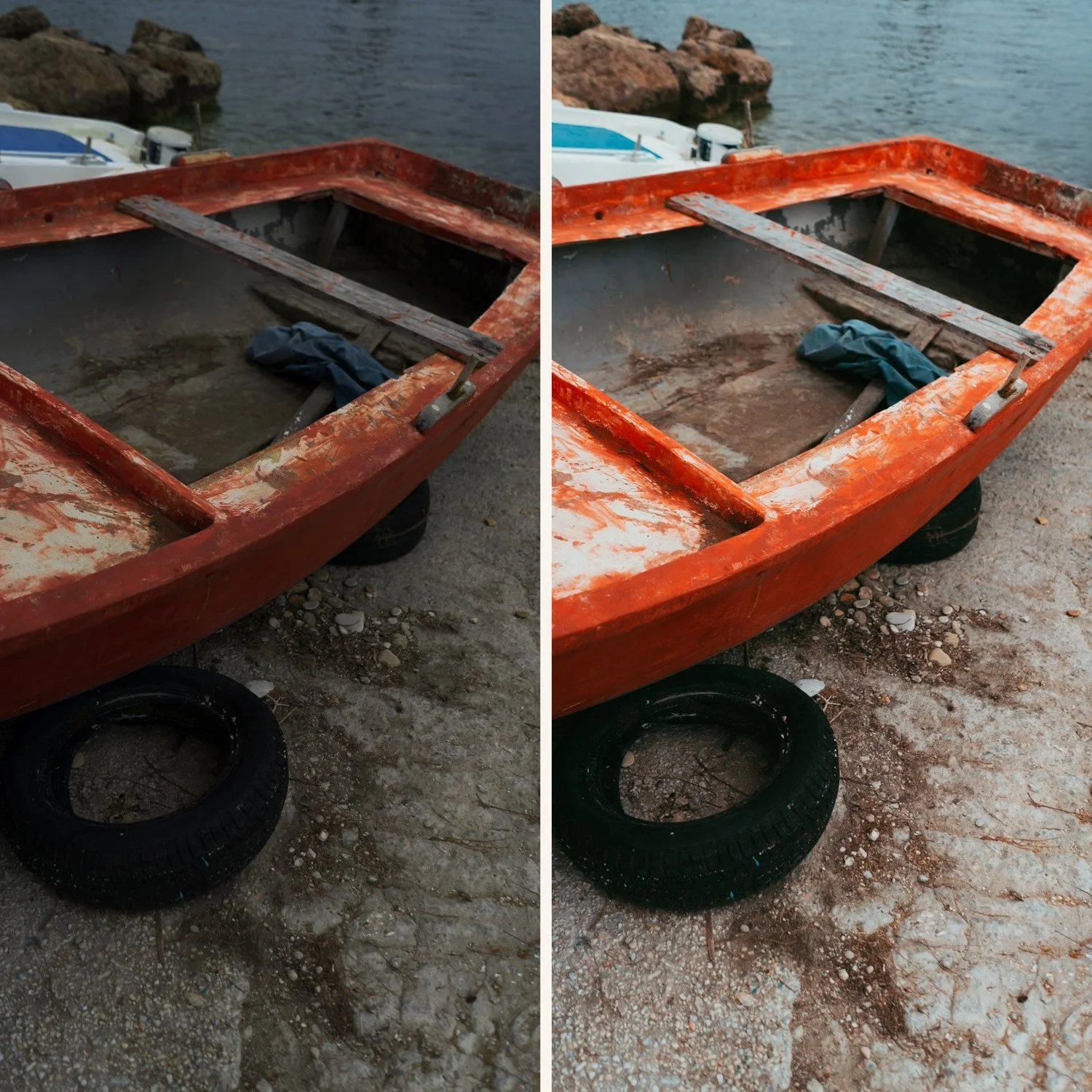
What defines the California film look?
Warm golden tones without going orange. The foundation of the look. Warmth that feels like good light rather than a warm filter. The key is white balance direction (warm yellow rather than orange) and controlled Orange Saturation (enhanced but not vivid).
Enhanced blues. California photography has clean, vivid blues — sky, water, and shadows. Blue Saturation +10-20 with a slight cyan shift creates the distinctive California blue quality.
Vibrant but controlled color. More color presence than standard film presets but not oversaturated. Vibrance +10-15 rather than global Saturation boosting.
Organic greens. California outdoor greens shift toward yellow-olive rather than digital neon. Green Hue shifted toward yellow and Green Saturation slightly enhanced creates the natural outdoor quality.
Open, bright quality. California film is not dark or moody. Lifted shadows, protected highlights, overall brightness slightly above neutral.
Exact Lightroom settings for California film
Basic panel:
Exposure: +0.3 to +0.5
Contrast: -10 to -15
Highlights: -25 to -35
Shadows: +15 to +25
Whites: -10 to -20
Blacks: +10 to +20
White Balance:
Temperature: +200 to +400 (warm yellow direction)
Tint: +5 to +10
Presence:
Texture: -5 to 0
Clarity: -5 to -10
Vibrance: +10 to +15
Saturation: 0 to +5
HSL — Hue:
Orange: shift toward yellow (+5 to +10) — natural skin in warm light
Green: shift toward yellow (+5 to +10) — organic outdoor green
Blue: shift toward cyan (+5) — California blue quality
HSL — Saturation:
Orange: +10 to +15
Yellow: +5 to +10
Blue: +10 to +20
Green: 0 to +5
Red: 0 to +5
HSL — Luminance:
Orange: +10 to +15 (natural skin in warm light)
Blue: -5 to -10 (deeper blues)
Color Grading:
Highlights: slight warm yellow (hue 40-55, saturation 15-20)
Shadows: neutral to slight warm amber
Midtones: neutral
Effects:
Grain Amount: 15-20
Size: 22-28
Roughness: 38-45
California film vs related warm aesthetics
California film vs golden hour. Golden hour presets are specifically calibrated for late-day directional light — they protect highlights aggressively and enhance warm atmospheric depth. California film is broader — it works across midday, overcast, and golden hour outdoor conditions. Use golden hour presets for the specific quality of low-angle warm light. Use California film for general outdoor and travel content. Full guide: Golden Hour Lightroom Preset Guide
California film vs summer film. Summer film is specifically polychrome and seasonal — it covers beach, tropical, and high-summer vibrancy. California film is warmer and more golden — it references the year-round quality of California light rather than peak-summer energy.
California film vs analog film. The Analog Film Archive is cleaner and more neutral — film characteristics without strong warmth direction. California film is specifically warm and vibrant. Choose analog film for versatility. Choose California film for warm outdoor content.
California film in different outdoor scenarios
Bright coastal environments. Strong blue sky, water, and warm light. C4 Cool Outdoor handles the cooler coastal light. C1 Warm Outdoor and C7 Rich Warm work in warmer coastal conditions. Pull Highlights to -35 to prevent sky clipping.
Desert and canyon landscapes. Warm, earthy tones, strong directional light. C5 Summer Warm and C7 Rich Warm enhance the golden quality. Shadows lift naturally — desert photography benefits from +20-25 shadow lifting to reveal ground detail.
Urban outdoor and street. C1 and C6 Cool Contrast work for urban outdoor California content. The warmth adds energy without fighting against the cooler quality of building shadows.
Golden hour outdoor portraits. C7 Rich Warm and C8 Sun-Drenched are the most portrait-specific golden hour California presets. Reduce Orange Saturation by -5 after applying to prevent skin going orange in warm light.
Overcast outdoor conditions. California film fights slightly against flat grey light. C4 Cool Outdoor is the most overcast-friendly. Add Temperature +100-200 after applying to compensate for the flat ambient light.
The California Archive
The California Archive (C-Series) contains nine presets covering the full range of California warm outdoor photography.
C1 — Clean Warm: Baseline California look. Clean, natural, versatile.
C2 — Warm Fade: Warmer with a slight fade quality.
C3 — Bold Teal: Cinematic teal-orange quality for travel.
C4 — Cool Outdoor: Cool-leaning for coastal and overcast scenarios.
C5 — Summer Warm: Warm and slightly vibrant for bright summer conditions.
C6 — Cool Contrast: Bold and contrasty for architecture and urban outdoor.
C7 — Rich Warm: Warm and rich for golden hour and portrait work.
C8 — Sun-Drenched: The boldest and most vibrant preset in the collection.
C9 — Dark Warm: Warm but darker — moody outdoor quality.
$3 per preset. Nine warm outdoor variations.
EXPLORE THE CALIFORNIA ARCHIVE — $27
Free California film starting point
The free C8 preset gives you a nice pop. After applying, add Temperature +300, increase Vibrance to +12, and shift Blue Hue toward cyan (+8). That moves it toward the California warm quality.
FAQ
What is the California film look in Lightroom?
A warm, vibrant outdoor film aesthetic with golden highlights, enhanced blues, natural skin tones in warm light, and a bright open quality. It references the specific quality of California outdoor photography — warm, energetic, and effortless.
How do I prevent skin going orange in warm outdoor presets?
Set white balance before applying, keep Orange Saturation at +10 to +15 maximum, and shift Orange Hue toward yellow (+5-10) rather than red. Orange Luminance +10-15 brightens skin without adding color.
Can California film presets work in non-California locations?
Yes any warm outdoor environment responds to California film color. Mediterranean travel, warm coastal locations, desert environments, and bright summer conditions all suit the California film aesthetic.
What is the difference between C3 Bold Teal and the other California presets?
C3 uses a teal-orange split tone color grading that creates a cinematic quality different from the straightforward warmth of C1, C2, C5, and C7. It is more dramatic and works best for travel content where bold visual impact is wanted.
Related guides
