How to Edit an Entire Shoot Consistently in Lightroom
How to Edit an Entire Shoot Consistently in Lightroom
A single well-edited photograph demonstrates skill. A gallery of consistently edited photographs demonstrates a visual identity. The difference between photographers who produce compelling portfolios and photographers who produce compelling individual images is usually consistency — the ability to make 300 photographs from a travel day or a portrait session read as a coherent body of work rather than a collection of individually optimized images.
Achieving this consistently requires a specific approach to workflow and a specific understanding of which adjustments stay constant and which adapt per photo.

The Foundation: Understanding What Changes and What Stays
The most important conceptual shift for consistent editing is understanding that two types of adjustments exist in any photograph: those that define the visual identity (the aesthetic adjustments that stay constant across the shoot) and those that adapt to the specific photograph (the technical adjustments that vary per image).
Stays constant across the shoot: The Tone Curve structure — shadow floor, midtone separation, highlight protection. The HSL channel adjustments — Green, Orange, Blue, Yellow Saturation values. The Color Grading Highlight and Shadow color and Saturation. The Clarity and Grain settings. The overall color philosophy — warm, warm-neutral, or cool.
Adapts per photograph: Exposure. White Balance — Temperature and Tint adjusted for each lighting condition. Sometimes individual HSL Luminance values for specific subjects.
When photographers lose consistency, it is almost always because they are adjusting both categories simultaneously on each photograph — changing the Tone Curve slightly here, changing the HSL values there — until each photo has its own variant of the edit and the gallery reads as edited by multiple people.
Building the Master Starting Point
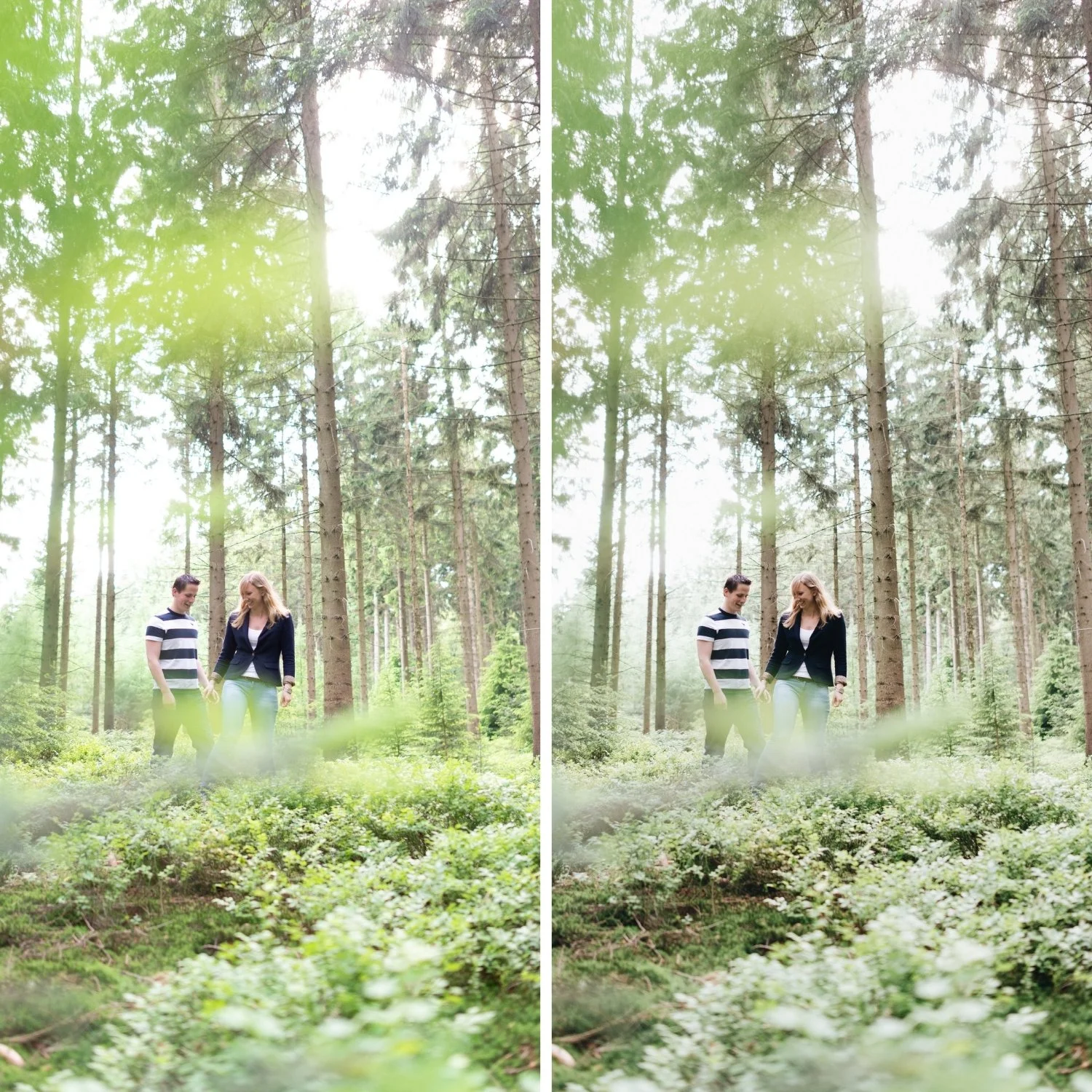
The correct workflow starts by creating a master starting point — a single set of adjustments that represents the aesthetic you want for the entire shoot — and applying it to all photographs before making any per-photo adjustments.
Choose a representative photograph from the shoot that has normal lighting conditions (not the most extreme bright or dark photo) and edit it to the finished aesthetic. This edit includes the full Tone Curve, all HSL adjustments, Color Grading, Clarity, and Grain. When the representative photograph looks exactly as intended, save these settings as a preset or use Copy Settings to prepare for batch application.
Apply the master starting point to all photographs in the shoot. Every photo now has the same aesthetic foundation.
Per-Photo Workflow
With the master starting point applied to all photographs, go through the shoot making only two adjustments per photo under normal conditions: Exposure and White Balance.
Exposure varies because the camera metering responds differently to different scenes. A dark background produces a different meter reading than a bright background in the same ambient light. The adjustment needed is +0.2 here, -0.1 there — small corrections to align the exposure of each photo with the master starting point.
White Balance varies because light changes throughout a shoot — clouds pass, the subject moves from sun to shade, the shooting angle changes the light source in the frame. These small changes in ambient temperature need corresponding small White Balance adjustments to keep the color consistent.
Under normal conditions, these two adjustments are sufficient. The master starting point handles the aesthetic, and Exposure plus White Balance handle the per-photo technical differences.
Handling Exceptions
Some photographs in a shoot are genuinely different from the master conditions — extreme variations in lighting, specific subjects that need different HSL treatment, dramatically different exposure requirements. For these exceptions, adjust what is needed without losing the core aesthetic.
An extreme backlit photograph may need HSL adjustments to manage the warm backlighting that the standard settings do not handle. A photograph under warm tungsten light may need more aggressive Orange Saturation reduction than the standard outdoor values. Apply these as targeted exceptions rather than global changes that affect the master edit.
The test for whether a change is an exception or a drift is whether it changes the aesthetic identity of the image or simply corrects a technical condition. Changing White Balance to match a different light source is a technical correction. Changing the Tone Curve to make one photograph more punchy than the others is aesthetic drift.
The Batch Edit Workflow in Lightroom
In Lightroom Classic, the sync workflow applies adjustments from one photo to multiple others. Select all photographs after applying the master starting point, then use Sync Settings to apply specific adjustments (Tone Curve, HSL, Color Grading, Clarity, Grain) while leaving Exposure and White Balance unchecked — these are the per-photo variables.
In Lightroom Mobile, the Copy/Paste workflow applies settings from one photograph to another. Paste only the consistent adjustments (using the selective paste option) rather than all settings.
For large shoots (200+ photographs), sorting by lighting condition before batch editing produces better results than editing in chronological order. Photos taken in the same light get the same starting adjustments, which reduces the per-photo corrections needed.
Why Consistency Matters More Than Per-Photo Perfection
A photograph that is 95% of what it could be, edited consistently with 299 other photographs, produces a more compelling portfolio than a photograph that is 100% of what it could be, surrounded by photographs edited differently. The consistent 95% gallery reads as a photographer with a clear visual identity. The collection of optimized individuals reads as a photographer who is technically skilled but has not yet developed a consistent perspective.
This is why film presets are more valuable than manual individual edits for most photographers. A calibrated preset creates a master starting point instantly, and the consistent application across a shoot builds the visual identity that individual editing cannot.
FAQ
Should I edit every photo to the same Exposure value?
No. Exposure adapts to each photograph's specific conditions. The goal is that every photograph appears to be taken in the same ambient conditions and with the same visual character — not that every photograph has the same Exposure value.
How do I handle a shoot with dramatically different lighting across the day?
Create multiple master starting points for each major lighting condition (morning, midday, afternoon, indoor), and batch apply the appropriate starting point to each group. The aesthetic identity stays consistent, but the technical foundation adapts to each lighting scenario.
Can I use this workflow in Lightroom Mobile?
Yes. Apply the master starting point to one photo, then Copy Settings (excluding Exposure and White Balance), and Paste to all others.
Start with a calibrated master starting point:
Download the free Analog Film preset as a ready-made master starting point for your next shoot.
For the philosophy behind consistent editing, Why Consistent Editing Matters More Than Good Editing covers the broader perspective. For the travel photography application, How to Create a Timeless Travel Aesthetic covers consistency across a full trip.
