Best Presets for Client Work (Professional Editing Guide 2026)
Best Presets for Client Work (Professional Editing Guide 2026)
Editing for clients is fundamentally different from editing for yourself. When you deliver a gallery to a paying client, your preset choices affect more than aesthetics — they affect your professional reputation, your turnaround time, and your ability to maintain consistency across hundreds of photos shot in varied lighting.
This guide covers exactly what makes a preset suitable for professional client work and which collections perform best for different types of client photography.

What makes a preset suitable for client work
Not every preset that looks good on one photo is suitable for professional delivery. Client work has four specific requirements that casual presets often fail.
Consistent skin tone rendering across a gallery. A wedding gallery has 400 photos of the same people in varied lighting. The skin tones need to look the same across all 400 photos. Presets that produce inconsistent skin across different lighting conditions — orange in some photos, grey in others — are not suitable for client delivery regardless of how good they look on individual photos.
Lighting adaptability. A wedding day moves from window light during getting ready, to bright outdoor ceremony, to soft golden hour portraits, to dark reception lighting. One preset cannot handle all of these. Professional client presets come in systems with calibrated variations for each lighting condition.
Highlight protection. White wedding dresses, bright skin in direct sun, windows in indoor shots. Client photography is full of highlight challenges. Professional presets have aggressive highlight protection built in — this is not optional for client work.
Batch editing efficiency. If a preset requires twelve manual corrections to look right on every photo, it is not a professional-grade preset. A client preset should establish the correct color foundation with minimal per-photo adjustment. The editing time difference between a well-calibrated preset system and a poor one on a 400-photo wedding gallery can be 8-10 hours.
Best presets by client photography type
Wedding photography
Wedding photography is the most technically demanding client editing scenario. You need a complete system covering every lighting condition in a typical wedding day.
The complete wedding preset system:
Getting ready (window light): E6 Soft Heritage or A6 Clean Portrait. Soft, warm, flattering in natural indoor light.
Ceremony outdoor (bright sun): E1 Warm Classic or E5 Warm Contrast. Pull Highlights to -40 to -50 for wedding dress whites.
Ceremony indoor (mixed artificial): E4 Balanced Classic. The most neutral preset in the Essence Archive — handles varied indoor lighting without creating color casts.
Portraits golden hour: E7 Golden Warm. Calibrated for warm late-day light with skin tone protection.
Reception (low light): E8 Dark Heritage. Handles candlelit and mixed artificial reception lighting while keeping atmospheric warmth.
The Essence Archive (E-Series) is specifically built as a wedding gallery system — eight presets on the same heritage warm philosophy covering every wedding lighting scenario.
EXPLORE THE ESSENCE ARCHIVE — $27
Portrait photography
Portrait client work requires the highest skin tone consistency. A family portrait session or headshot session with inconsistent skin tones is not deliverable.
Best portrait presets for client work:
G1 Clean Glow — the most versatile portrait preset. Consistent skin rendering across diverse skin tones and lighting conditions.
G2 Warm Glow — for portrait sessions in warm outdoor light or golden hour conditions.
A6 Clean Portrait — clean, neutral, works as a foundation for portrait editing in any condition.
The Glow Portrait Archive (G-Series) is specifically calibrated for skin tone consistency across portrait sessions.
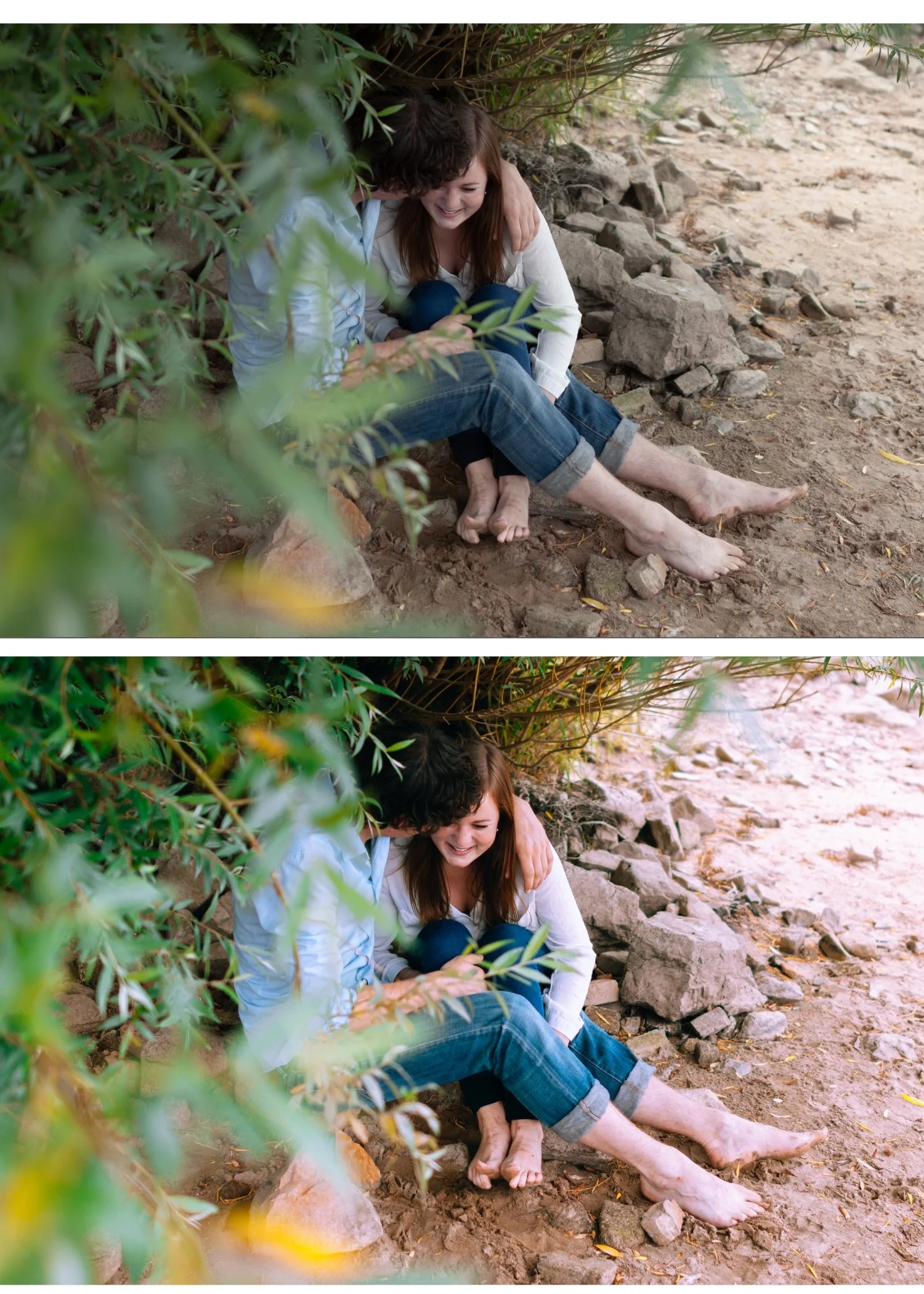
For skin tone calibration by skin tone:Best Lightroom Settings for Skin Tones
Commercial and lifestyle photography
Commercial clients often have specific color requirements — brand colors, product accuracy, environmental consistency. The preset system needs to be neutral enough to accommodate these requirements while still providing professional film quality.
Best commercial presets:
A6 Clean Portrait or A1 Analog Original — the most neutral presets in the shop. Clean foundation without strong color character that would conflict with brand requirements.
S1 Clean Neutral or S5 Modern White — for clients who want a bright, clean, modern aesthetic. Works well for product-adjacent lifestyle photography.
LV1 Muted Clean — for luxury brands and editorial commercial work where a sophisticated, restrained quality is required.
Event photography
Events have the most varied and uncontrollable lighting of any client photography type. A corporate event moves from a bright lobby to a dark conference room to a candlelit dinner in the same shoot.
Best event presets:
A6 Clean Portrait as a neutral baseline for most scenarios.
M4 Moody Classic for dark atmospheric event spaces.
E4 Balanced Classic for mixed indoor lighting.
The key for event photography is accepting that you need three to four preset variants and grouping photos by lighting condition before batch editing.
Full workflow guide: Lightroom Mobile Editing Workflow for Client Work
The preset system that covers all client work
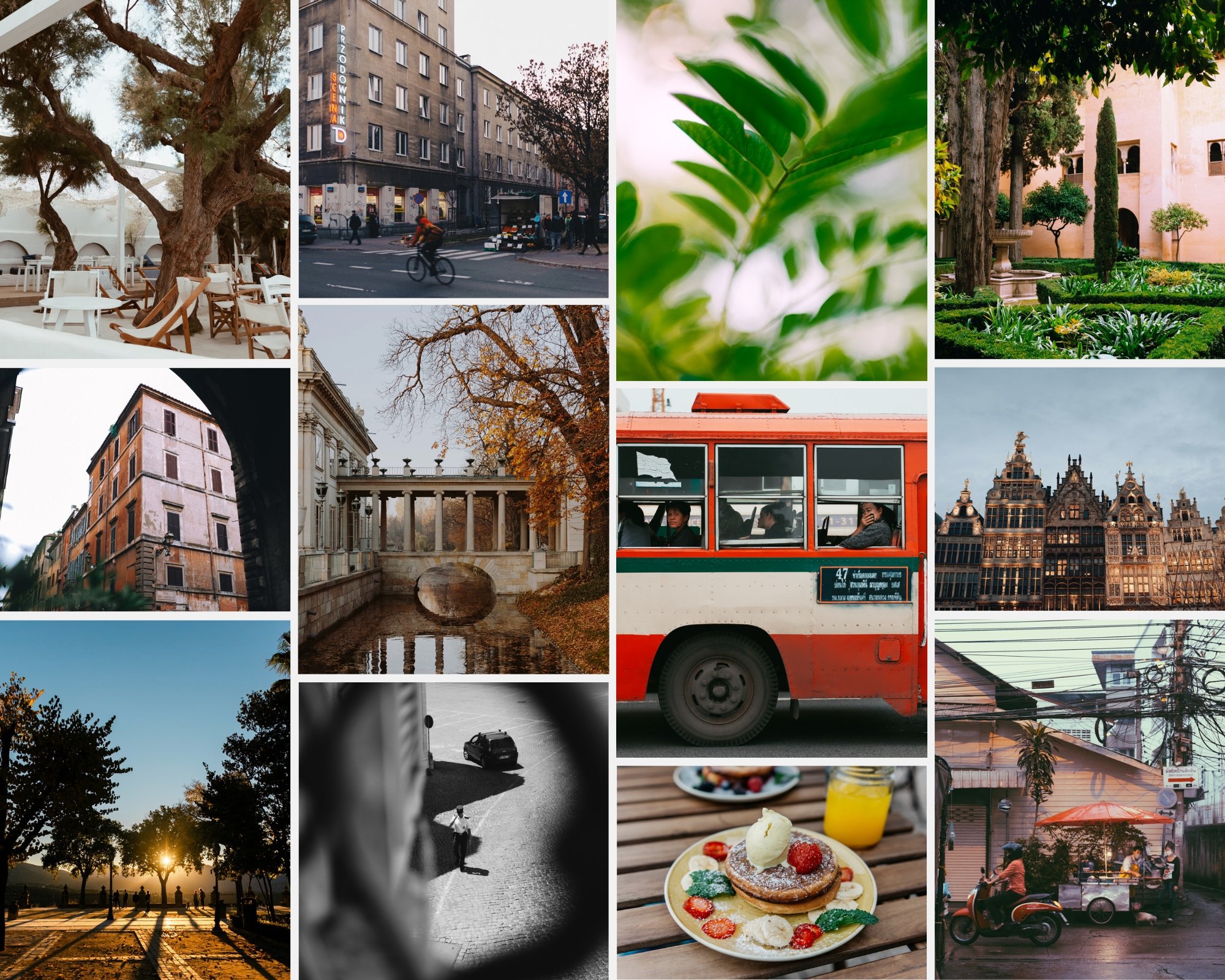
The Studio Archive gives you every preset collection we make — 130+ presets for $89. For photographers who deliver client work across multiple photography types, it is the most practical purchase because you never need to buy additional collections.
Wedding photographers get the full Essence Archive. Portrait photographers get the full Glow Portrait Archive. Commercial photographers get clean neutral options from the Analog Archive. All for $0.68 per preset.
How to use presets for consistent client delivery
The preset is only one part of consistent client delivery. The workflow matters equally.
Step 1 — Sort by lighting condition before editing. Group all photos from the same shoot by lighting scenario. Do not edit in chronological order.
Step 2 — Edit one reference photo per group. Choose the strongest photo from each group. Edit it completely — exposure, white balance, preset, skin tones, highlights.
Step 3 — Batch paste to the group. Copy all settings from the reference photo and paste to the rest of the group.
Step 4 — Individual fine-tuning. Open each photo and adjust only exposure and white balance if needed. The preset and skin tone foundation carry across consistently.
Step 5 — Consistency review. View the full gallery in grid view and check for outliers before delivering.
This workflow applied to a 400-photo wedding gallery typically takes 4-6 hours with a well-calibrated preset system. Without a system and without the batch workflow, the same gallery takes 15-20 hours.
Full workflow: How to Edit Wedding Photos in Lightroom
Common client preset mistakes
Using a preset that looked good on one test photo. A preset that looks great on a golden hour outdoor portrait may look wrong on an indoor reception photo. Test your system across all lighting conditions you shoot in before delivering client work.
Not protecting highlights. Clipped wedding dress whites and blown-out skin highlights are not recoverable and are not deliverable. Every preset you use for client work should have Highlights pulled back significantly (-30 to -50) as part of the preset settings.
Applying the same preset regardless of lighting. A wedding processed entirely in one preset looks inconsistent because the lighting was inconsistent. A system covers the light.
Not reviewing the gallery before delivery. Batch editing creates outliers — photos where the batch settings landed on a photo with different exposure or white balance. Always review the full gallery in grid view before delivering.
Free preset for client work testing
The free A6 preset is a good starting point for testing your client preset workflow. Apply it to a full set of photos from a recent shoot and see how it performs across varied lighting. If it holds up consistently, the full Analog Film Archive gives you ten calibrated variations for different conditions.
FAQ
Can I use one preset for an entire wedding gallery?
Not reliably. A wedding day covers too many different lighting conditions for one preset to handle consistently. A system of five to eight calibrated presets covering each scenario gives gallery-wide consistency. The Essence Archive is specifically built for this.
How many presets do I need for professional portrait delivery?
Three to five. One for your standard outdoor conditions, one for indoor natural light, one for golden hour, and one for overcast. All from the same collection on the same color philosophy.
Do clients care about the specific preset used?
No. Clients care about consistent, flattering, professional results. The preset is your tool — the result is what matters. What clients do notice is inconsistency. A gallery where skin tones shift between photos looks unprofessional regardless of how beautiful any individual photo is.
What is the most important preset characteristic for client work?
Skin tone consistency across varied lighting. This single characteristic separates professional-grade presets from everything else.
Should I deliver RAW files or edited JPEGs to clients?
Edited JPEGs for standard client delivery. RAW files are your working files and are not typically included in delivery unless specifically requested and contracted. Export at maximum resolution, 90-95% quality, sRGB.
