Best Lightroom Presets for Instagram 2026 — Top Picks for Every Aesthetic
Best Lightroom Presets for Instagram 2026 — Top Picks for Every Aesthetic
Your Instagram feed is only as strong as your editing consistency. The right Lightroom preset doesn't just make one photo look good — it makes every photo in your feed feel like it belongs together.
This guide breaks down the best Lightroom presets for Instagram by aesthetic, photography type, and feed style — with specific preset recommendations for each — so you can find the right match without testing a hundred options.
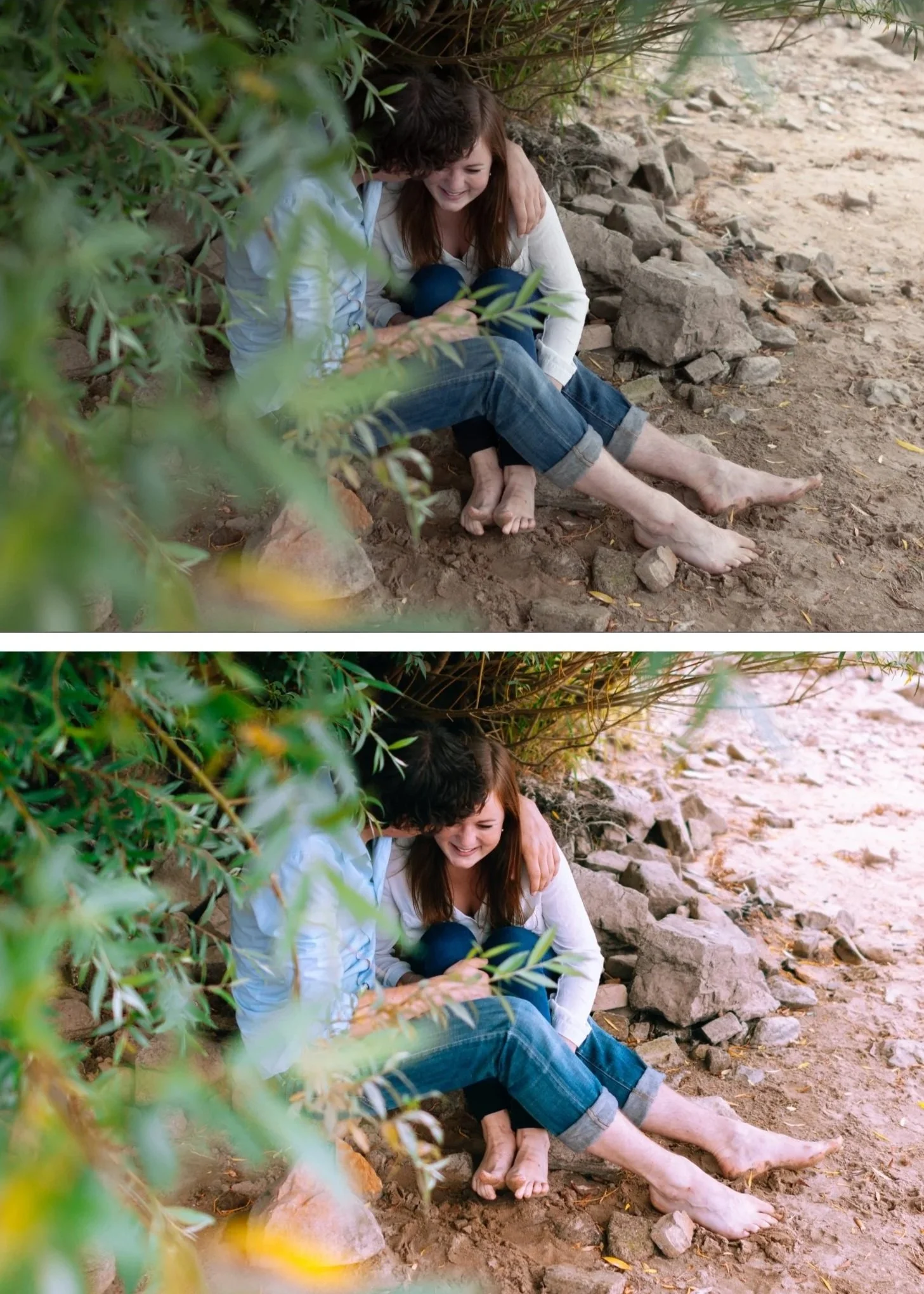
What makes a Lightroom preset work on Instagram?
Instagram compresses every image you upload. Subtle edits — soft grain, gentle highlight roll-off, delicate color transitions — are the first thing compression destroys. A preset that looks perfect in Lightroom can look flat, harsh, or muddy after upload.
The best presets for Instagram are built to survive this. They use controlled contrast rather than extreme tonal ranges, natural color rather than oversaturation, and subtle rather than heavy grain. The result holds up at 1080px on a phone screen.
Before you even think about presets, make sure your export settings are correct. The best preset in the world won't help if you're exporting at the wrong dimensions. See our Best Lightroom Export Settings for Instagram 2026 guide.
Best presets by Instagram aesthetic
Clean film — the most versatile Instagram look
What it looks like: Slightly lifted blacks, natural skin tones, subtle warm-to-neutral color, gentle grain. Feels like a photo shot on 35mm film without looking processed.
Why it works on Instagram: Natural contrast and clean tones survive compression better than dramatic edits. This aesthetic works across portraits, lifestyle, travel, and street photography — meaning your feed stays consistent even when you mix subject matter.
Best for: Portraits, lifestyle, travel, everyday photography, mixed-content feeds
Recommended presets: Analog Film Archive (A-Series) — 10 presets, $27. The A6 preset in particular has become one of the most-used presets for clean Instagram feeds. Consistent across different lighting conditions. Timeless Film Archive — 4 presets, $27. Portra-inspired skin tones. Best for portrait-heavy feeds.
Light & airy — bright, clean, minimal
What it looks like: Lifted exposure, soft highlights, clean whites, minimal contrast. A bright, editorial feel without looking washed out.
Why it works on Instagram: Bright edits compress better than dark ones. The soft highlight roll-off holds up well at smaller sizes.
Best for: Weddings, interiors, lifestyle, influencer content, spring and summer feeds
Recommended presets: Bright & Clean Archive (S-Series) — 6 presets, $27. Luminous tones that lift without losing color depth. The S2 preset is particularly strong for clean Instagram feeds. Juniper Archive — 6 presets, $27. Vintage film meets light and airy. Warm and clean without going cold.
Moody film — dark, cinematic, emotional
What it looks like: Deep shadows, warm-to-neutral midtones, controlled highlight roll-off. Atmospheric without being muddy.
Why it works on Instagram: When done right, moody edits are some of the most scroll-stopping content on the platform. The key is controlled shadows — not crushed blacks.
Best for: Emotional portraits, weddings, autumn sessions, street photography, moody lifestyle feeds
Recommended presets: Moody Film Archive (M-Series) — 6 presets, $27. Deep shadows and controlled warmth without destroying shadow detail. The M5 is the most popular preset for indoor moody portraits. X Archive — 6 presets, $27. Higher contrast cinematic look. Best for editorial and commercial feeds.
Golden hour & summer — warm, vibrant, sun-soaked
What it looks like: Warm highlights, clean skin tones, slightly lifted vibrancy. Feels like golden hour even when the light wasn't perfect.
Why it works on Instagram: Warm, vibrant images consistently perform well on Instagram. Clean warmth without oversaturation looks professional rather than heavy-handed.
Best for: Outdoor portraits, travel, beach photography, summer lifestyle content
Recommended presets: Golden Hour Archive — 4 presets, $27. Warm golden tones that enhance without pushing orange into red. California Archive (C-Series) — 9 presets, $27. Nine variations covering everything from subtle warmth to vibrant summer color. Best value for travel and outdoor feeds. Mediterranean Summer Archive — 4 presets, $27. Beach, travel, and warm-light photography.
Black & white film — timeless, editorial
What it looks like: True tonal separation, creamy midtones, film grain. Looks like a darkroom print rather than a desaturated digital photo.
Why it works on Instagram: High contrast B&W images stop the scroll. The key is tonal separation — flat grayscale blends into the feed.
Best for: Documentary, emotional portraiture, street photography, editorial feeds
Recommended presets: Monochromatic Archive (B-Series) — 6 presets, $27. Six variations from soft silver tones to high-contrast noir. Noir & Silver Archive — 4 presets, $27. More dramatic, high-contrast B&W for editorial work.
Vintage & retro — nostalgic, faded, filmic
What it looks like: Lifted blacks (faded), slightly desaturated color, warm or cool color casts depending on the style. Feels like an old photograph or analog slide. Why it works on Instagram: The vintage aesthetic remains consistently popular across niches — especially lifestyle, fashion, and street photography.
Best for: Lifestyle, fashion, street photography, nostalgic content, retro feeds
Recommended presets: Heritage Archive — 4 presets, $27. Classic film and old money aesthetic. Chromatic Archive — 3 presets, $19.95. Kodachrome-inspired slide film looks with punchy, saturated color. Nostalgic Digicam Set — $27. Y2K digicam aesthetic for 90s/00s inspired content.
Luxury & editorial — muted, refined, high-end
What it looks like: Muted tones, desaturated color palette, refined contrast. Looks expensive without being cold.
Why it works on Instagram: Fashion, luxury brand, and editorial feeds use this aesthetic consistently. It reads as professional and intentional.
Best for: Fashion, editorial, luxury photography, high-end portrait work
Recommended presets:
Luxury Archive (LV-Series)— 3 presets, $19.95. Muted, high-end tones for editorial work.
Quartz Archive — 10 presets, $27. Modern editorial looks with cross-processed film inspiration.
Best presets by feed type
You want a consistent feed across all content → Analog Film Archive — versatile enough to work on portraits, travel, lifestyle, and street in one cohesive system.
You primarily shoot portraits → Timeless Film Archive — Portra-inspired skin tones that stay consistent across different skin tones and lighting.
You shoot weddings or lifestyle → Essence Archive — 8 presets covering the full range of wedding lighting from bright outdoor ceremonies to candlelit receptions.
You want a bright, Instagram-ready aesthetic → Bright & Clean Archive — clean, lifted tones that look natural rather than bleached.
You want everything in one place → The Studio Archive — 130 presets covering every style above for $89 ($0.68 per preset).
How to keep your feed consistent
A preset alone doesn't guarantee a consistent feed. Here's what else matters:
Use the same preset series across similar photos — mixing presets from different packs creates mismatched tones even if each individual photo looks good. Stick to one pack per shoot.
Adjust white balance after applying — presets are calibrated for specific lighting. A preset that looks perfect in golden hour light will look too warm under indoor tungsten lighting. Set white balance first, then apply your preset.
Batch edit your series — once you've applied and adjusted a preset on one photo from a shoot, copy the settings and paste them to the rest of the series. This keeps the color consistent across the whole set.
Export at the correct settings — even a perfect preset edit can look wrong if you export at the wrong dimensions or quality. Use our export guide every time.
FAQ
What are the best Lightroom presets for Instagram in 2026?
Film-inspired presets with controlled contrast and natural color perform best after Instagram compression. The Analog Film Archive (A-Series) is the most versatile option for mixed-content feeds. For bright aesthetic feeds, the Bright & Clean Archive (S-Series) is the strongest choice.
Why do my presets look different after uploading to Instagram?
Instagram compresses and sharpens every uploaded image. Subtle edits — soft grain, gentle highlights — get the worst of this compression. Make sure you're exporting at 1080px, sRGB, quality 80–85, with output sharpening off. See our export guide.
Do Lightroom presets work on iPhone photos?
Yes. Presets work on both JPEG and RAW files in Lightroom Mobile. For instructions on installing presets on your phone, see our iPhone install guide or Android install guide.
How many presets do I need for a consistent feed?
You don't need many — you need the right ones. Most photographers use 2–4 presets consistently. A good bundle gives you enough variations to handle different lighting conditions while staying visually cohesive.
Should I start with free or paid presets?
Free presets are a good way to test a direction before committing. Download our free preset to see the quality difference before buying a pack.
