Best Film Presets for iPhone Photography (2026)
Best Film Presets for iPhone Photography (2026)
iPhone cameras produce technically excellent photos. The one area where they consistently fall short for photographers who want a refined, intentional aesthetic is color — vivid, over-processed digital color that looks nothing like analog film. Film presets are the direct solution: one tap applies the organic, warm, naturally muted quality of film photography to any iPhone photo.
This guide covers the best film presets for iPhone photography in 2026 and the one preparation step that makes every preset look significantly more natural on iPhone photos.
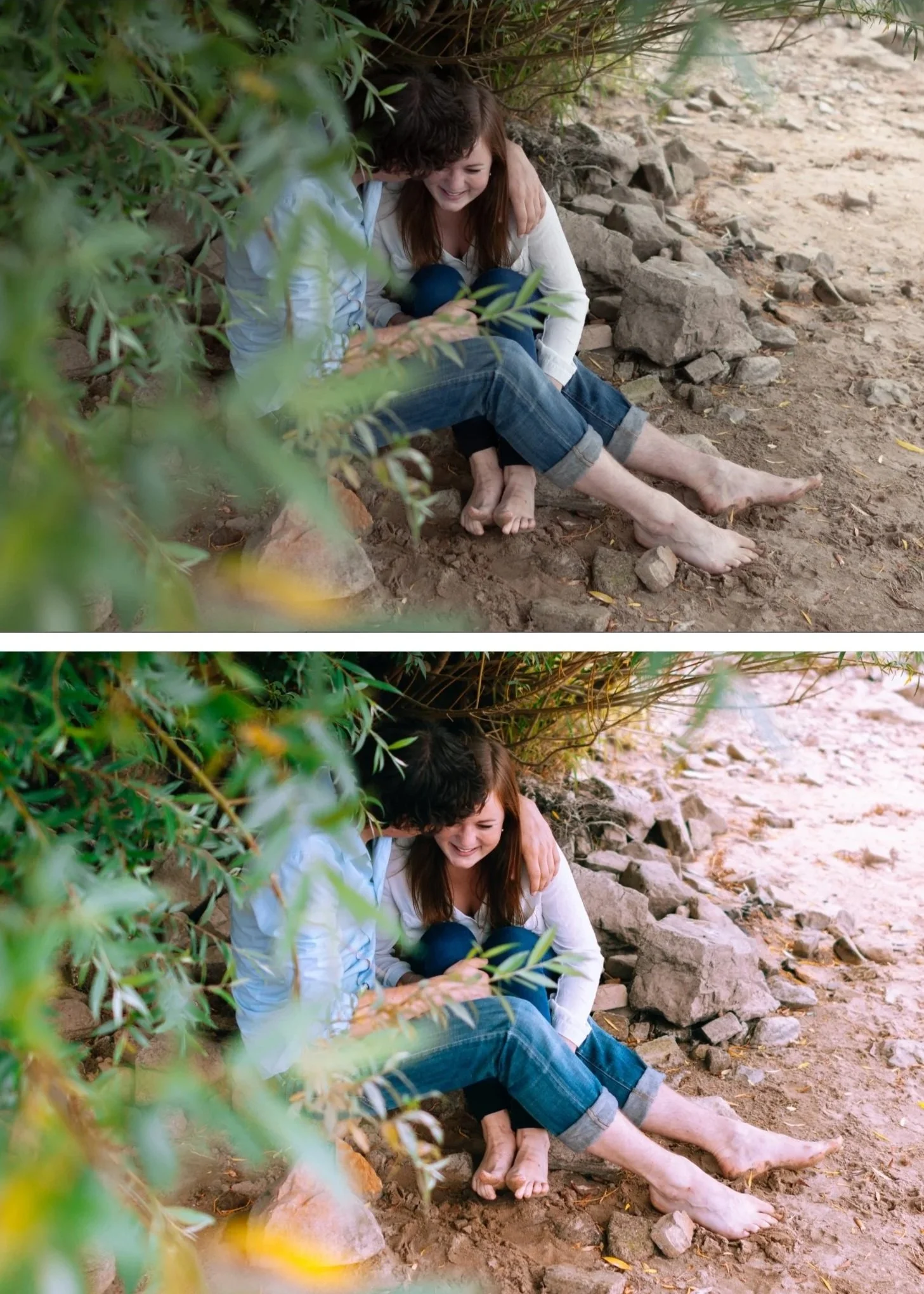
The iPhone preparation step
Before applying any film preset on an iPhone photo, two quick adjustments make a significant difference.
Reduce Sharpening to 15-20 in the Detail panel. iPhone processing adds aggressive sharpening that creates a digital crispness that fights against the organic film quality.
Set Clarity to -10. Removes the micro-contrast that makes phone photos look processed rather than natural.
Both take 20 seconds. Skip them and presets look stronger and more processed than intended. Apply them and presets render naturally.
Best film presets for iPhone by photography type
Everyday lifestyle and portrait
A6 Clean Portrait — the most versatile iPhone film preset. Clean, natural, works across portrait, travel, and lifestyle in any natural lighting condition. The best starting point for photographers new to film presets on iPhone.
A1 Analog Original — slightly more vintage character than A6. Warm, lifted blacks, organic grain. For everyday photography where you want a clear film identity.
G1 Clean Glow — portrait-optimized film tones. Specifically calibrated for natural skin rendering on iPhone — Orange Luminance is enhanced to compensate for iPhone's slightly flat skin processing.
Travel and outdoor
V1 Classic Film — warm, clean, versatile travel film quality. Works consistently across the varied lighting conditions of a trip.
C1 Warm Outdoor — vivid, warm, California outdoor color. Best for bright outdoor travel scenes and coastal photography.
C7 Rich Warm — golden hour outdoor quality. For travel photography in warm late-day light.
Moody and atmospheric
M4 Moody Classic — warm, cinematic, atmospheric. Works well on iPhone because it adds the depth and tonal weight that iPhone's flat HDR processing removes.
M5 Warm Dark — the deeper moody option. For street photography, moody travel, and dramatic atmospheric scenes.
Bright and clean
S2 Dreamy Soft — bright, luminous, clean. Best for lifestyle content and portrait photography where the iPhone's bright, clean output suits the aesthetic.
S4 Pure Light — maximum brightness. For high-key photography where iPhone's naturally bright output is an advantage rather than a limitation.
How to install film presets on iPhone
Installing DNG presets in Lightroom Mobile on iPhone takes two minutes.
Download the DNG preset file
Open Lightroom Mobile and import the DNG as a photo
Open the imported DNG, tap three dots, Copy Settings
Tap three dots again, Create Preset, name and save
Full guide: How to Install Lightroom Presets on iPhone
iPhone-specific preset adjustments
After applying any preset on iPhone, these adjustments fine-tune the result for iPhone's specific processing.
Reduce preset amount to 75-80%. iPhone photos already have more contrast and saturation than the camera RAW files presets are calibrated for. 75-80% compensates for this.
Green Saturation -10 in Color Mix. iPhone oversaturates outdoor greens. A quick -10 on Green Saturation after applying removes the neon quality.
Orange Saturation 0 to +5 maximum. iPhone adds warmth to skin. A warm preset on top creates orange results. Keep Orange Saturation controlled.
ProRAW vs JPEG for film presets
Shooting ProRAW (iPhone 12 Pro and later) gives film presets significantly more latitude. ProRAW bypasses Smart HDR compression and gives Lightroom the full sensor data — the same tonal latitude that makes film presets work naturally on camera RAW files.
If you shoot standard iPhone JPEG, the preparation steps above are essential. If you shoot ProRAW, presets often work at full 100% strength without additional correction.
Full guide: iPhone HDR vs ProRAW for Film Editing
The Analog Film Archive for iPhone
Ten clean analog film presets calibrated for natural iPhone color rendering. From subtle everyday film quality to warm vintage to soft matte — all on the same organic film philosophy.
EXPLORE THE ANALOG FILM ARCHIVE — $27
Free iPhone film preset
FAQ
Do film presets work on iPhone JPEG photos?
Yes. Apply at 75-80% strength and reduce Sharpening to 15-20 before applying for the most natural results.
What is the best film preset for iPhone portrait photography?
G1 Clean Glow or A6 Clean Portrait. Both handle iPhone's skin rendering naturally. G1 is more portrait-specific with enhanced skin brightness. A6 is more versatile across portrait and general photography.
Do I need a subscription to use presets in Lightroom Mobile on iPhone?
No. Preset installation and use in Lightroom Mobile is free. No Creative Cloud subscription needed.
Why do film presets look stronger on iPhone than on my camera?
iPhone JPEGs have more contrast and saturation than camera RAW files. The same preset reads more intensely on a higher-contrast starting point. Reduce to 75-80% preset strength on iPhone photos.
