Instagram Filters Review 2026 — Are the Built-In Editing Tools Good Enough?
Instagram Filters Review 2026 — Are the Built-In Editing Tools Good Enough?
Instagram has had built-in photo filters since 2010. In 2026, those filters are still there — Valencia, Clarendon, Lark, Gingham — alongside a more complete set of manual editing tools that Meta has added over the years.
For casual users who want to quickly enhance a photo before posting, Instagram's built-in tools are genuinely useful. For photographers and creators who care about consistent quality, they have real limitations.
This guide covers exactly what Instagram's editing tools can and can't do in 2026 — so you can decide when they're enough and when to reach for something else.
This is an independent review. Instagram and Meta have not sponsored or endorsed this guide.
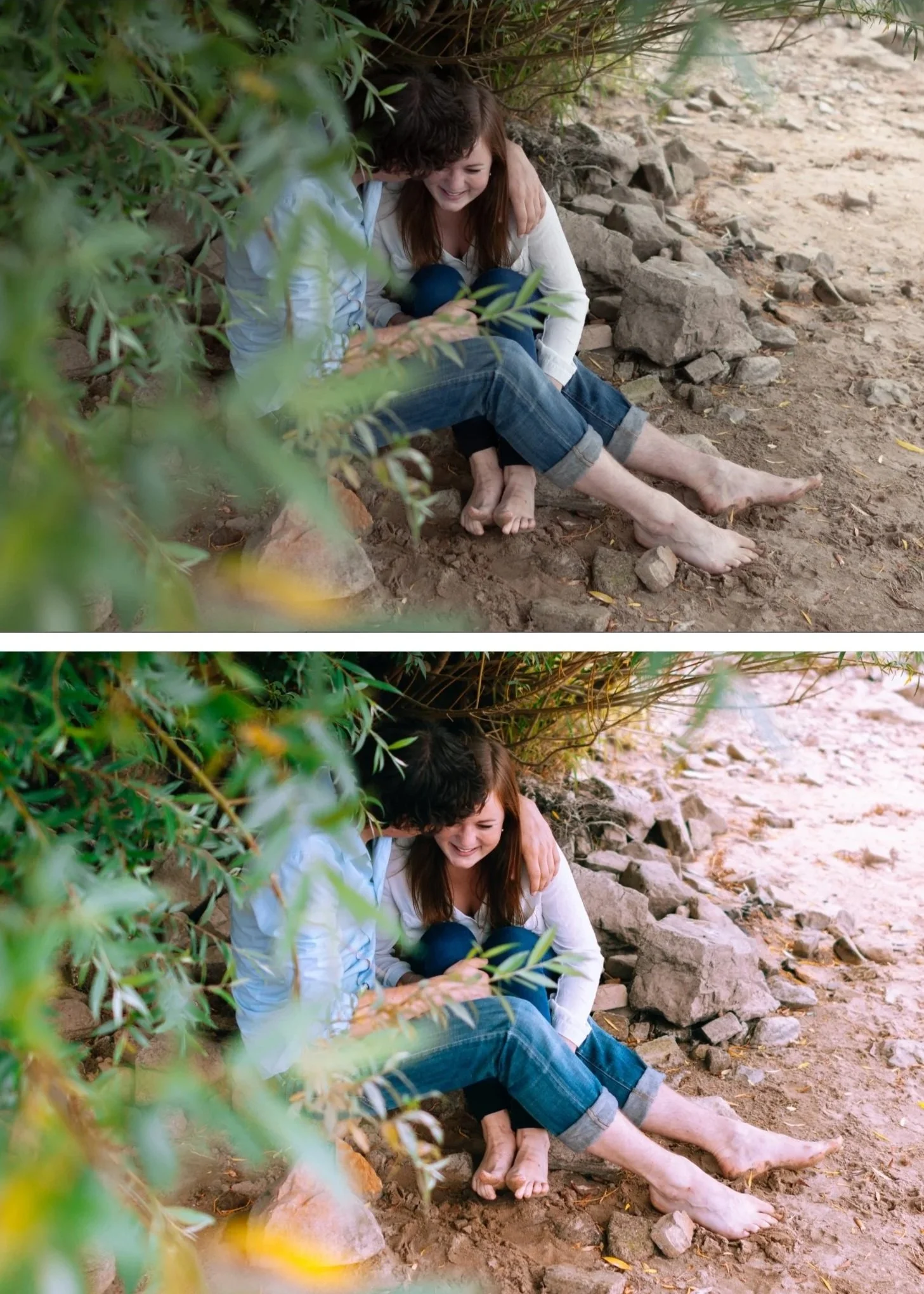
What editing tools does Instagram have in 2026?
Instagram's editing tools are split into two categories: filters and adjustments.
Filters — one-tap presets that apply a preset color grade to your photo. The classic names (Clarendon, Lark, Juno, Valencia, Gingham, Ludwig, Aden, Perpetua) are still there, along with newer additions. Each filter has a strength slider to reduce the intensity.
Manual adjustments — a set of sliders you can apply on top of or instead of a filter:
Brightness
Contrast
Structure (clarity/texture)
Warmth
Saturation
Color (tint)
Fade
Highlights
Shadows
Vignette
Tilt shift (blur effect)
Sharpen
This is a more complete set of manual tools than Instagram had a few years ago, and for basic adjustments it covers most everyday editing needs.
What Instagram's editing tools do well
Speed — you're already in the app. No switching between apps, no exporting, no importing. Capture, edit, post in under a minute. For casual content, this is hard to beat.
Filters are better than they used to be — Instagram's classic filters have improved significantly over the years. They look more natural and less oversaturated than they did in the early days. Clarendon and Lark in particular hold up reasonably well.
Stories and Reels effects — Instagram's AR effects for Stories and Reels go well beyond basic color filters. Face effects, background effects, text overlays, and interactive elements are all available natively. For Stories-first creators, this is a genuine advantage.
Free and always available — no subscription, no app to download, no storage space beyond Instagram itself.
Where Instagram's editing tools fall short
Double compression — this is the biggest issue. When you edit a photo inside Instagram and then post it, your image goes through two rounds of compression. The first happens when you apply your edits. The second happens when Instagram processes the file for its servers. The result is softer, noisier images with less accurate color than if you'd edited externally and imported the final file. For photographers who care about image quality, editing inside Instagram is always a compromise.
No RAW support — Instagram only works with JPEGs. You can't open or edit a RAW file natively.
No preset ownership or consistency — Instagram's filters apply uniformly regardless of lighting conditions. The same filter that works on a golden hour portrait will look wrong on a flat, overcast shot. There's no adaptive behavior and no way to build a preset that responds to the specific qualities of your images the way a well-built Lightroom preset does
No batch editing — every photo is edited individually. If you're posting a series of photos from the same shoot and want them to look consistent, you need to manually match each edit.
No cohesive feed aesthetic — Instagram's filters are designed for individual photos, not for building a consistent visual identity across a feed. The classic filters (Valencia, Clarendon, Juno) look quite different from each other, making it hard to maintain a recognizable aesthetic.
Meta Spark is gone — in January 2025, Meta shut down Spark AR, the platform that allowed creators to build custom AR filters for Instagram. Custom face tracking filters are no longer available. Users wanting custom AR effects need to use Snapchat Lens Studio or TikTok Effect House instead.
Instagram filters vs Lightroom presets
The core difference: Instagram filters are designed for speed. Lightroom presets are designed for consistency and quality.
Instagram filters are fine for casual social media use where you want to quickly enhance a photo before posting. They're not suitable for building a recognizable editing style, maintaining feed consistency, or preserving the quality of RAW images from a dedicated camera.
Lightroom presets apply to RAW files with full quality, work consistently across different lighting conditions, allow full manual adjustment after applying, support batch editing, and are owned permanently without a subscription.
For anyone serious about photography or building a consistent visual identity online, the workflow is: edit in Lightroom → export at the correct settings → upload to Instagram. Never edit inside Instagram if quality matters to you.
For the correct export settings to preserve quality after uploading, see our Best Lightroom Export Settings for Instagram 2026 guide.
Try Lightroom presets for free
Download our free Everyday Magic preset to see the difference between a one-tap Lightroom preset and Instagram's built-in filters. Works in Lightroom Classic, CC, and Mobile. Free.
When to use Instagram's editing tools
Instagram's built-in tools are genuinely appropriate in certain situations:
You're posting a casual photo and quality isn't a priority
You're adding a quick brightness or warmth adjustment to an already well-edited photo
You're editing Stories where the AR effects and text tools are useful
You need the absolute fastest path from photo to post
For anything where quality, consistency, or feed aesthetics matter — edit externally in Lightroom and import the final file.
FAQ
Are Instagram filters free?
Yes. Instagram's built-in filters and editing tools are completely free with a standard Instagram account.
Can Instagram edit RAW files?
No. Instagram only works with JPEG files.
What are the best Instagram filters in 2026?
Clarendon, Lark, and Juno remain the most widely used filters. For a more natural look, Valencia and Ludwig at 50% strength work well for portraits. For moody edits, Inkwell (black and white) and Moon are popular.
Does editing inside Instagram reduce quality?
Yes. Editing and posting inside Instagram means your image goes through two rounds of compression. For best quality, edit externally and upload the final JPEG.
What happened to custom Instagram filters after Meta Spark shut down?
Meta Spark was discontinued in January 2025. Custom creator-made AR face filters are no longer available on Instagram. Existing effects from Instagram/Meta remain, but no new custom effects can be published. For custom AR effects, Snapchat Lens Studio and TikTok Effect House are the alternatives.
What's a better alternative to Instagram's built-in editing?
For film-inspired editing with full control: Lightroom presets. For free detailed editing: Snapseed. For a curated aesthetic system: VSCO or Tezza.
