Tezza App Review 2026 — Is It Worth the Subscription?
Tezza App Review 2026 — Is It Worth the Subscription?
Tezza was created by photographer and influencer Tezza Barton and has built a strong following among lifestyle photographers and content creators. The app is designed specifically for Instagram creators — every feature, from the preset library to the feed planner, is built around social media content creation.
In 2026, Tezza has expanded significantly beyond photo editing into video, collage, and story templates. But is the subscription still worth it?
This is an independent review. Tezza has not sponsored or endorsed this guide.
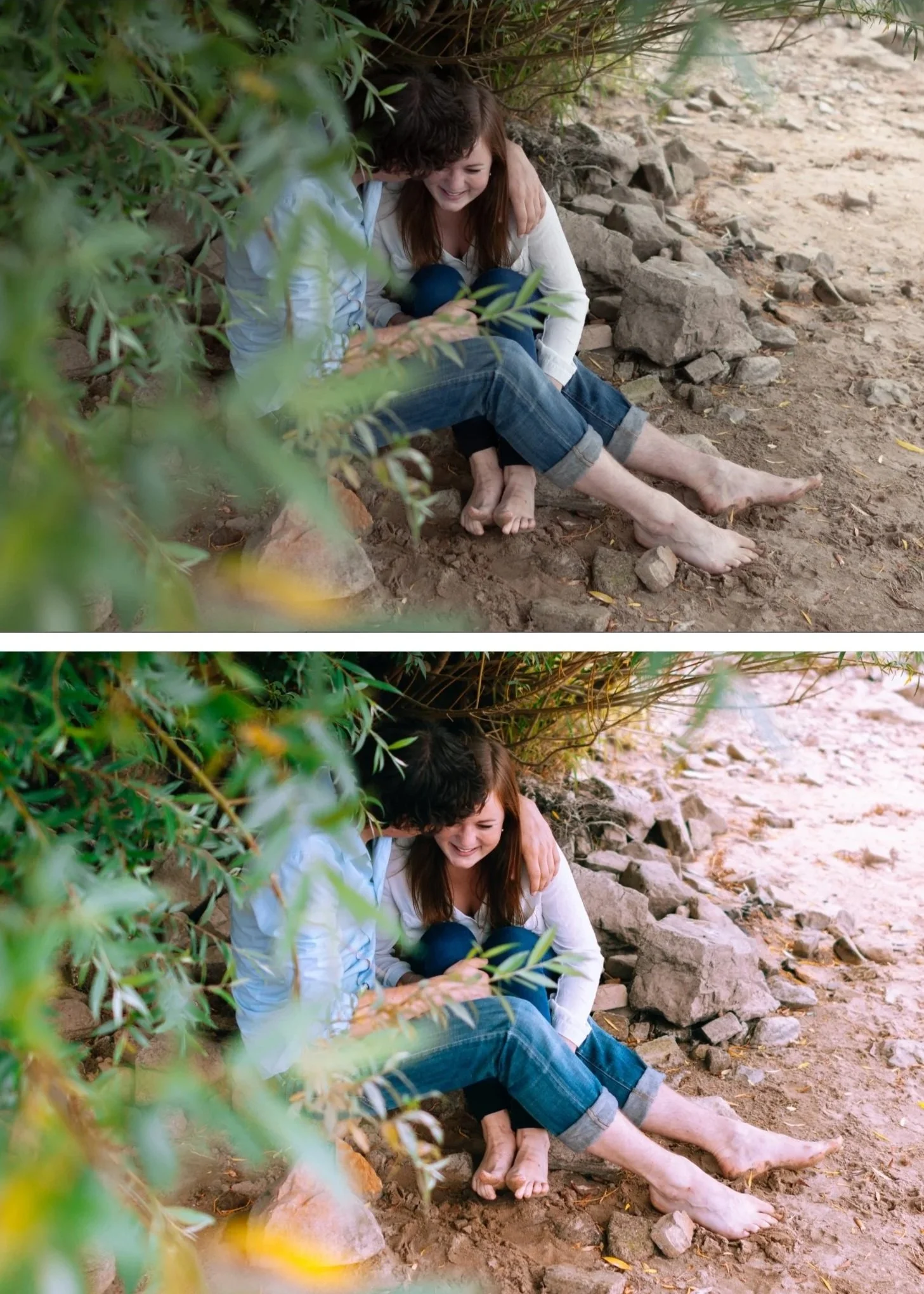
What is Tezza?
Tezza is a photo and video editing app for iOS and Android, created by photographer Tezza Barton. It's designed for content creators with a focus on aesthetic, film-inspired editing and Instagram-ready output. The app includes photo presets, video effects, story templates, collage tools, a feed planner, and batch editing.
Tezza pricing in 2026
Free — limited preset access and basic editing tools.
Photo plan — $1.99/month or $19.99/year — full photo preset library, all photo editing tools.
Photo + Video plan — $3.99/month or $39.99/year — everything in the photo plan plus video editing, stop motion effects, story templates, and video presets.
What Tezza does well
Curated preset library — Tezza's 40+ presets are hand-crafted by the founder and share a consistent aesthetic direction. Vintage film, moody, bright and airy, and minimal — all cohesive enough to build a recognizable Instagram feed.
Feed planner — drag and drop your photos to preview how they'll look on your Instagram grid before posting. Supports multiple accounts. A genuinely useful tool for creators who think about their feed as a whole.
Batch editing — copy and paste an edit from one photo to multiple photos simultaneously. Essential for anyone editing a series of photos from the same shoot.
Video editing with film effects — the paid plan includes stop motion effects, retro film frames (Super 8, VHS, 8mm, Kodak, VCR), subtitles, and video presets. More creative video tools than most competing photo apps offer.
Story templates — 150+ templates for Instagram Stories across film, editorial, Y2K, and minimal styles. Useful for creators who post consistently to Stories.
Overlays — add texture and dimension to photos with paper, dust, light, and plastic overlays. Gives a more authentic film feel than color filters alone.
Adjustments with HSL — 14 manual adjustment tools including Hue, Saturation, and Luminance control for individual color ranges. More control than most Instagram-first apps provide.
Where Tezza falls short
Stability issues on Android — user reviews consistently flag bugs on Android: crashes during editing, photos not loading from the gallery, and video export failures. iOS performance is generally better but not immune. This is the most frequently mentioned complaint in recent reviews.
No RAW file support — Tezza doesn't edit RAW files. You're working with JPEGs, which means the presets don't have the full tonal range of your original image to work with. For photographers who shoot with a dedicated camera, this is a significant limitation.
Subscription model without ownership — like VSCO, cancelling your Tezza subscription means losing access to the presets you've been using. You're renting the aesthetic, not owning it.
iOS-first development — new features typically arrive on iPhone before Android. Android users may find themselves waiting weeks or months for the same functionality.
Limited manual control — 14 adjustment tools is more than some competitors, but significantly less than Lightroom or even Snapseed. For photographers who want fine tonal control, Tezza's manual tools hit a ceiling quickly.
Tezza vs Lightroom presets
Tezza is built for mobile-first, Instagram-first creators who want a complete content creation toolkit in one app. The feed planner, story templates, and video tools make it more than just a photo editor.
Lightroom presets are a better fit if you shoot RAW with a dedicated camera, want permanent ownership of your editing tools, need batch editing across large galleries, or want more precise manual control after applying a preset.
The two aren't mutually exclusive — some photographers use Tezza for feed planning and story templates while editing their actual photos in Lightroom.
Try Lightroom presets for free
If you want to see how Lightroom presets compare to Tezza's film looks, download our free Everyday Magic preset. It recreates the clean, vintage film aesthetic that Tezza is known for — as a Lightroom preset you own permanently, with full manual control after applying.
Works in Lightroom Classic, CC, and Mobile. Free.
Is Tezza worth it in 2026?
Yes, if:
You shoot primarily on iPhone and create content for Instagram
You want a curated aesthetic with minimal editing effort
You use Instagram Stories and Reels regularly and want templates
The feed planner and batch editing fit your workflow
Less ideal if:
You're on Android (stability issues are a real concern)
You shoot RAW with a dedicated camera
You want permanent ownership of your presets
You need more manual control than Tezza's 14 adjustment tools provide
FAQ
Is Tezza free?
Tezza has a free tier with limited features. The photo plan is $1.99/month or $19.99/year. Photo + Video is $3.99/month or $39.99/year.
Does Tezza work on Android?
Yes, but Android users consistently report more bugs and slower feature updates than iOS users. Check recent App Store and Play Store reviews before subscribing if you're on Android.
Does Tezza support RAW files?
No. Tezza works with JPEGs only. For RAW editing, use Lightroom Mobile or Snapseed.
Can I use Tezza presets in Lightroom?
No — Tezza presets are proprietary to the Tezza app. However, Lightroom presets can replicate similar film-inspired aesthetics with full manual control. See our Best Lightroom Presets for Instagram 2026 guide.
What is Tezza best for?
Instagram content creation — particularly for photographers who want a curated preset library, feed planning, story templates, and video tools in one app.
Is Tezza worth the subscription?
For mobile-first Instagram creators who use the feed planner and templates regularly, yes. For photographers who shoot RAW or want long-term preset ownership, a Lightroom preset bundle is better long-term value.
