Snapseed Review 2026 — Is Google's Free App Still Worth Using?
Snapseed Review 2026 — Is Google's Free App Still Worth Using?
Snapseed is completely free in 2026 no ads, no subscription, no in-app purchases. Snapseed has been Google's free photo editing app since 2011. In 2026, it remains one of the most downloaded editing apps on both iOS and Android — and unlike almost every competitor, it has never added a subscription, never locked features behind a paywall, and never shown an ad.
The question in 2026 isn't whether Snapseed is good. It is. The question is whether it fits your workflow.
This is an independent review. Snapseed and Google have not sponsored or endorsed this guide.
What is Snapseed?
Snapseed is a free photo editing app developed by Google, available on iOS and Android. It was originally created by Nik Software in 2011, acquired by Google in 2012, and has been free ever since. It supports both JPEG and RAW files and offers over 25 tools and filters.
Is Snapseed still free in 2026?
Yes. Snapseed is completely free on iPhone and Android. No subscription, no premium tier, no ads, no in-app purchases. Google has owned Snapseed since 2012 and has maintained it as a fully free app.
The app is regularly updated — the most recent update added improved AI tools for portrait editing and selective adjustment improvements.
Snapseed pricing
Free — completely. No subscription, no in-app purchases, no premium tier. Every tool, every filter, and every feature is available from the moment you download it. This is genuinely unusual in 2026 when almost every competing app uses a subscription model.
What Snapseed does well
Selective adjustments — Snapseed's selective tool lets you make precise edits to specific areas of a photo by tapping and dragging. Adjust brightness, contrast, saturation, or warmth in a localized area without affecting the whole image. This level of control is typically locked behind subscriptions in competing apps.
Healing tool — remove unwanted objects, blemishes, or distractions by tapping on them. Snapseed intelligently blends the edited area with surrounding pixels. Most apps charge for this feature.
RAW support — Snapseed opens and edits native RAW files from most cameras, which means you're working with the full quality of your original image rather than a compressed JPEG.
Curves — full RGB curve control for fine-tuning brightness and contrast across specific tonal ranges. A professional-grade tool that's free here.
Lens blur — simulate depth of field effects in post, creating a background blur that mimics a wide-aperture lens. Useful for portrait photographers who shoot on mobile.
Perspective correction — fix skewed lines in architectural or landscape photos with a dedicated perspective tool.
Looks (presets) — Snapseed's filter system saves custom combinations of adjustments as "Looks" that can be applied to new photos with one tap. You can also share Looks with others — a feature unique to Snapseed.
Non-destructive editing — every edit in Snapseed remains adjustable after the fact. You can go back and change any individual tool in your edit stack at any time.
Where Snapseed falls short
No cohesive preset library — Snapseed's built-in Looks are functional but not aesthetically unified. They're isolated filters rather than a consistent editing system. Building a cohesive Instagram feed using Snapseed Looks alone is difficult because the filters don't share a common color philosophy.
No batch editing — Snapseed edits one photo at a time. For photographers editing a full gallery of 200+ images after a shoot or wedding, this is a significant workflow bottleneck.
No desktop version — Snapseed is mobile-only. If your workflow involves editing on a computer, Snapseed doesn't fit.
No edit history across sessions — once you close a photo in Snapseed, you can't reopen the edit stack and adjust individual steps. The non-destructive editing only works within a single session.
Interface has a learning curve — Snapseed's gesture-based controls are powerful but unintuitive for new users. The swipe-based adjustment system takes practice to master.
Snapseed vs Lightroom presets
Snapseed is an editing tool. Lightroom presets are an editing system.
For a single photo that needs detailed retouching — removing an object, fixing a skewed horizon, dodging and burning specific areas — Snapseed is excellent and free.
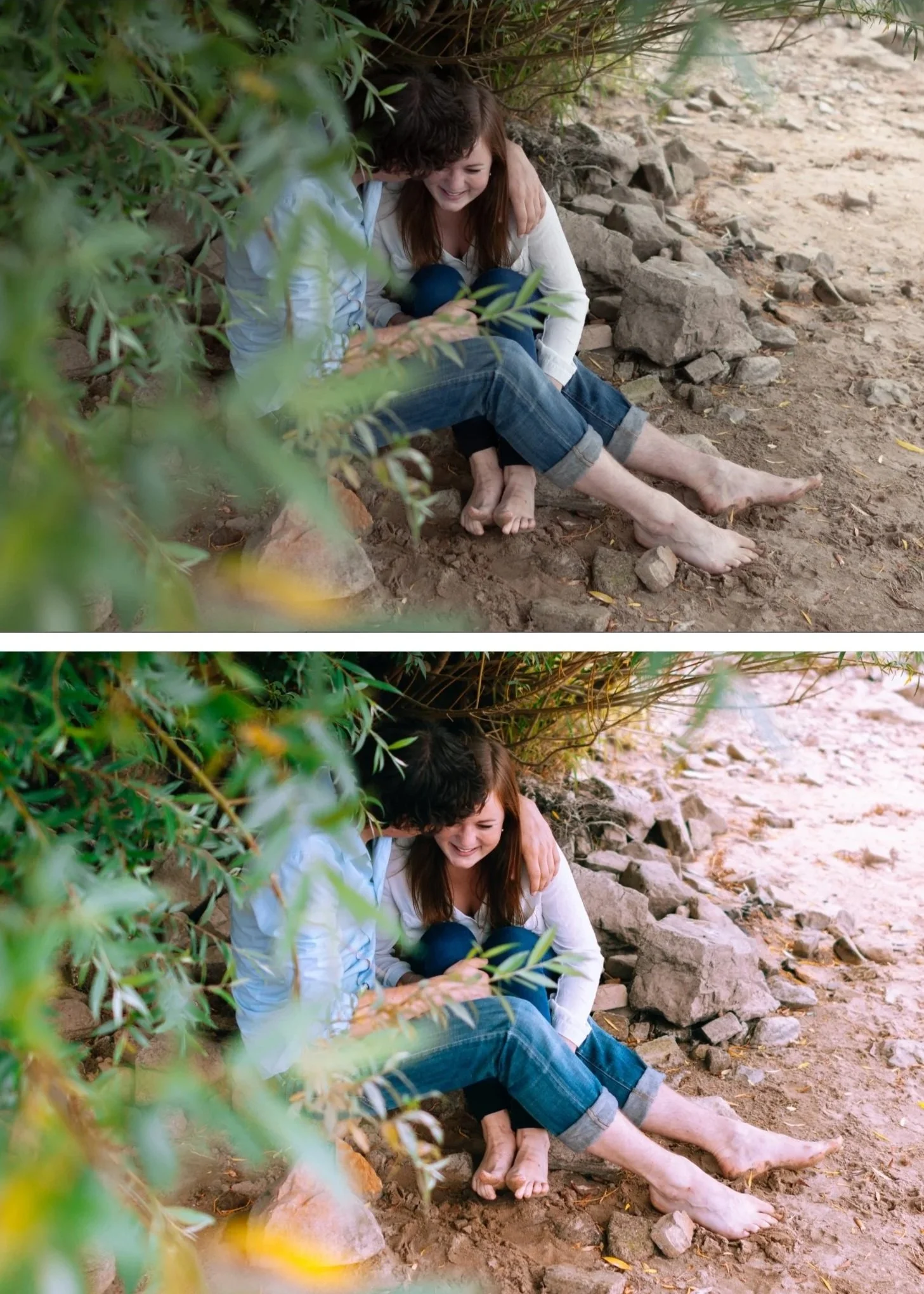
For building a consistent editing style across hundreds of photos, creating a cohesive Instagram feed, or batch editing a gallery, Snapseed falls short. Lightroom presets apply the same color science across every image in a gallery with one click, and the results are consistent in a way that manually applying Snapseed's tools photo by photo can't match.
The two tools also complement each other well. Many photographers use Snapseed for detailed retouching (healing, perspective, selective adjustments) and Lightroom for color grading and batch consistency.
Try Lightroom presets for free
If you want to see how Lightroom presets compare to Snapseed's Looks, download our free Everyday Magic preset. It applies a clean, film-inspired look in one tap — the same way Snapseed's Looks work, but built on a more cohesive color system.
Works in Lightroom Classic, CC, and Mobile. Completely free.
Is Snapseed worth using in 2026?
Yes, if:
You want a free, powerful mobile editing tool with no subscription
You need precise local adjustments, healing, or perspective correction
You shoot RAW on mobile and want to edit on your phone
You use it alongside Lightroom for detailed retouching
Less ideal if:
You need batch editing across a large gallery
You want a cohesive preset system for a consistent feed
Your workflow involves desktop editing
You want to build and maintain a consistent editing style long-term
FAQ
Is Snapseed really free?
Yes, completely. No ads, no subscription, no in-app purchases. All 25+ tools and filters are available for free.
Does Snapseed support RAW files?
Yes. Snapseed opens and edits RAW files from most cameras.
Is Snapseed better than Lightroom?
They serve different purposes. Snapseed excels at detailed, tool-based editing on a single photo. Lightroom is better for batch editing, preset-based consistency, and desktop workflows. Many photographers use both.
Does Snapseed work on desktop?
No. Snapseed is a mobile-only app for iOS and Android.
Can I save my edits as a preset in Snapseed?
Yes — Snapseed calls these "Looks." You can save a combination of adjustments and apply it to future photos with one tap. You can also share Looks via QR code.
Is Snapseed good for professional photography?
It's excellent for individual photo editing and retouching. For professional workflows involving batch editing, client delivery, and consistent style across large galleries, Lightroom is the more complete tool.
